Calendar
Everything you have planned, across every channel, on one timeline.
What it's for
Marketing goes wrong in the gaps: two emails on the same morning, a campaign that quietly has nothing scheduled for three weeks, a launch post that clashes with a public holiday. The calendar shows all of it together so you can see those problems before your audience does.
It fills itself
Anything scheduled (social posts, emails, events, campaign tactics) appears here automatically. You do not maintain it separately.
How to read your calendar
- In the sidebar, choose Marketing → Calendar, or the Calendar icon in the top bar.
- Switch between Week, Month and Year depending on how far ahead you are looking.
- Use the arrows beside the date range to move through time.
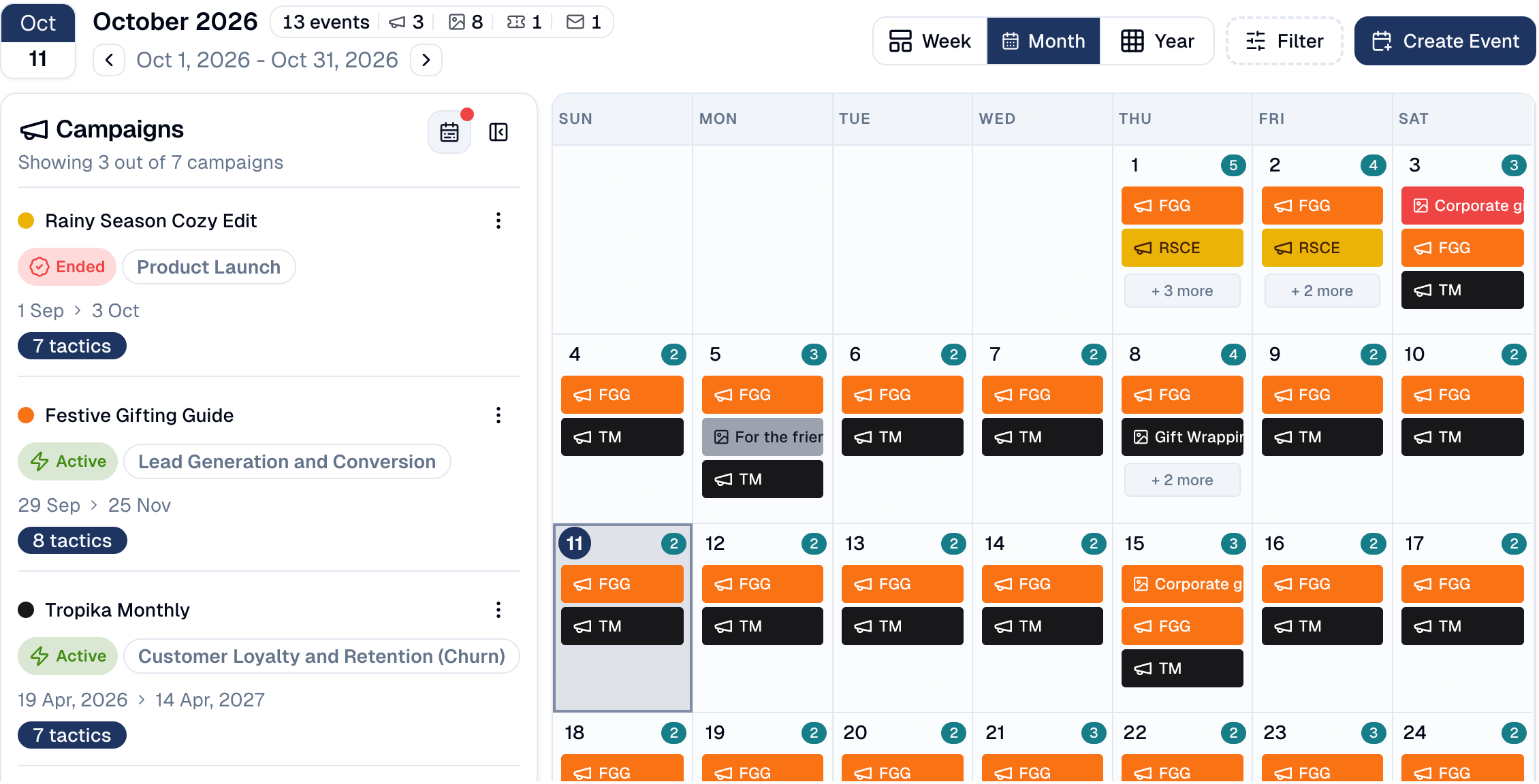
The header tells you what is in view, for example August 2026, 5 events.
The campaigns panel
Down the left is every campaign overlapping the period you are viewing, each with its status, objective, date range and how many tactics it contains.
Each campaign has a coloured dot, and that colour is how its items appear in the grid, so you can see at a glance which campaign is driving a busy week.
Showing 5 out of 6 campaigns
The panel says how many campaigns it is displaying. If that number is lower than your total, some are filtered out: check Filter before concluding something is missing.
Days with more than fits
A day with several items shows the first few and then + 3 more. Choose that to see everything scheduled for the day.
Opening an item
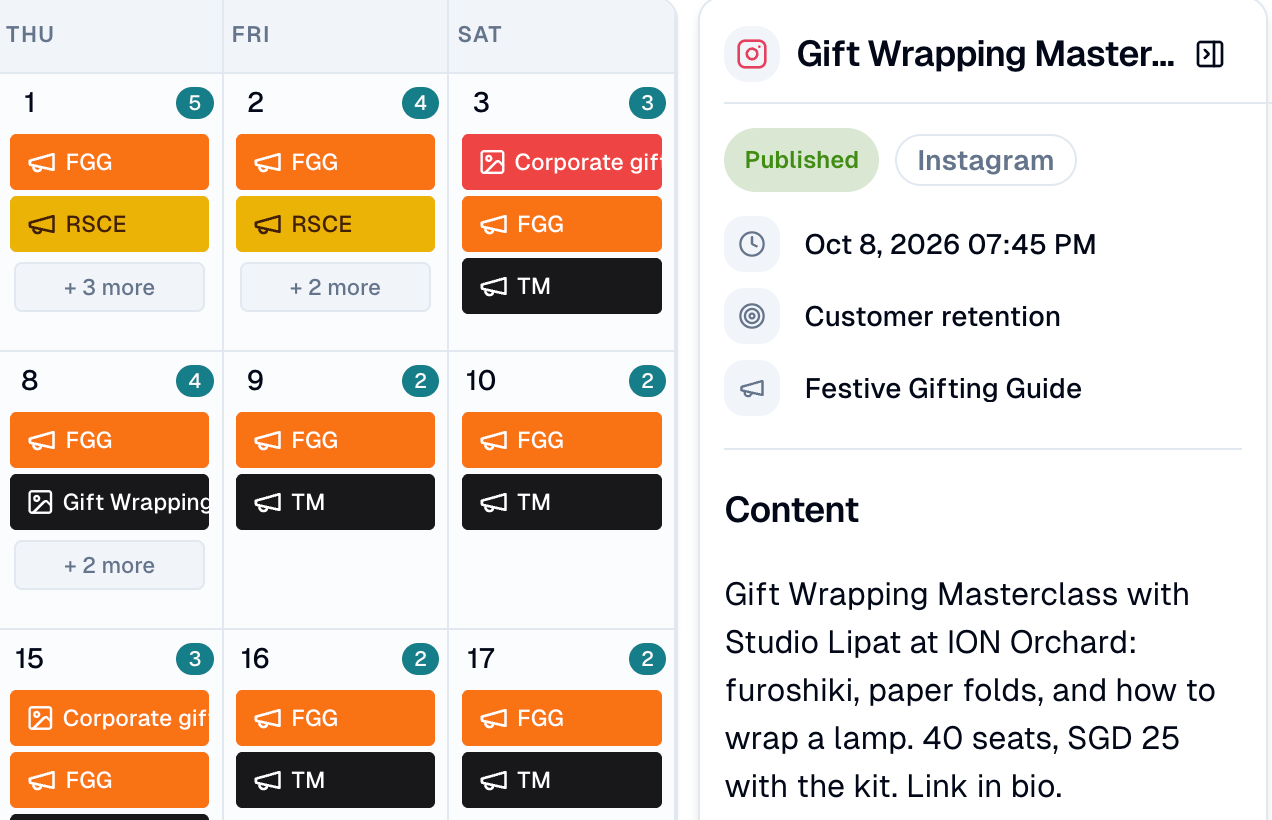
Choose any item to see it in a side panel: its status, network, date and time, objective and campaign, and the content itself.
How to add your own entry
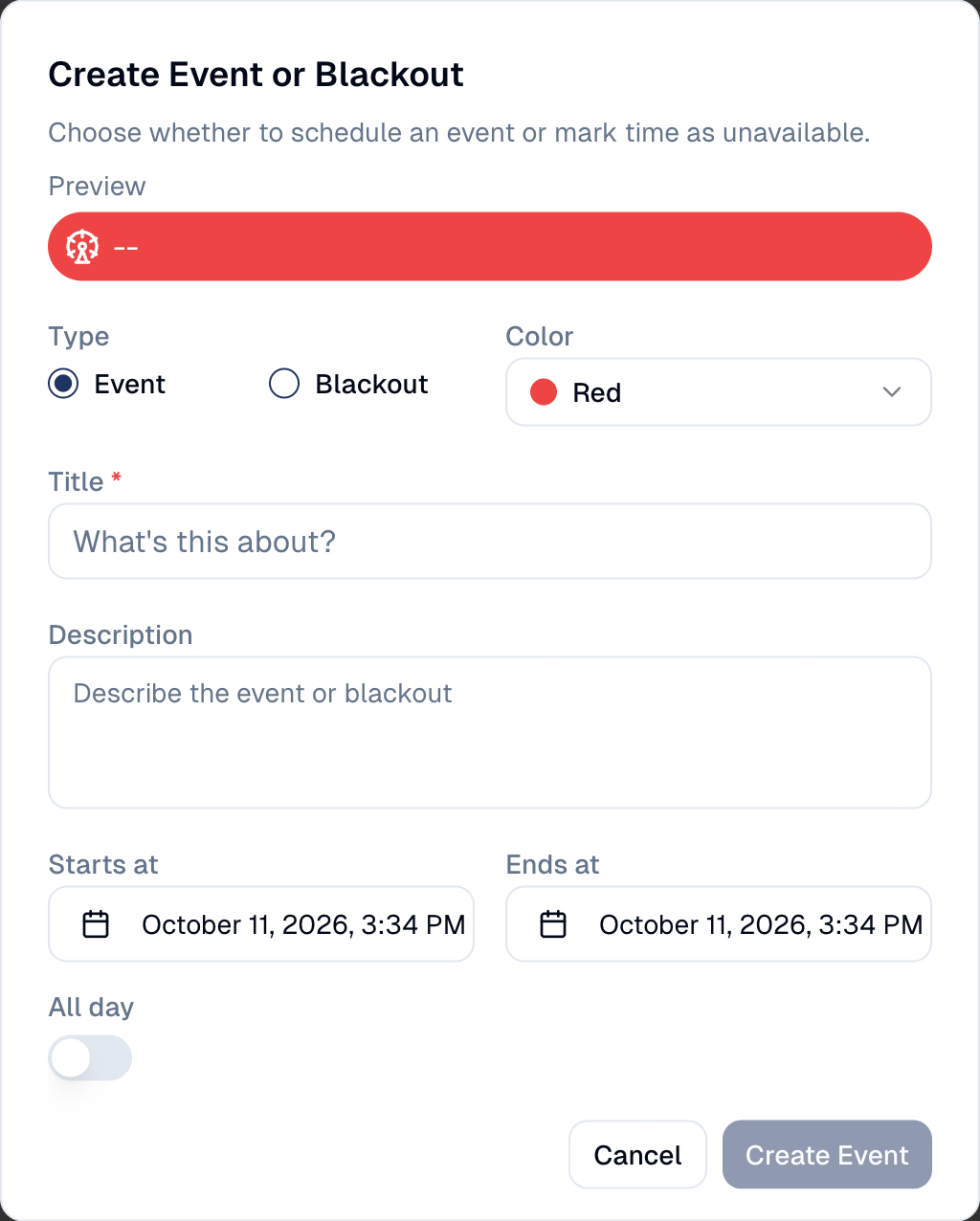
Choose Create Event, then pick its type:
- Event: something to remember, such as a trade show or a sale weekend.
- Blackout: a period when nothing should go out, such as a public holiday or a crisis. It shows on the calendar so the team does not schedule into it.
Give it a title, a colour, the start and end (or All day), and a description.
Good to know
- Look for gaps as well as clashes. A month with nothing in it is as much a problem as a day with six things.
- Check before you schedule. A quick look at the week you are aiming for avoids stacking three emails on the same morning.
The calendar reflects, it does not control
Move a post by editing the post, not by dragging it here.
Still stuck? Contact support.