QR Code Generator
Create QR codes for print, packaging and events, styled to match your brand.
What it's for
A QR code turns a printed thing into a link: a poster into a sign-up page, a business card into your website, a table tent into a feedback form. This tool makes them without a third-party site, and can track how often each one is scanned.
How to generate a QR code
- In the sidebar, choose Tool Box → QR Code Gen.
- Enter the destination in URL. The preview appears once the URL is valid.
- Style it to match your brand using the options below.
- Choose Download (.PNG).
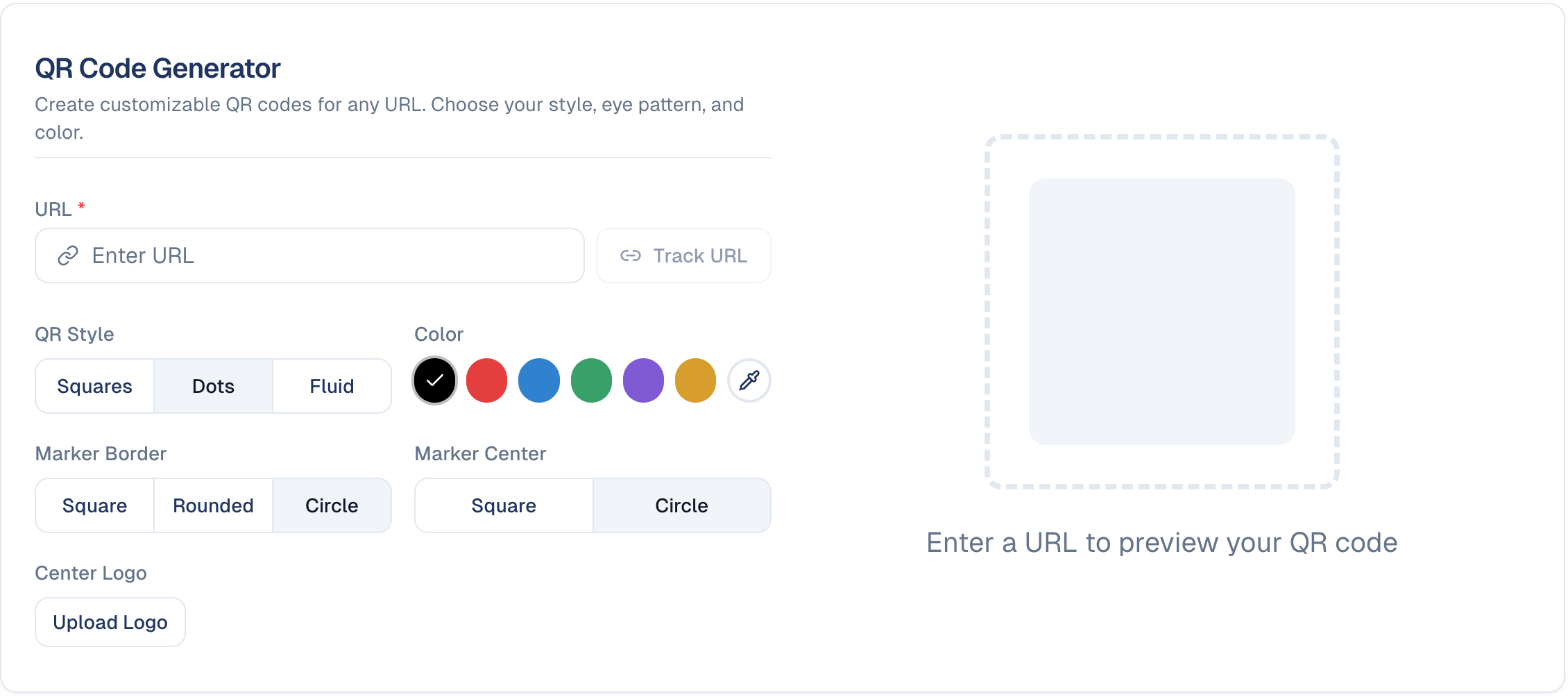
Styling options
| Option | Choices |
|---|---|
| QR Style | Squares, Dots, Fluid: how the code's dots are drawn. |
| Color | A set of preset colours, or the picker for your own. |
| Marker Border | Square, Rounded, Circle: the outer shape of the three corner markers. |
| Marker Center | Square, Circle: the inner shape of those markers. |
| Center Logo | Upload Logo places your logo in the middle. |
Test before you print
Heavy styling can make a code harder to scan: pale colours, a large centre logo, or the Fluid style on a small print size. Always scan the finished code with a real phone before sending anything to print.
Tracking scans
Track URL beside the URL field turns the code into a tracked link, so you can see how many people scanned it. This uses the URL Shortener behind the scenes.
Track every printed code
Whenever the code goes somewhere you cannot otherwise measure, such as a flyer, a conference banner or packaging, turn on Track URL. You can also change where a tracked link points later, from the URL Shortener, without reprinting.
Good to know
- The code points at a URL, not a file. If the destination page moves, an untracked printed code breaks.
- Contrast matters. Dark code on a light background scans most reliably.
- Size for the distance. A code on a poster read from across a room needs to be far larger than one on a business card.
Still stuck? Contact support.