Google Search Console
Bring your Google search results (clicks, impressions, positions and queries) into GoodBards.
What it's for
The Google Search Console connector is the main source for GoodBards' search screens:
- Performance & Report: clicks, impressions, position and click rate, alerts, page inspection and Diagnostics. See Performance & Report.
- Page Fixes: the pages to fix first. See Page Fixes.
- AI Readiness & Authority. See AI Readiness.
- Momentum: which pages are gaining or losing search traffic. See Momentum.
- Research & Plan: a plan needs Search Console connected and a site chosen. See Research & Plan.
- Digital Ads: your top search queries, and the Search Console source when you choose keywords. See Digital Ads.
- The daily summary on your home page.
- AI agents with the Search Console tool.
Before you start
- You must be an administrator or the owner of your GoodBards company account.
- Your website must be a verified property in Google Search Console, and the Google account you use must have access to it.
How to connect
- Open your account menu (your picture, top right), then choose Connections.
-
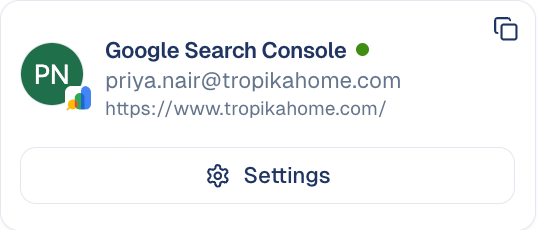
On the Web Analytics tab, find Google Search Console and choose Connect.
-
Pick your Google account and allow GoodBards to view your Search Console data.
- Back in GoodBards, choose Choose Site on the card.
- Under Search Console Site, pick your website, then choose Save Settings.
What GoodBards does with it
| GoodBards… | Details |
|---|---|
| Reads | Your sites, search results by date, query, page, device and country, page inspection results and your sitemaps. |
| Does not | Change anything in Search Console. |
How to change the site
- On the Google Search Console card, choose Settings.
- Pick the other site under Search Console Site, then choose Save Settings.
- GoodBards asks you to confirm (Change your Search Console site?). Choose Change site, or Keep current site if you are not sure.
Changing the site resets what GoodBards learned
Unfinished actions queued for the old site are closed (the dialog says how many). Its content plans, Momentum moves, reports and detected site type no longer apply.
Good to know
- One site per workspace. Every search screen uses the site you picked.
- Data is two to three days behind. That is how Google provides it.
- Page inspections are limited by Google to 2,000 a day per site.
How to disconnect
- On the Google Search Console card, choose Settings.
- Choose Disconnect.
GoodBards forgets the access and the chosen site. To remove access on Google's side too, do it from your Google Account, under third-party connections.
Still stuck? Contact support.