Google Ads
Run and report on your Google Ads campaigns from GoodBards.
What it's for
The Google Ads connector links one Google Ads account to your workspace. GoodBards uses it in:
- Digital Ads: overview, campaigns, ad groups, keywords, ads, recommendations, conversion tracking and callouts. See Digital Ads.
- Ad campaign tactics: link a campaign tactic to an existing Google Ads campaign and follow its results in the campaign report.
- Keyword Planner: keyword ideas with monthly searches, competition and bids, in the campaign wizard, when you write content, and as a demand source in Research & Plan.
Before you start
- You must be an administrator or the owner of your GoodBards company account.
- Use a Google account with access to the Google Ads account you want to use. To create and change campaigns from GoodBards, that access must allow changes, not read-only.
- Agencies with a manager account (MCC): sign in with the account that has access to the manager. GoodBards lists each client account under it.
How to connect
- Open your account menu (your picture, top right), then choose Connections.
-
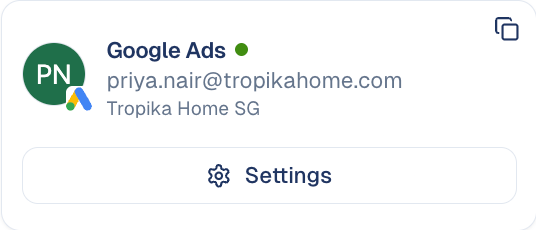
On the Digital Ads tab, find Google Ads and choose Connect.
-
Pick your Google account and allow GoodBards to manage your Google Ads campaigns.
- Back in GoodBards, choose Choose Account on the card.
- Under Google Ads Account, pick the account, then choose Save Settings.
In the list, accounts reached through a manager show via MCC and the manager's number; test accounts show TEST.
Manager accounts cannot be picked
A manager account (MCC) does not run ads itself, so pick one of its client accounts. Until an account is chosen, Digital Ads shows Select a Google Ads account.
What GoodBards does with it
GoodBards reads and changes your Google Ads account.
| GoodBards… | Details |
|---|---|
| Reads | Accounts, campaigns, ad groups, keywords, ads, conversion actions, callouts, recommendations, reports and keyword ideas. |
| Creates and changes | Campaigns and their budgets, status and bidding; ad groups, keywords, negative keywords and ads; conversion actions; callouts. |
| Applies or dismisses | Google's keyword recommendations, when you choose to. |
New campaigns start paused
Nothing spends until you enable it. Google also checks every new campaign first: the campaign wizard only lets you create it once Google has validated it.
Good to know
- One account per workspace. All Google Ads screens and reports use the account you picked.
- Keyword Planner answers are kept for 30 days, so asking again for the same keywords is instant.
- Ad text limits follow Google's: up to 15 headlines of 30 characters, up to 4 descriptions of 90 characters, and callouts of 25 characters.
Changes apply at once in Google Ads
What you change in GoodBards changes your live Google Ads account straight away. Removing a campaign is permanent there.
How to disconnect
- On the Google Ads card, choose Settings.
- Choose Disconnect.
GoodBards forgets the access and the chosen account. To remove access on Google's side too, do it from your Google Account, under third-party connections.
Your campaigns keep running
Disconnecting does not pause anything. Pause campaigns in Google Ads if you need to.
Still stuck? Contact support.