Triggers
The trigger is the first card of every flow. It decides who enters, and when.
What it's for
Pick the trigger that matches how your contacts reach you: a sign-up form, a tag another tool or a colleague adds, a segment you keep up to date, or simply your own hand-picked list.
How to choose a trigger
- In the designer, select the Trigger card at the top.
- Under Starts when, choose one of the six triggers below.
- Fill in what it asks for: the form, the tag, the segment, the schedule.
The trigger card then names what starts the flow, with an icon per trigger.
Nothing is backfilled
Only events after you activate the flow count: earlier form submissions, tags or contacts are never picked up. To include them, enrol them yourself (see Manual).
Manual
Nobody enters on their own. Once the flow is active, choose Enroll Contacts… on the trigger card (or on the flow's Contacts tab) and pick contacts, a segment or a mailing list, up to 2,000 at a time.
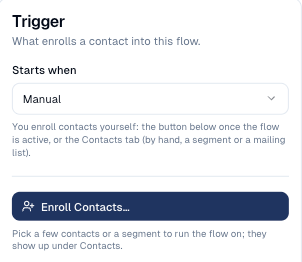
Use it to test any flow on yourself, and for one-off sends to a hand-picked group. Sample: Tutorial 1 · Hello world.
Form submitted
Every new submission of the chosen form enrols its contact, within a minute.
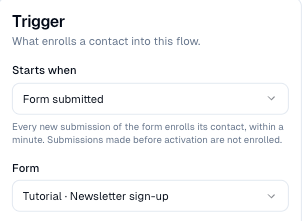
The form must create or update contacts (see Forms). Sample: Tutorial 2 · Welcome series.
Contact created
Every contact added after activation enrols, within a minute, however it was added: by hand, an import, a form, the card scanner, an integration.
Every new contact
This trigger takes everyone. If only some new contacts should enter, use Tag added with a tag your import or form sets, or a branch right after the trigger with an Exit flow lane.
Tag added
A contact who gets the chosen tag enrols within a minute, whoever adds it: you, an import, a form, another flow's Add tag step, an integration.
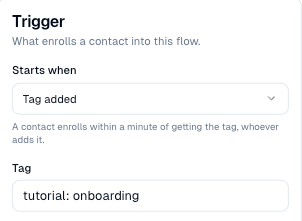
Tags are the easiest way to connect a flow to the rest of your tools. Samples: Tutorial 3, Tutorial 7, Tutorial 8.
Segment (daily)
Every day at 03:00 UTC, members of the segment who are not in the flow yet enrol.
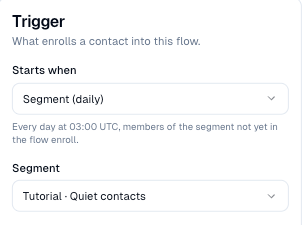
A contact who joins the segment on Tuesday enters on Wednesday morning. See Segments and schedules. Sample: Tutorial 4 · Win back quiet contacts.
On a schedule
The segment's members enrol each time the schedule runs: every day, every week on a given day, or every month on a given date, at a time and timezone you choose.
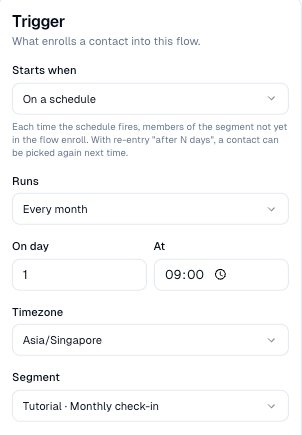
Combine it with Re-entry: after a cooldown in Flow settings, or each contact only runs once. Sample: Tutorial 5 · Monthly check-in.
Good to know
- One trigger per flow. For two entry points (a form and a tag), build the flow on a tag and let the form add that tag.
- One flow at a time. A contact already in another flow is skipped and listed under Skipped on this flow's Contacts tab.
- Re-entry. By default a contact goes through a flow once. See Flow settings to let them come back.
Still stuck? Contact support.