Segments and schedules
Run a flow on a segment: every day for newcomers to the segment, or on a schedule for a recurring touchpoint.
What it's for
A segment describes a group by rules ("subscribed, no open in 90 days", "customers in Singapore") and keeps itself up to date. A flow can use a segment in four ways:
| Where | What it does |
|---|---|
| Segment (daily) trigger | Every day at 03:00 UTC, members not yet in the flow enter. |
| On a schedule trigger | Each time the schedule runs, members not yet in the flow enter. |
| In segment condition | A branch, goal or stop rule checks membership at that moment. |
| Enroll contacts → Segment | You enrol the whole segment by hand, once. |
Before you start
- The segment. Build it under Audience. The
Sample flows bring two: Tutorial · Quiet contacts and
Tutorial · Monthly check-in. Both only take contacts tagged
tutorial: quietortutorial: monthly, so you can try them on yourself safely.
How to win back quiet contacts, every day
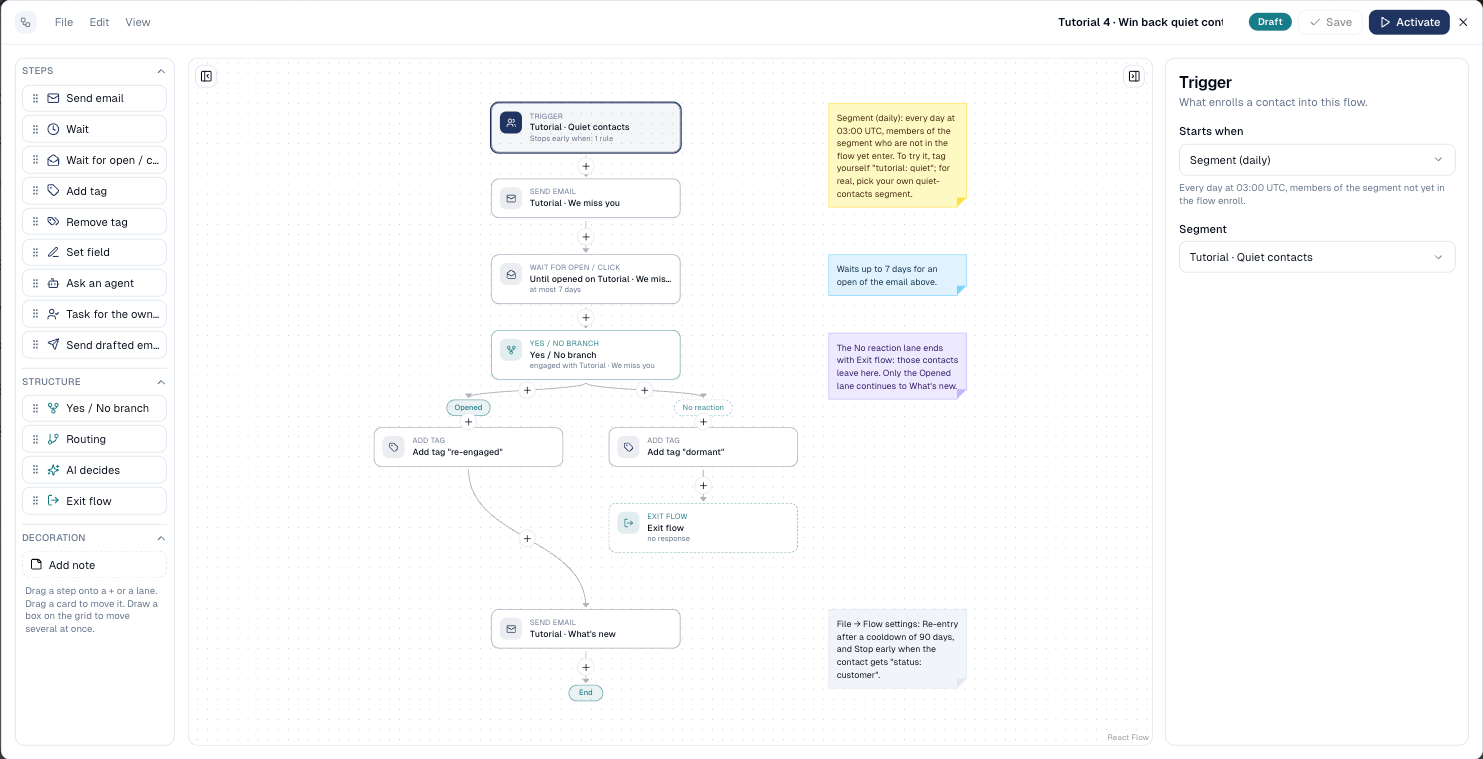
Tutorial 4 runs on a segment of contacts who opened and clicked nothing in 90 days.
-
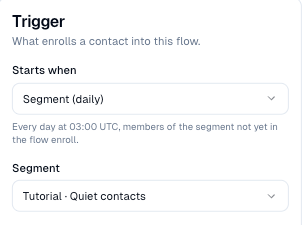
Select the trigger, choose Segment (daily) and the segment.
-
Build the steps.
-
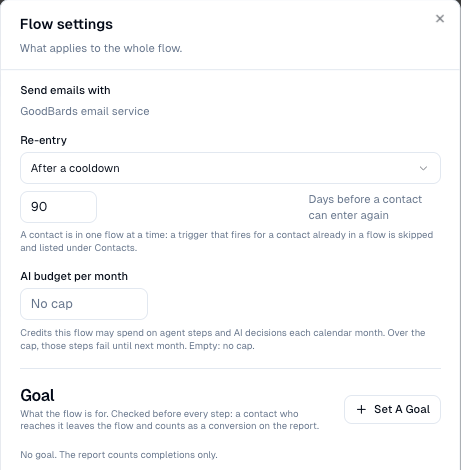
In File → Flow settings, set Re-entry to After a cooldown of 90 days: someone who goes quiet again next season gets the flow again.
How to send a monthly check-in
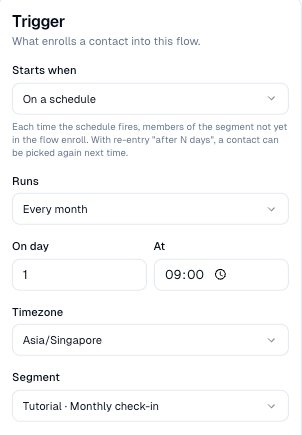
Tutorial 5 runs on the 1st of every month at 09:00 Singapore time.
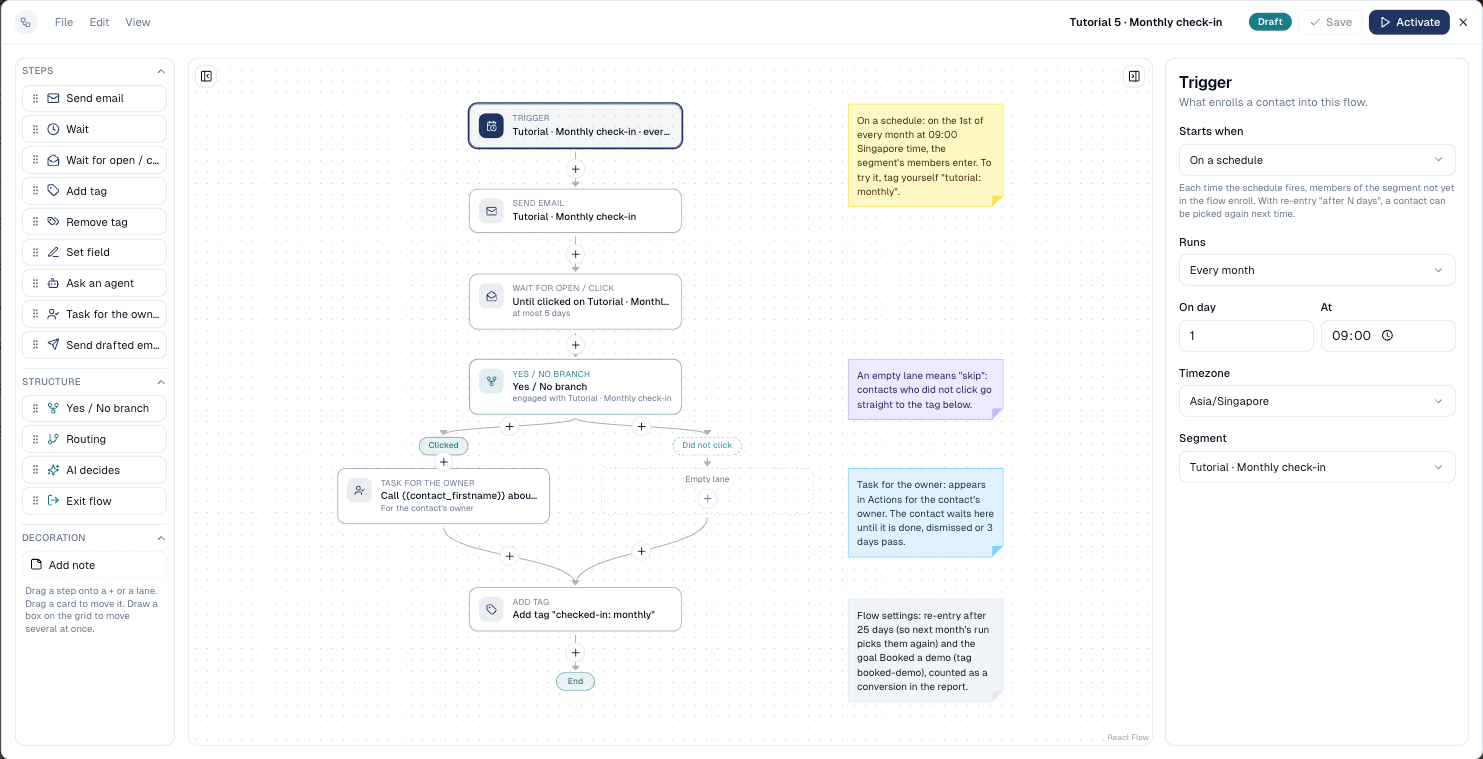
- Select the trigger and choose On a schedule.
- Under Runs, choose Every day, Every week (and the weekday) or Every month (and the day), then the time and the Timezone.
-
Pick the Segment.
-
In File → Flow settings, set Re-entry to After a cooldown shorter than the schedule (25 days for a monthly flow). Without it, each contact only gets the first month.
How to enrol a segment once
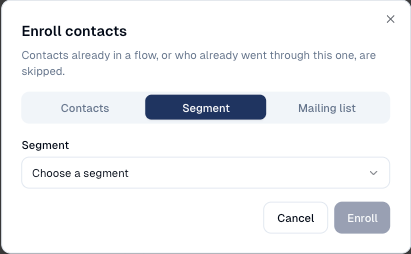
On an active flow, choose Enroll Contacts… (trigger card or Contacts tab), then Segment, and pick it. Up to 2,000 contacts at a time.
Good to know
- Membership is read when the trigger runs. A contact who leaves the segment after entering stays in the flow; add a stop rule In segment (or its opposite with a branch) if they should leave.
- The first run is the next scheduled one. Activating a monthly flow on the 2nd means nothing happens until the 1st of next month. Enrol the segment by hand to start now.
- Large segments. Every member who is subscribed and not in another flow enters. Try the flow on a small test segment first.
Still stuck? Contact support.