Flow settings
What applies to the whole flow: who may come back, what success looks like, and when a contact should stop early.
What it's for
Steps describe the path; settings describe its rules. Set a goal to measure conversions, a stop rule so buyers don't get "buy now" reminders, a cooldown so a monthly flow picks the same people again next month.
How to open them
In the designer, choose File → Flow settings.
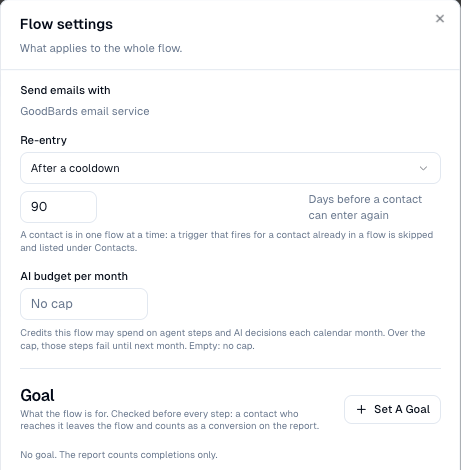
| Setting | What it decides |
|---|---|
| Send emails with | Which email server sends, when you have more than one connected. |
| Re-entry | Once per contact (the default); Every time the trigger fires again (after finishing); or After a cooldown, with the number of days before the same contact can enter again. |
| AI budget per month | The most credits this flow may spend on Ask an agent and AI decides steps each calendar month. Empty means no cap. |
| Goal | What the flow is for. A contact who meets it leaves and counts as a conversion. |
| Stop early when… | Rules that take a contact out as soon as something becomes true, and may move them into another flow. |
How to set a goal
- Under Goal, choose Set A Goal.
- Name it (Called), for example Booked a demo.
- Pick the condition that means success, for example Has tag
booked-demo.
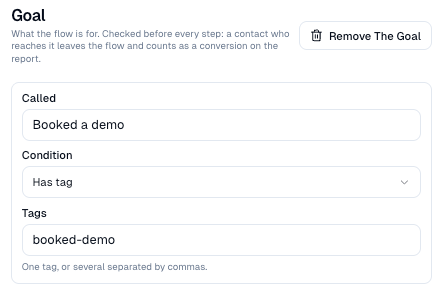
The report then shows Goal reached and the Conversion rate (see Results). Sample: Tutorial 5.
How to stop early, and hand over to another flow
- Under Stop early when…, choose Add Rule.
- Pick the condition, for example Has tag
status: customer, and type a Reason (shown on the Contacts tab). - Under Then, keep Just leave the flow, or pick another flow the contact should enter.
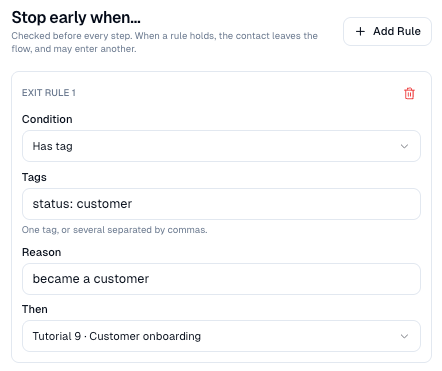
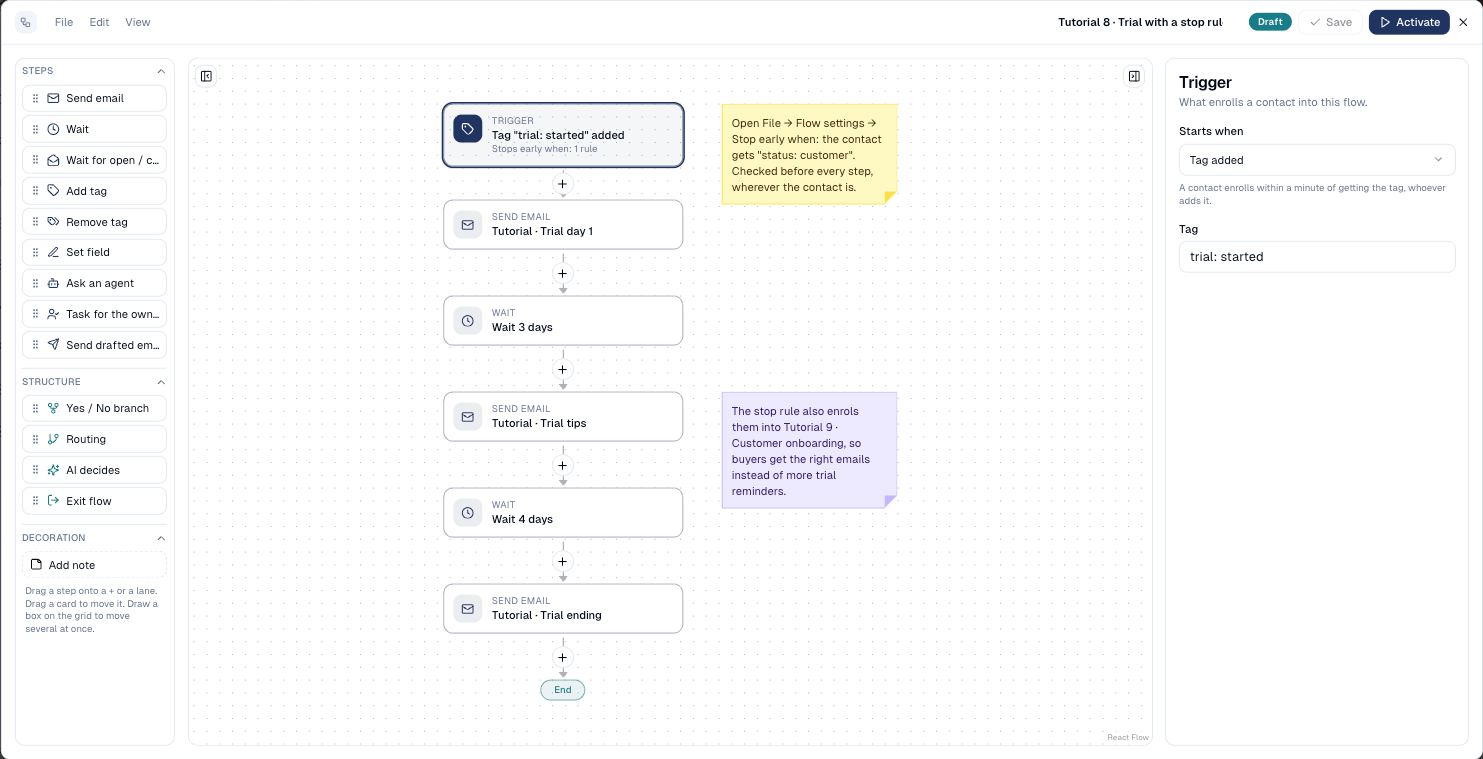
Tutorial 8 uses this: a trial contact who becomes a customer leaves the trial emails and enters Tutorial 9 · Customer onboarding straight away.
Goal or stop rule?
| Goal | Stop rule | |
|---|---|---|
| Means | Success | Not relevant any more |
| Report | Counted as a conversion | Counted as an exit, with its reason |
| Can move the contact to another flow | No | Yes |
Good to know
- Checked before every step, not during a wait. A contact on a three-day wait who books a demo on day one leaves when the wait ends, before the next email goes out.
- Unsubscribe always stops. Whatever the rules, a contact who is no longer subscribed leaves within a minute.
- The trigger card shows it. A flow with stop rules says Stops early when: N rules on its trigger card.
Still stuck? Contact support.