Launch a Tactic
Put out a single piece of marketing, one post or one email, without setting up a whole campaign first.
What it's for
A tactic is one piece of marketing activity on one channel: a LinkedIn post, a TikTok video, an email newsletter. It is the smallest thing you can publish.
Most of the time you do not need a campaign. If you simply want something out on Instagram this afternoon, start here. Campaigns are for when several tactics work towards the same goal over a period of time: see Campaigns.
Before you start
- The channel connected. A social channel you have not linked cannot publish. Set it up in Settings → Connections; see Connections.
How to launch a tactic
- In the sidebar, choose Marketing → Launch a Tactic.
- Pick the channel you want to publish on.
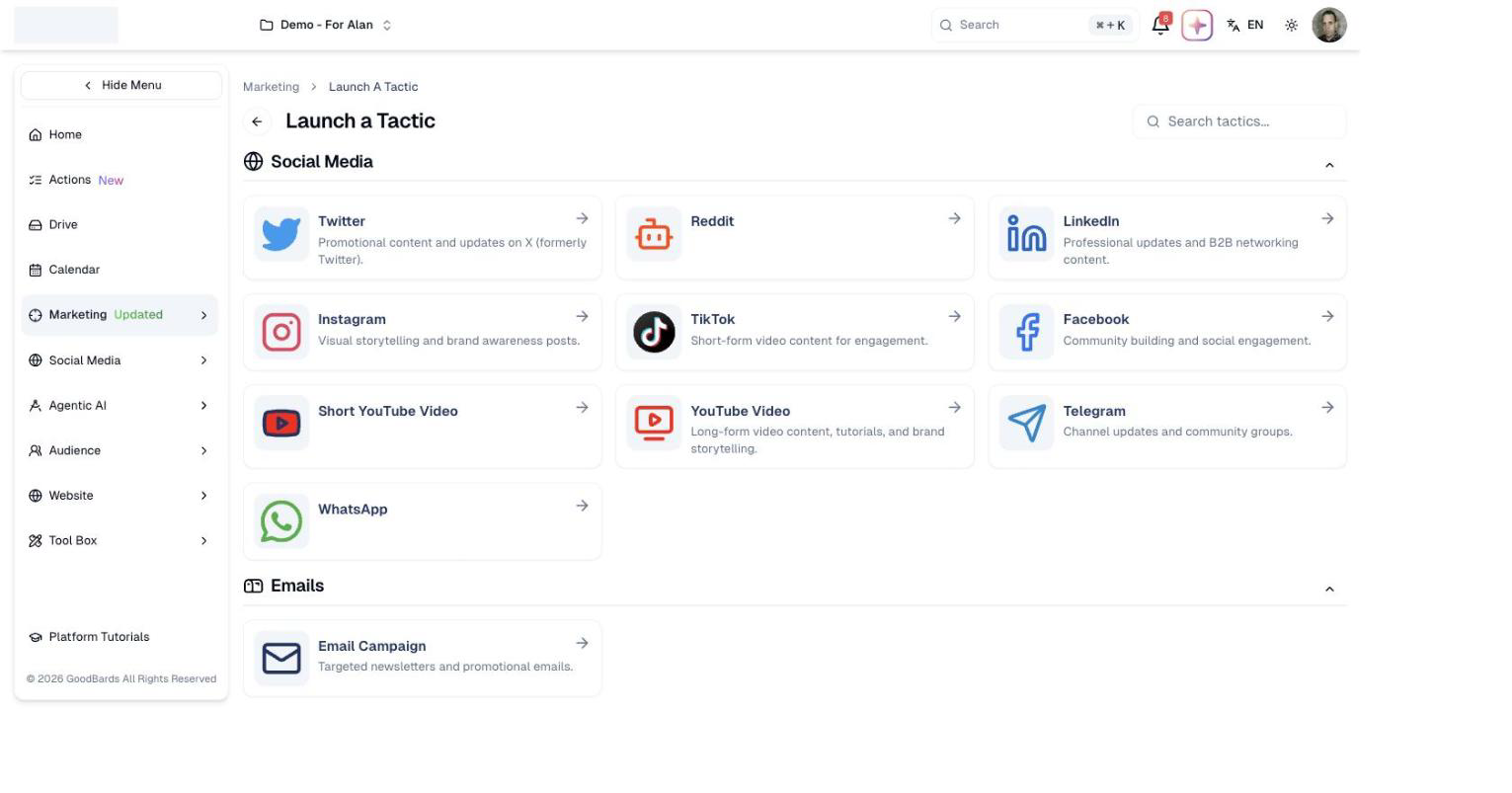
Channels are grouped by type, and each says what it is best suited to: LinkedIn for professional and B2B content, TikTok for short-form video, and so on. To see one group only, choose it in the row of buttons above the channels; All shows everything again. Once you have picked a channel, follow the steps for it to write your content and publish or schedule it.
Not sure which channel?
The short description under each one is a reminder of what that audience expects. Match the content to the channel rather than posting the same message everywhere.
Available channels
| Group | Channels |
|---|---|
| Social Media | Facebook, Instagram, LinkedIn, TikTok, X, YouTube, YouTube Shorts |
| Emails | Email Campaign for newsletters and promotional emails; Marketing Automation for a flow of emails that runs on its own (see Automations) |
| Articles | Blog Post, Press Release |
| Events | Events: in person, virtual or hybrid |
| Ads | Ads (marked Coming soon) |
Use Search tactics… at the top right to jump straight to one.
Good to know
A tactic can join a campaign later
Starting with a single tactic does not lock you out of organising it into a campaign afterwards.
- Each channel has its own rules on length, images and video. The tactic screen for that channel will tell you what it accepts.
Still stuck? Contact support.