Your first flow: Hello world
Build a three-step flow, switch it on and run it on yourself. It takes about ten minutes, and you will have used every screen you need for bigger flows.
What it's for
Hello world is the smallest flow that does something you can check: it sends you one email, waits five minutes, then puts a tag on your contact. Once it works, you know your email server, your emails and your access are ready for real flows.
Already built for you
The same flow exists as Tutorial 1 · Hello world in the Sample flows, with sticky notes explaining each card. Open it next to this page if you prefer to read rather than build.
Before you start
- You are a contact. Add yourself under Audience → Contacts with your own email address and the status Subscribed. See Adding contacts.
- An email to send. Any of your Emails will do. The tutorial uses one called Tutorial · Hello world.
- An email server is connected. See Email sending.
How to build it
- In the sidebar, choose Marketing → Automations, then New Flow.
-
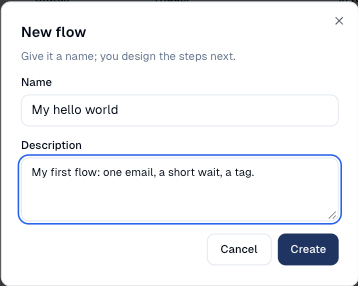
Name it My hello world, add a description if you like, and choose Create.
-
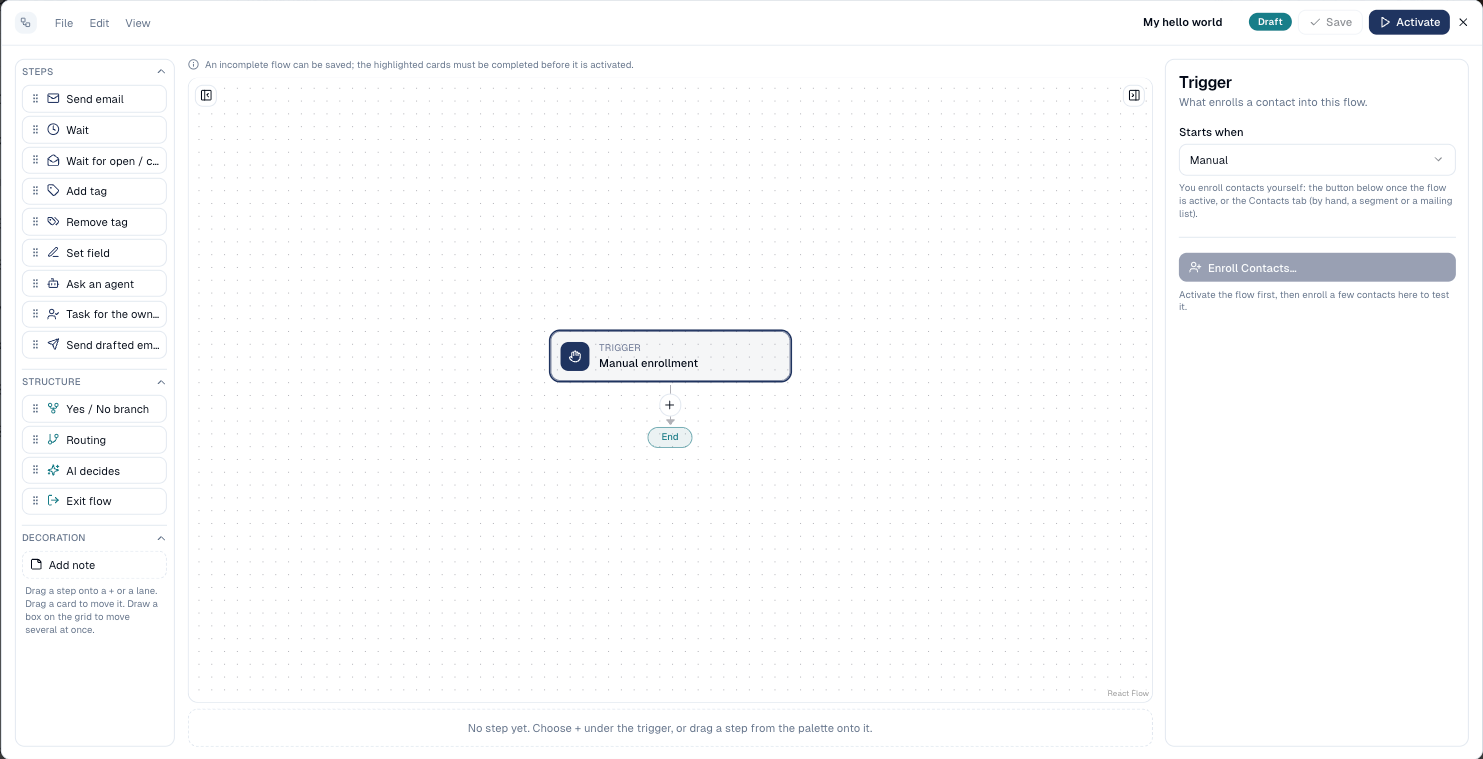
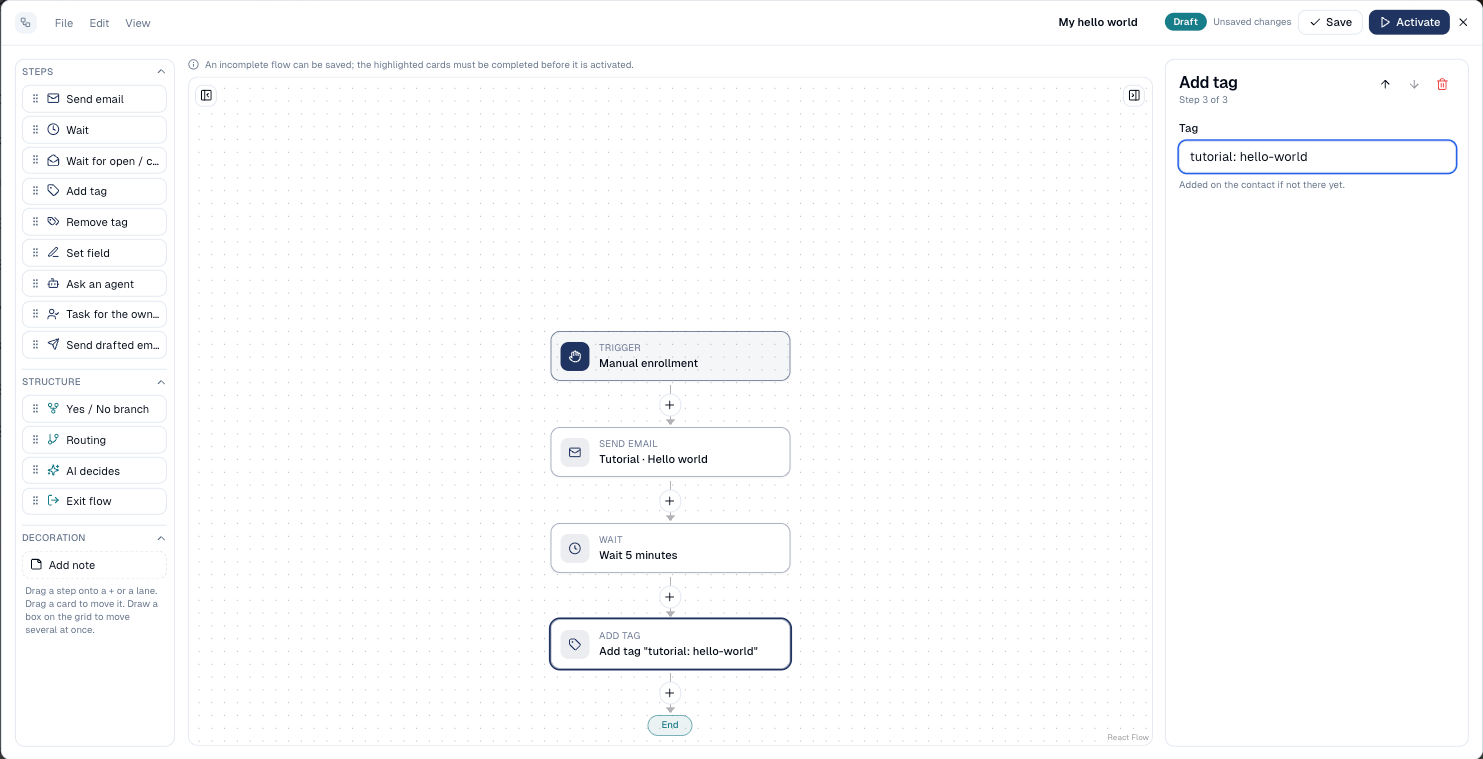
The designer opens with a single Trigger card, set to Manual: nobody enters until you enrol them. That is what you want for a test.
-
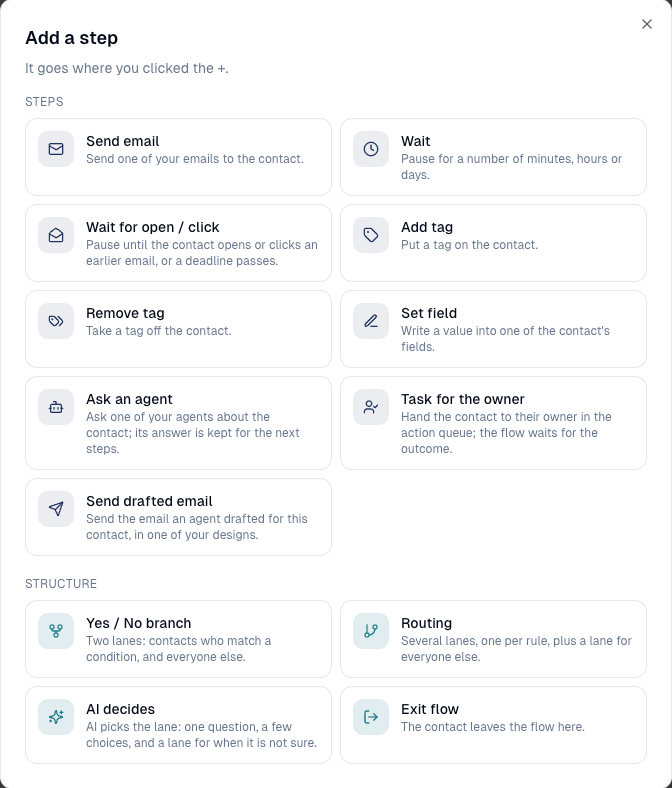
Choose the + under the trigger. Add a step lists every step; choose Send email.
-
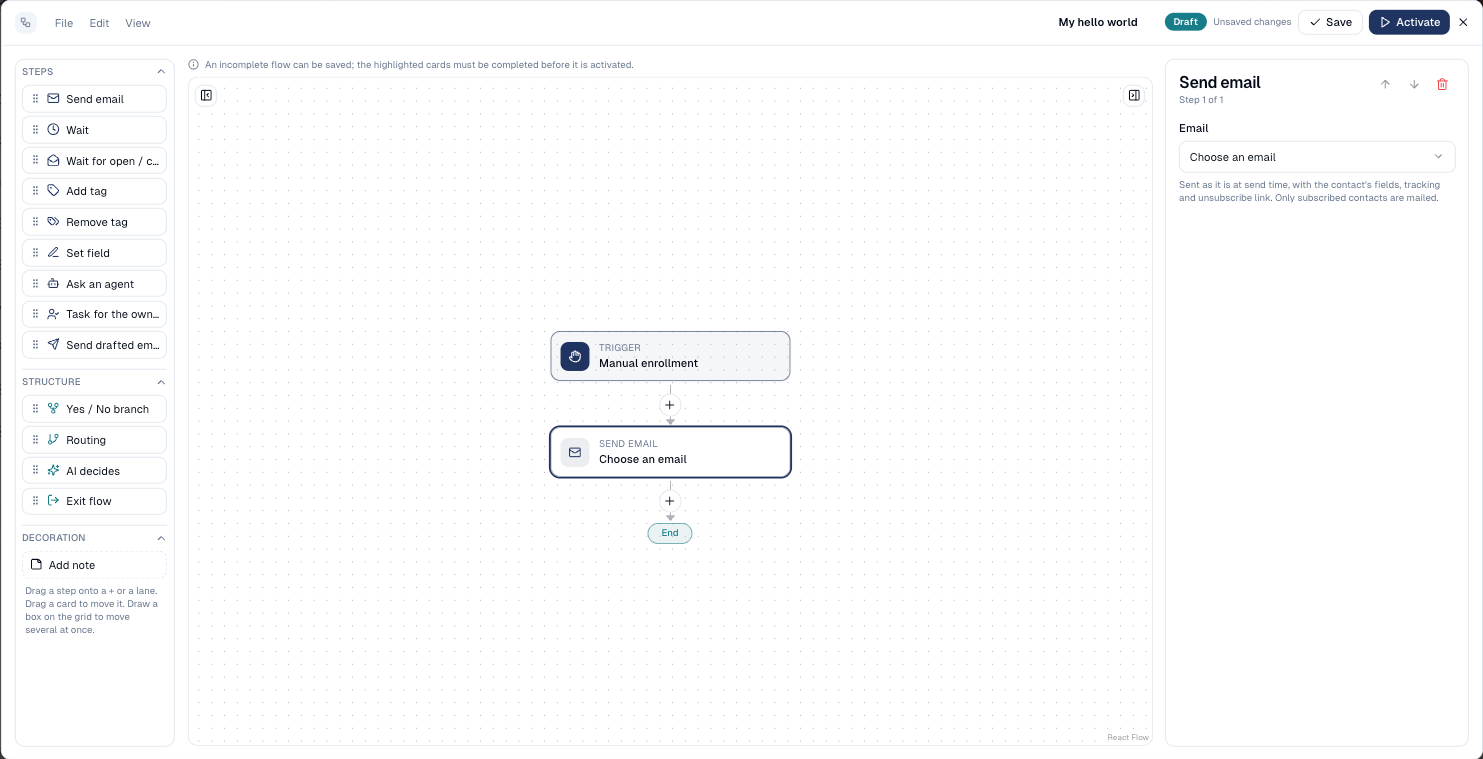
The new card is selected. In the side panel, pick your email under Email.
-
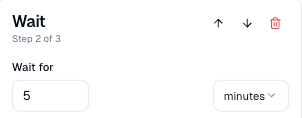
Choose the + under the email card, then Wait. Set Wait for to 5 and the unit to minutes.
-
Choose the + under the wait, then Add tag. Type
tutorial: hello-world.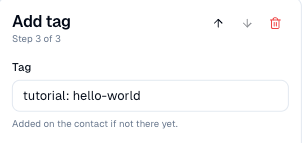
-
Your flow now reads from top to bottom: trigger, email, wait, tag, end. Choose Save.
-
Choose Activate. The status turns Active and the flow gets its first revision.

Highlighted cards
A card with a red mark is missing something (an email, a duration, a tag). You can save an unfinished flow, but Activate waits until every card is complete.
How to run it on yourself
-
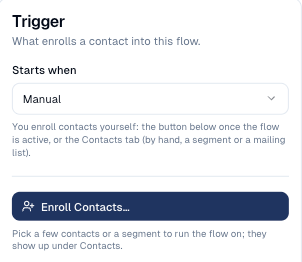
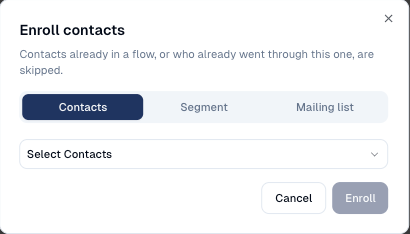
Select the Trigger card and choose Enroll Contacts….
-
On Contacts, pick yourself, then choose Enroll. (The Segment and Mailing list tabs enrol a whole group at once, up to 2,000 contacts.)
-
Within a minute the email arrives in your inbox, with your first name filled in.
-
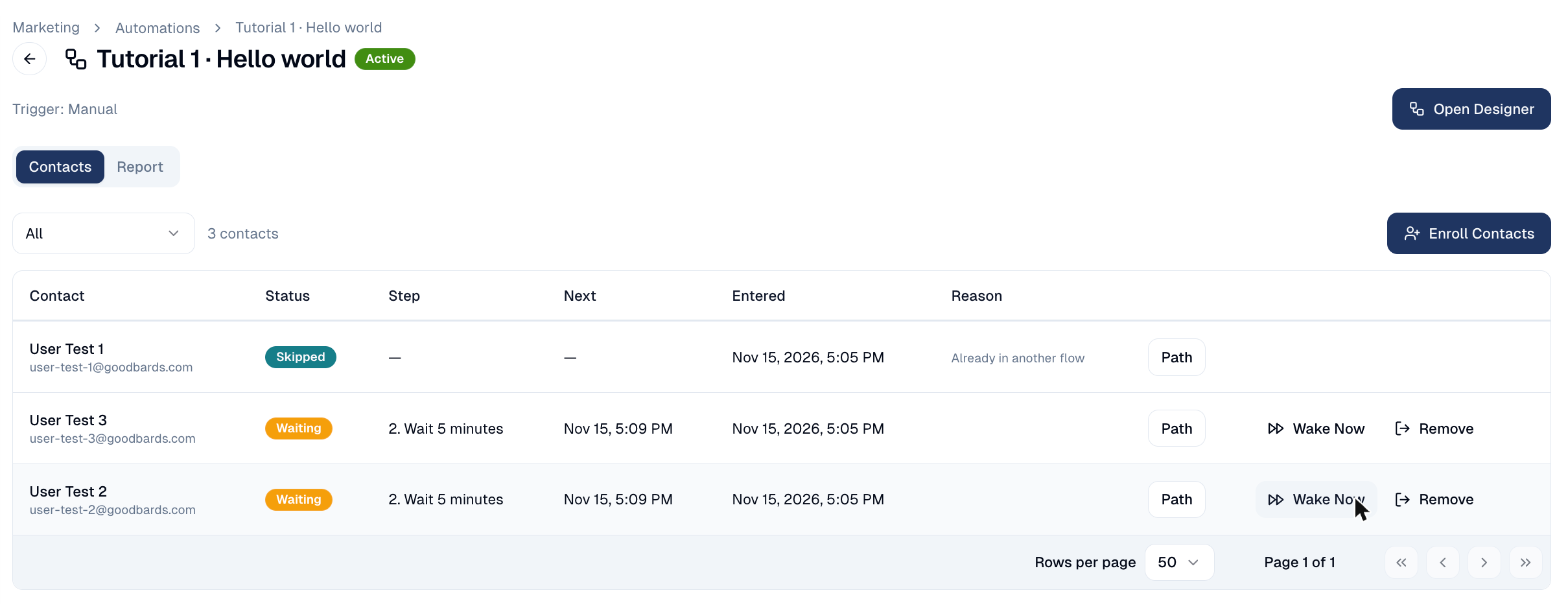
Close the designer, open the flow's menu in the list and choose Contacts & report. You are listed as Waiting, on the wait step, with the time you move on under Next.
-
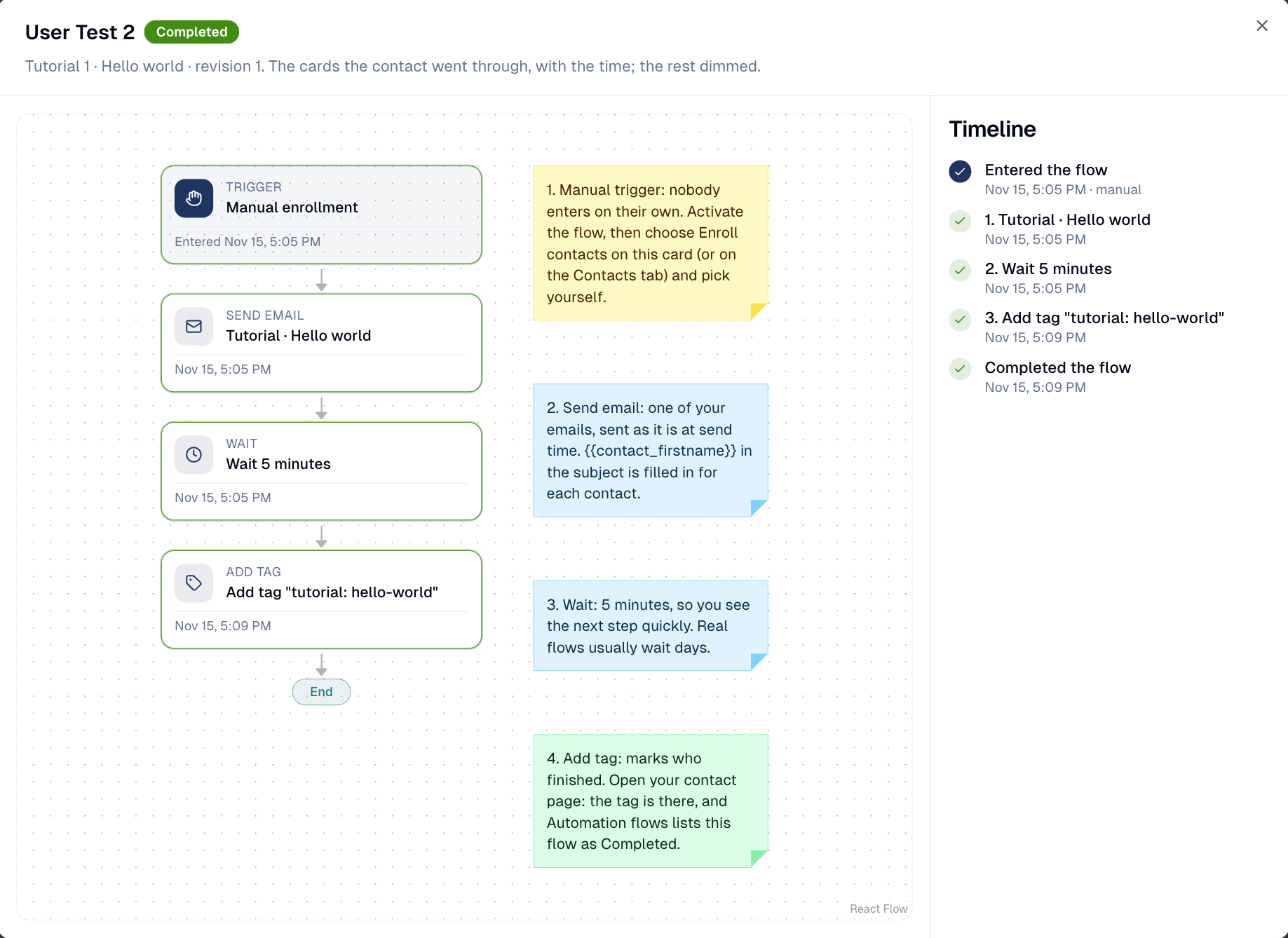
Five minutes later you are Completed. Testing and don't want to wait? Choose Wake now on your row: you move on within a minute. Then choose Path to see each card you went through, with its time.
-
Open your contact page: the tag
tutorial: hello-worldis there, and Automation flows lists My hello world as Completed.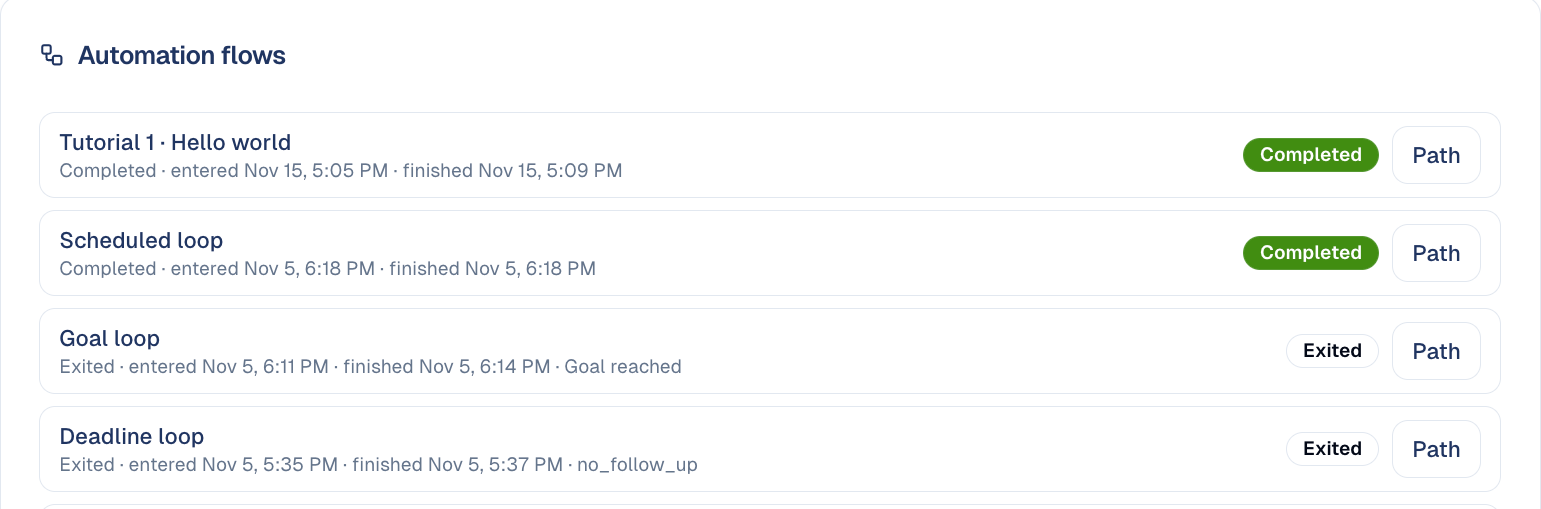
Congratulations: you built, activated and tested a flow. Next, try Tutorial 2 · Welcome series, which adds a form trigger, a wait for a click and a Yes / No branch.
Good to know
- Only once. A contact goes through a flow once by default. To run the test again on yourself, set Re-entry in Flow settings, or duplicate the flow.
- Pause, don't delete. File → Pause holds everyone where they are; Resume continues. A flow that has had contacts can only be archived.
- Edit while it runs. Changes to an active flow go into a draft until you choose Activate changes; contacts already inside finish the old version.
Still stuck? Contact support.