Home and the Daily Pulse
Your dashboard: everything that moved since yesterday, on one screen, with a link to act on each part.
What it's for
Marketing data is spread across your website, social networks, ads, emails, events and contacts. The Daily Pulse on Home sums all of it up every morning, so you see in a minute what changed and where to look, instead of opening ten screens.
How to read your Home
- In the sidebar, choose Home. It opens on Marketing OS.
- At the top: Actions assigned to you, and the Workspace health (how many services are connected, how complete your company context is, how much AI credit is used).
- Active initiatives: your running Campaigns, the Events open for registration, and Digital Ads spend and results.
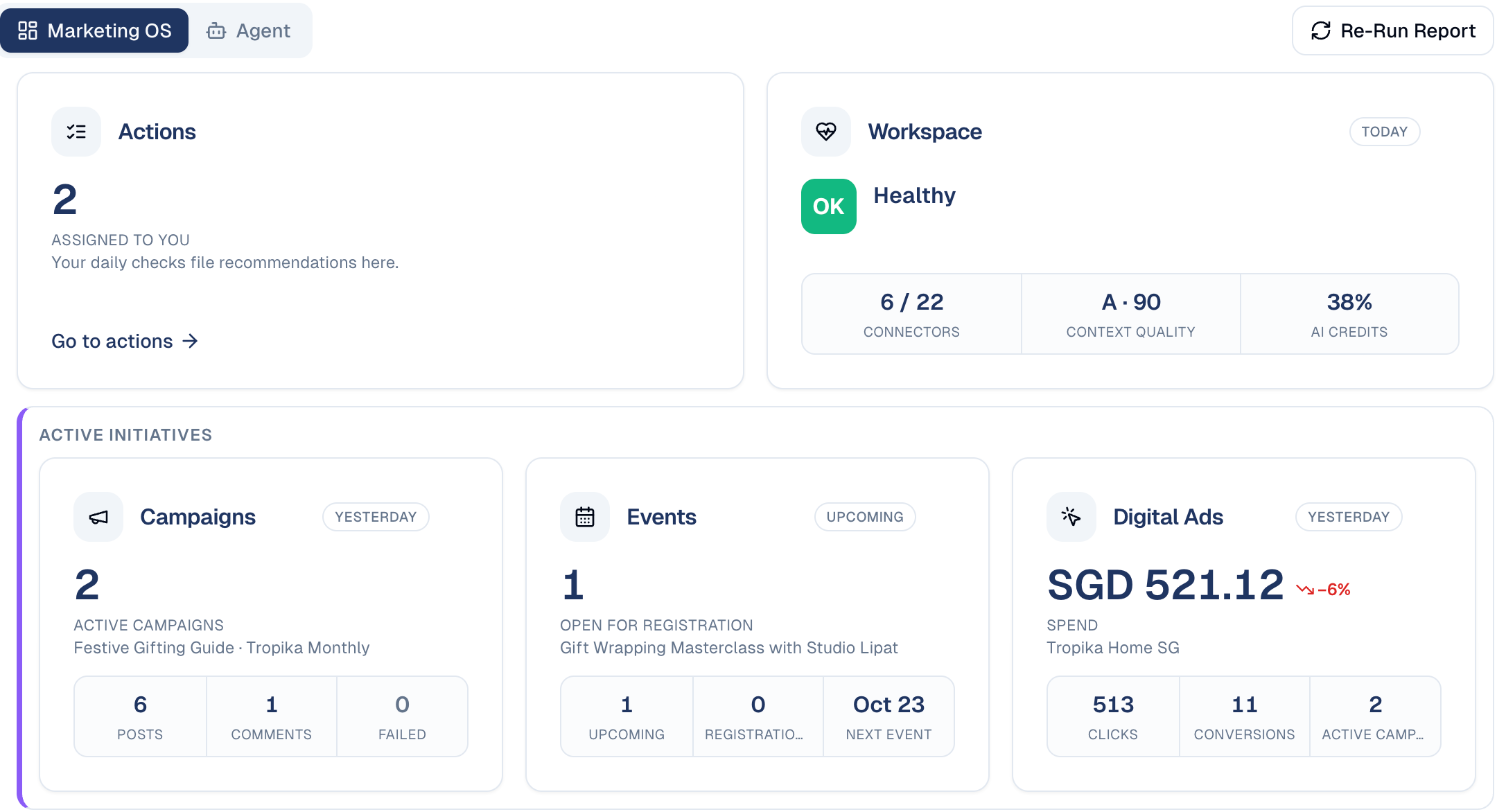
- Global performance: website traffic (Web Analytics), Social Media engagement per network, and Search Performance from Google Search Console.
- Audience & CDP: your contacts and companies, how many engaged yesterday, and your database health and engagement scores.
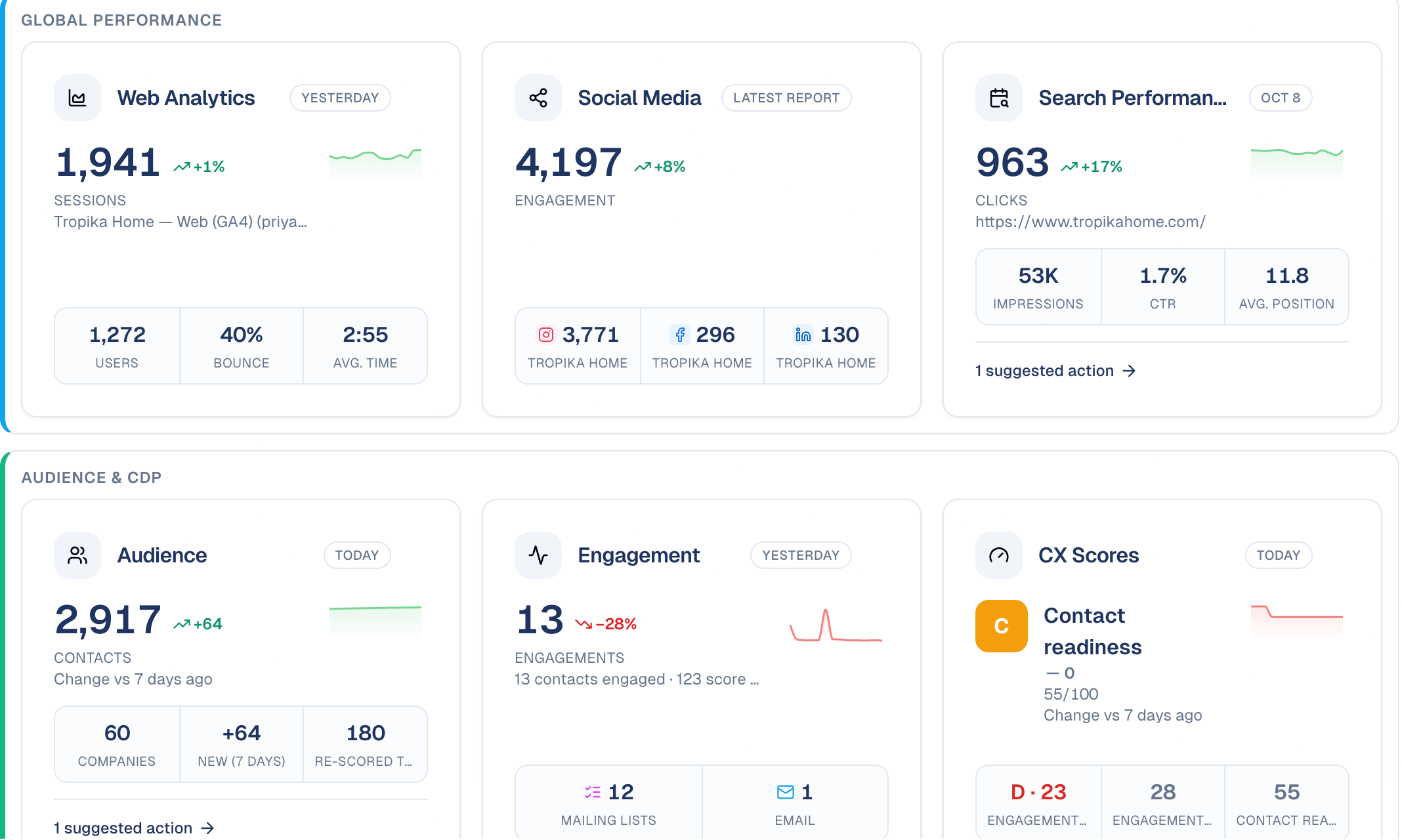
Each card shows the change against the previous period, with a small trend chart. Choose a card to open the screen behind it; suggested action links take you straight to the matching item in Actions.
Refresh it now
The pulse runs once a day. Choose Re-Run Report to refresh it straight away, for example after connecting a new service.
How to ask an agent
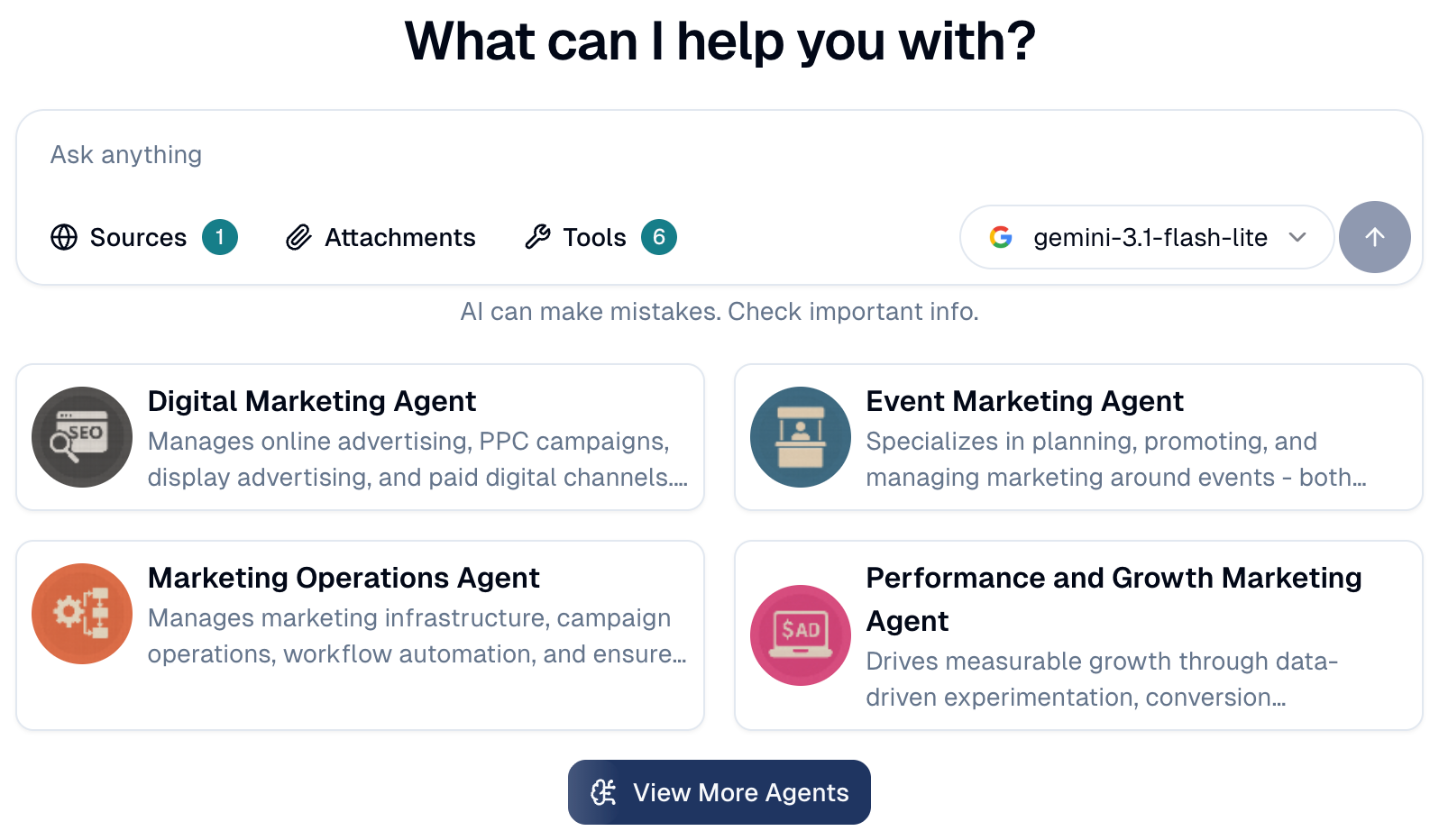
The Agent tab, next to Marketing OS, opens a chat with your AI agents. Ask anything, add Sources or Attachments, or pick one of the suggested agents. See Chat Agents.
Good to know
- Cards appear when there is something to show. A card for a service you have not connected stays empty; connect it under Connections.
- Dates on each card say how fresh it is: Today, Yesterday, or the date of the latest report.
The pulse can come to you by email
It is sent each morning to the colleagues who have the Recipient for daily report emails permission, and to nobody else. See Additional permissions.
Still stuck? Contact support.