Google Analytics
Bring your website traffic and conversions from Google Analytics 4 into GoodBards.
What it's for
The Google Analytics connector reads your GA4 property. GoodBards uses it in:
- Organic Visibility → Google Analytics: visits, traffic sources, top pages, countries and AI insights. See Google Analytics.
- Performance & Report: the business outcomes (conversions, revenue, sessions). See Performance & Report.
- Momentum: page views per page. Without Google Analytics, Momentum falls back on Search Console data. See Momentum.
- Page Fixes: pages that convert are given higher priority. See Page Fixes.
- Digital Ads: your converting pages, as a signal when you write ads. See Digital Ads.
- The daily summary on your home page.
- AI agents with the Google Analytics tool, which can run reports for you. See Chat agents.
Before you start
- You must be an administrator or the owner of your GoodBards company account.
- You need a Google Analytics 4 property. Older Universal Analytics properties are not supported.
- Use a Google account that can view that property.
How to connect
- Open your account menu (your picture, top right), then choose Connections.
-
On the Web Analytics tab, find Google Analytics and choose Connect.
-
Pick your Google account and allow GoodBards to see your Google Analytics data.
- Back in GoodBards, choose Choose Property on the card.
- Under GA4 Property, pick the property for your website, then choose Save Settings.
Pick a property, or nothing shows
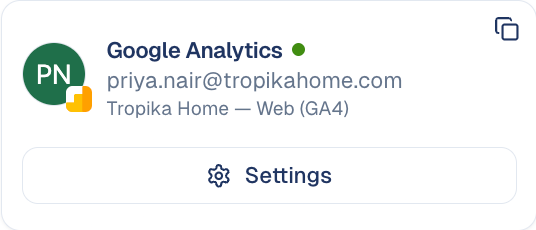
Until a property is chosen, the Google Analytics screens have nothing to show. To change it later, choose Settings on the card.
What GoodBards does with it
| GoodBards… | Details |
|---|---|
| Reads | Your accounts and properties, and reports on visits, users, sessions, page views, events, conversions, transactions and revenue, including real-time figures. |
| Does not | Change anything in Google Analytics. |
Good to know
- One property per workspace. Every Google Analytics screen and report uses the property you picked.
- Recent days may be incomplete. GA4 is still processing the latest data.
- Revenue is in your GA4 currency.
How to disconnect
- On the Google Analytics card, choose Settings.
- Choose Disconnect.
GoodBards forgets the access and the chosen property. To remove access on Google's side too, do it from your Google Account, under third-party connections.
Still stuck? Contact support.