The AI assistant
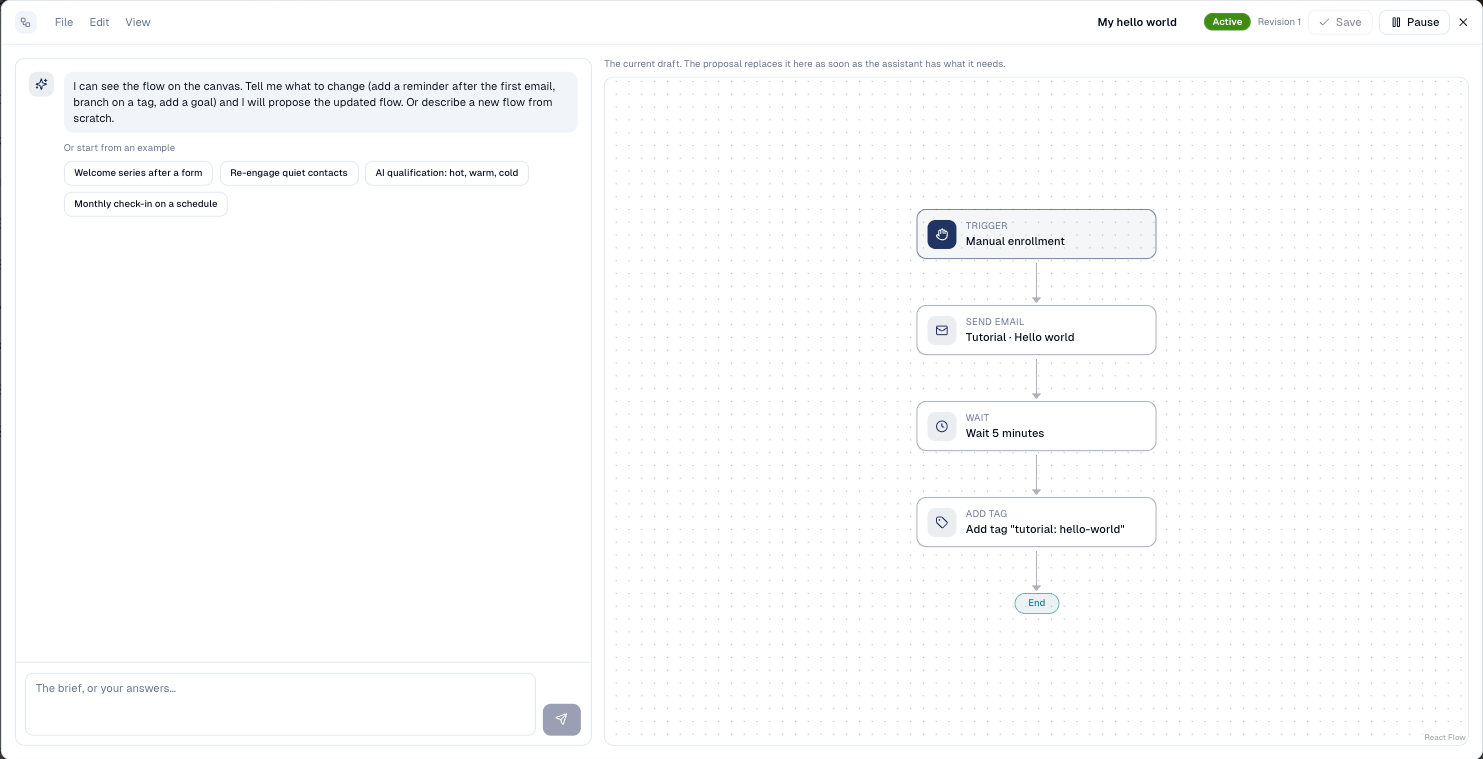
Describe a flow, or a change to the one on the canvas, in your own words. The assistant asks what it needs, then proposes the flow for you to review.
What it's for
Turning a brief ("after the webinar form, send the replay, then a case study three days later to those who watched…") into cards takes a while. The assistant drafts it in a minute: the trigger, the steps, the branches, the goal and the stop rules, using your existing emails, forms, segments, tags and fields. You stay in charge: nothing is saved or activated until you choose to.
How to draft a flow with the assistant
-
Open a flow in the designer, then View → AI assistant.
-
Paste your brief or describe the flow. Not sure where to start? Choose one of the examples under Or start from an example: it fills in the box for you to adapt.
-
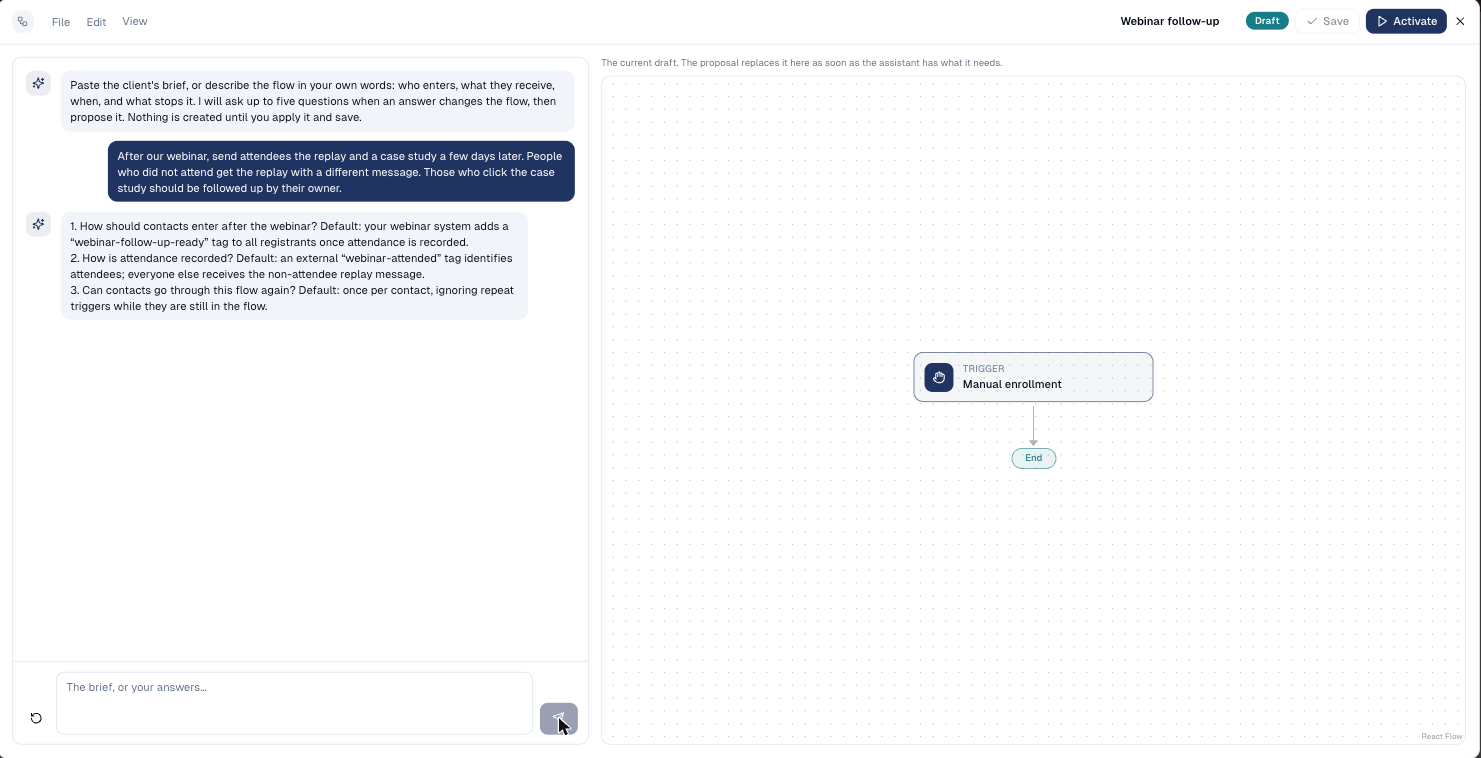
The assistant may ask up to five short questions, each with a proposed answer, for example How do contacts arrive: a form or a tag? Answer them, or reply use the defaults.
-
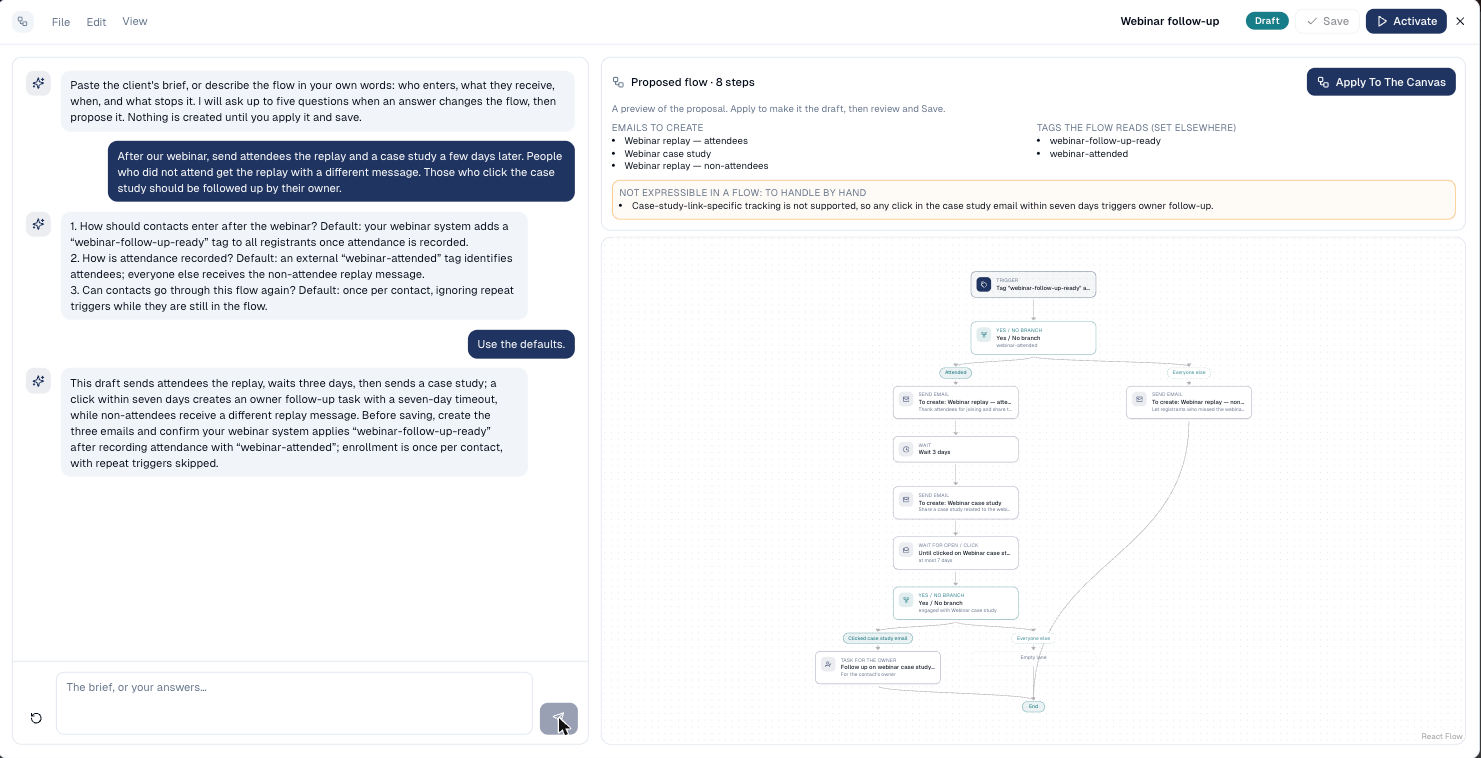
It then proposes the flow. The canvas on the right shows the proposal, with a checklist: the emails still to create, the tags and fields the flow reads and writes, and anything in your brief the flow cannot do.
-
Choose Apply to the canvas, review it in the Visual view, then Save.
How to change a flow with the assistant
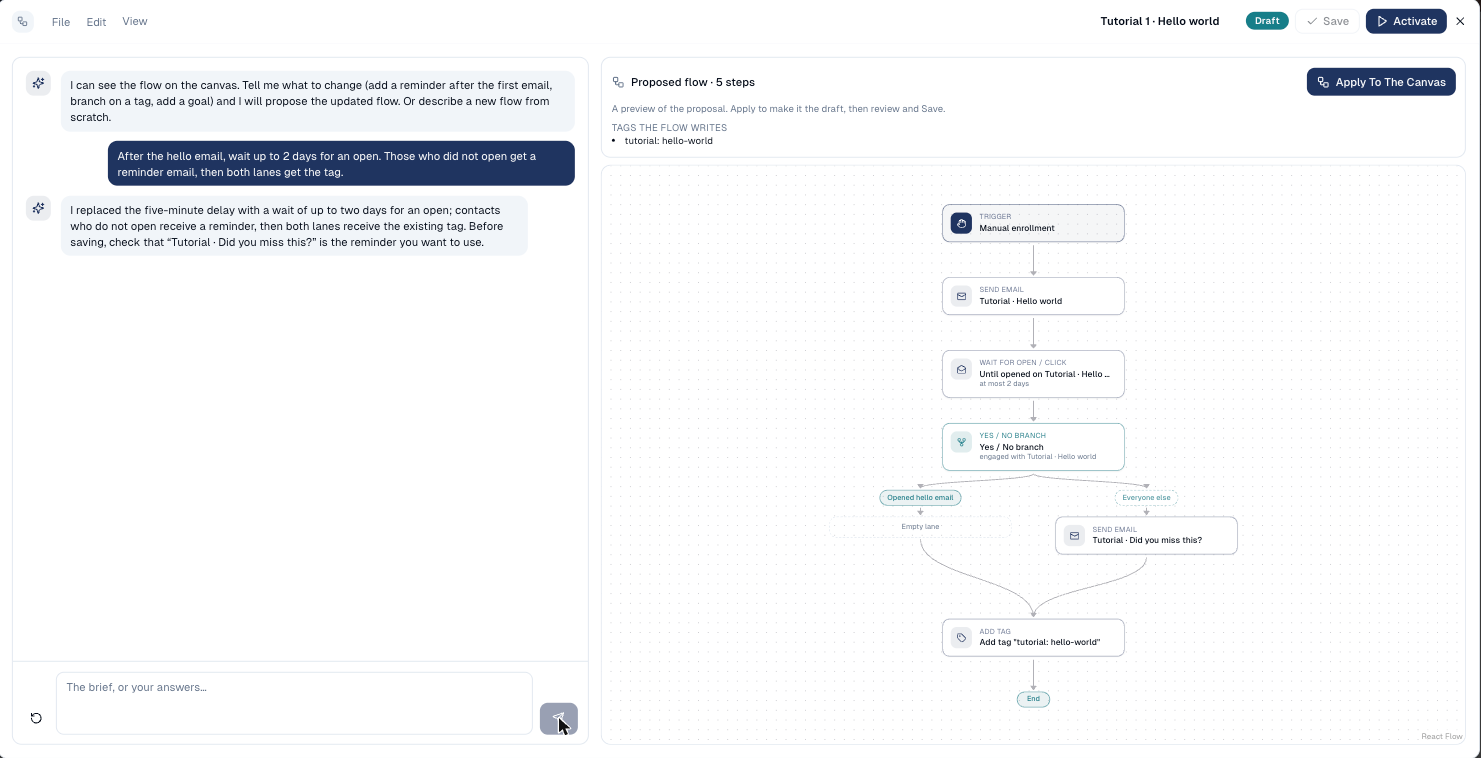
When the canvas already has steps, the assistant works on that flow. Ask for a change, for example add a reminder two days after the first email for those who did not open it. It keeps everything else as it is and proposes the updated flow.
Write briefs like you would to a colleague
Say who enters, what they receive and when, what changes the path, and what counts as success: "Leads from the demo form get a welcome now and a case study in three days. If they click, their owner calls them. Stop when they book a demo."
Good to know
- Emails to create. When no existing email fits, the proposal keeps an empty Send email card named and briefed for it. Create the email, then pick it on the card.
- What it cannot do is listed, never silently dropped: for example "wait until a condition becomes true" or sending SMS.
- Start over clears the conversation and the proposal.
- It uses AI credits for each answer.
Still stuck? Contact support.