Sample flows
Nine ready-made flows, from the simplest to AI and hand-overs. Each teaches a few building blocks and explains its cards with sticky notes on the canvas.
What it's for
The fastest way to learn flows is to open a working one. The samples come with their own emails (marked Tutorial ·), a sign-up form and two segments, all as drafts: nothing runs until you activate a flow.
Getting the samples
Ask your GoodBards contact to add the tutorial flows to your workspace. They appear in Marketing → Automations as Tutorial 1 to Tutorial 9, with the emails under Emails, the form Tutorial · Newsletter sign-up and the segments Tutorial · Quiet contacts and Tutorial · Monthly check-in.
| Sample | You learn |
|---|---|
| 1 · Hello world | Manual trigger, Send email, Wait, Add tag |
| 2 · Welcome series | Form trigger, Wait for open / click, Yes / No branch, lanes joining |
| 3 · Route by interest | Tag trigger, Routing on fields and tags, Set field, Remove tag |
| 4 · Win back quiet contacts | Segment trigger, an exit lane, re-entry cooldown, a stop rule |
| 5 · Monthly check-in | Schedule trigger, empty lane, Task for the owner, a goal |
| 6 · AI-written follow-up | Ask an agent, review task, branch on the task outcome, Send drafted email, AI budget |
| 7 · AI lead qualification | AI decides, the Not sure lane, a goal |
| 8 · Trial with a stop rule | Stop early when… and moving a contact to another flow |
| 9 · Customer onboarding | The flow Tutorial 8 hands buyers to |
How to try a sample
- Open it in the designer and read the notes beside the cards.
- Check what it needs: the email server for every flow, an agent for 6 and 7, your own segment if you replace the tutorial one.
- Activate it, then trigger it on yourself: enrol yourself (manual flows),
fill in the form (2), or add the starting tag to your contact (3, 7, 8),
tutorial: quiet(4) ortutorial: monthly(5). - Follow yourself on the Contacts tab and with Path. See Results and analytics.
- Duplicate a sample to start your own flow from it.
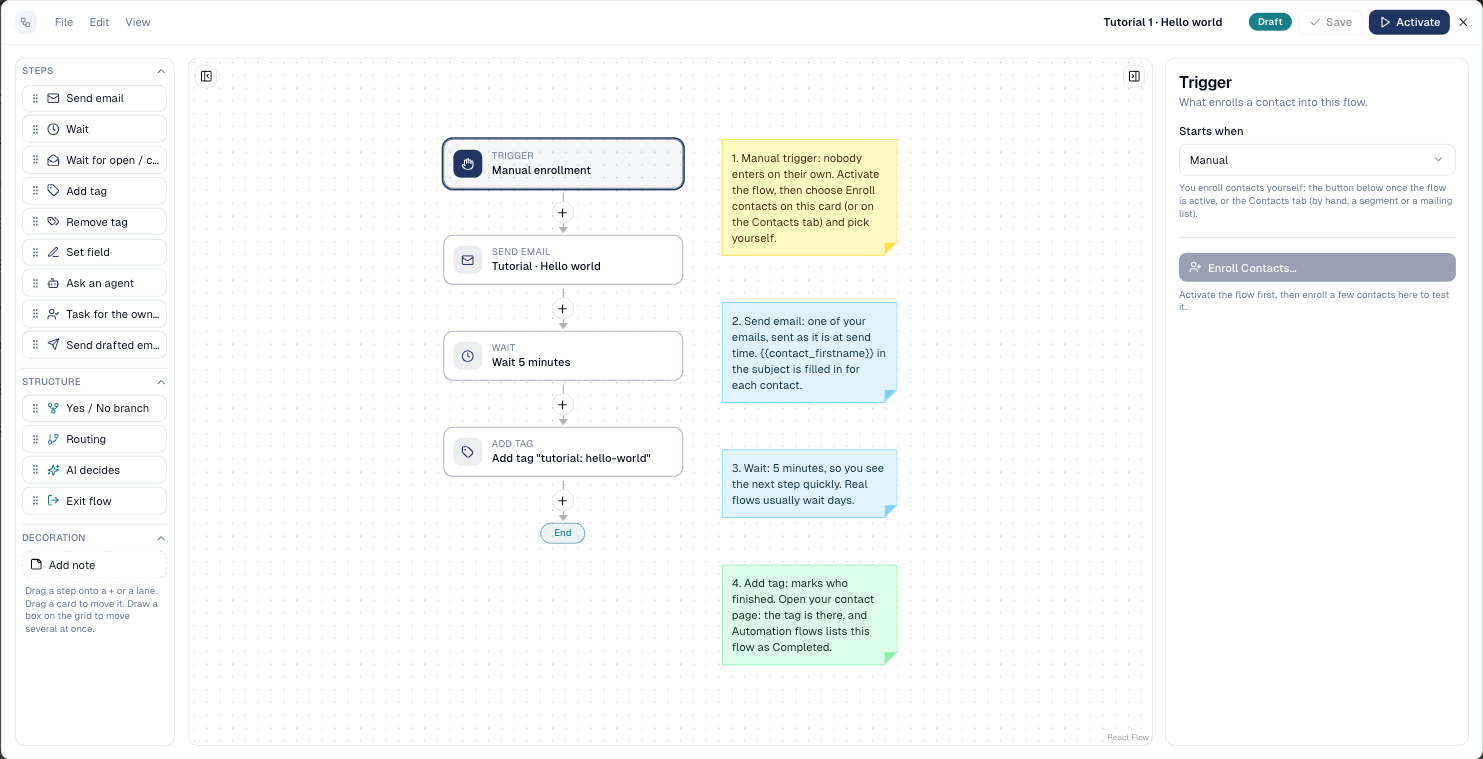
1 · Hello world
Enrol yourself by hand, get one email, wait five minutes, get a tag. The tutorial builds it step by step.
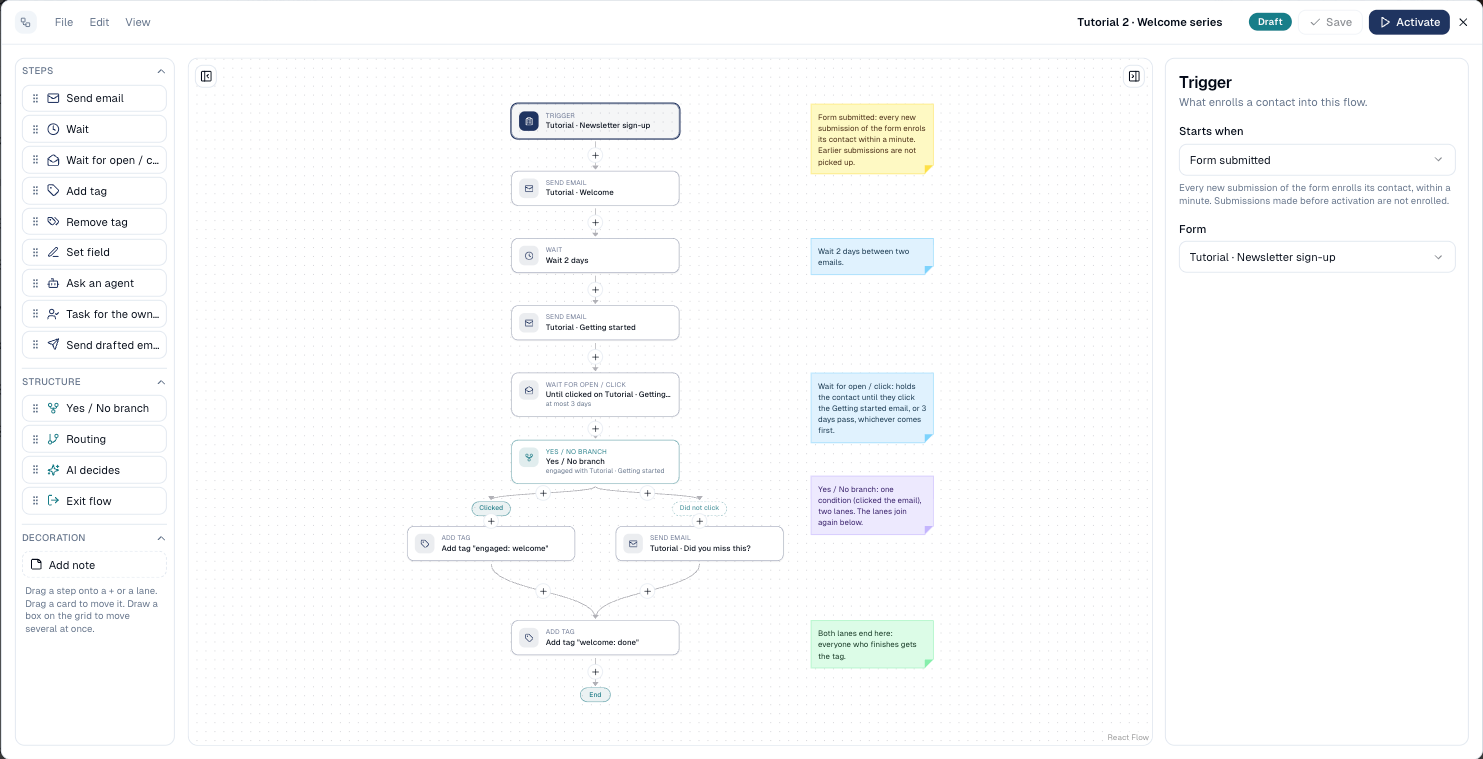
2 · Welcome series
A sign-up form starts it; a welcome, two days, tips; then the flow waits for a click. Clickers are tagged, the others get a reminder; both lanes end with the same tag.
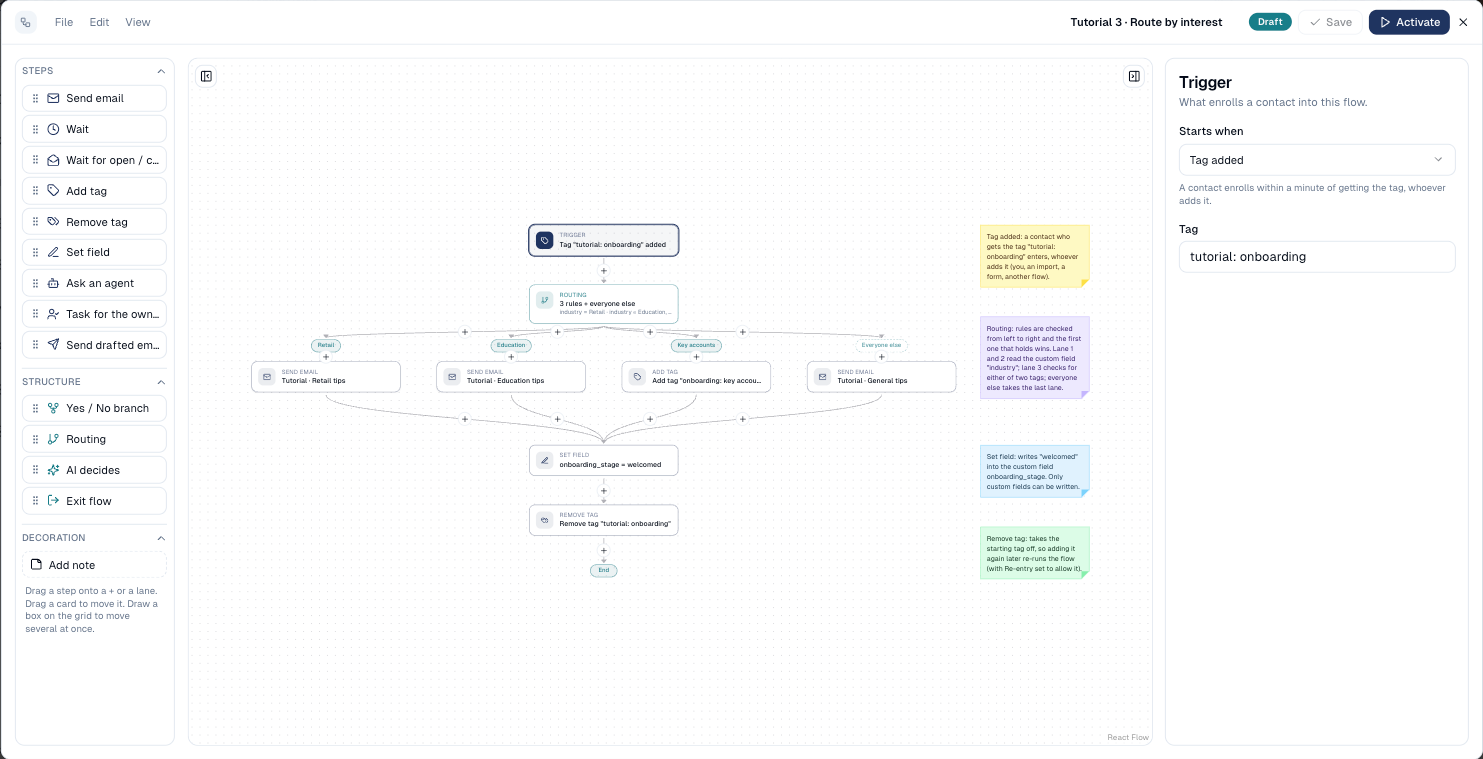
3 · Route by interest
The tag tutorial: onboarding starts it. Routing sends retail and education
contacts (custom field industry) their own tips, key accounts (tag vip or
key-account) a tag, and everyone else general tips. Then a field is written
and the starting tag removed.
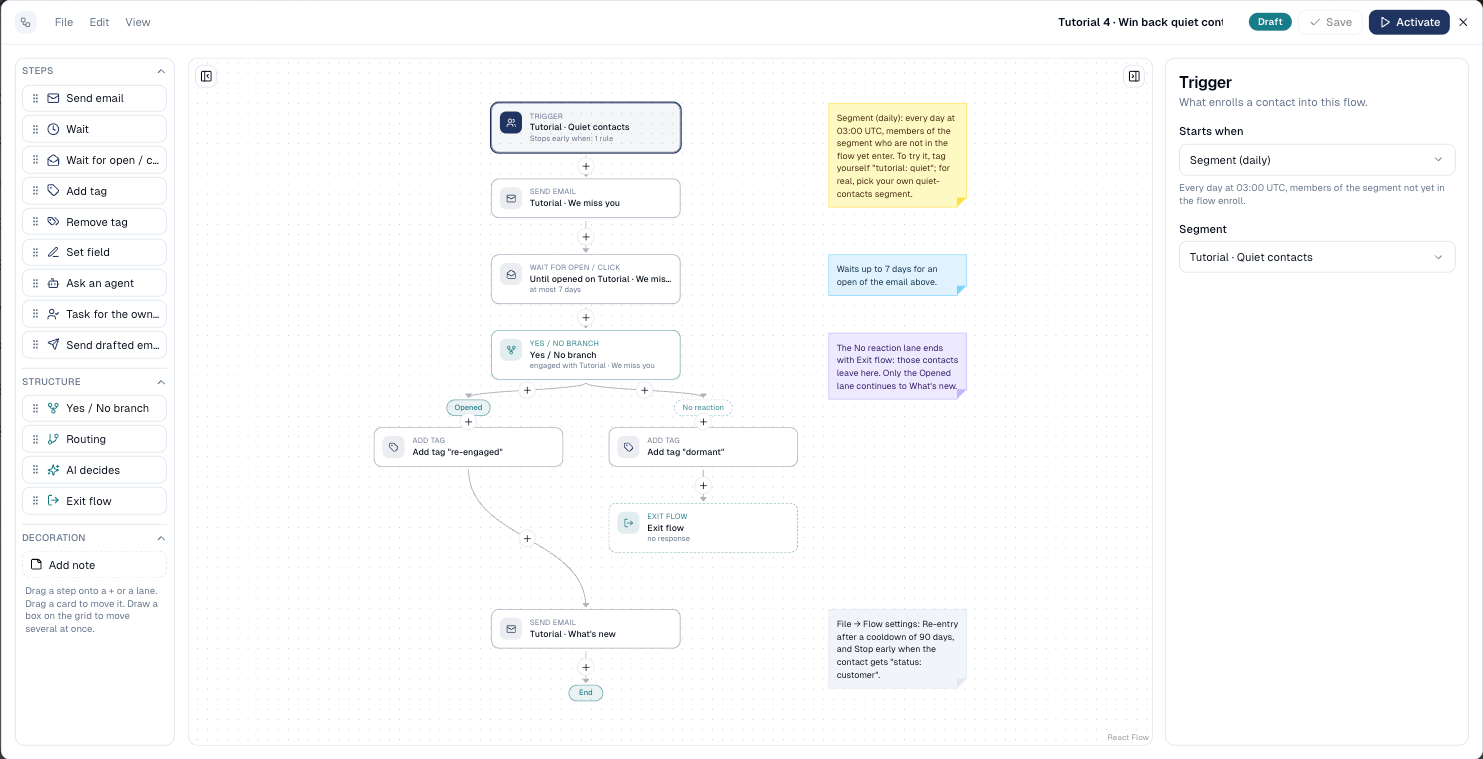
4 · Win back quiet contacts
Every day, members of a quiet-contacts segment get We miss you. Those who
open within a week are tagged re-engaged and get What's new; the others are
tagged dormant and leave. Customers stop at once; anyone may come back after
90 days.
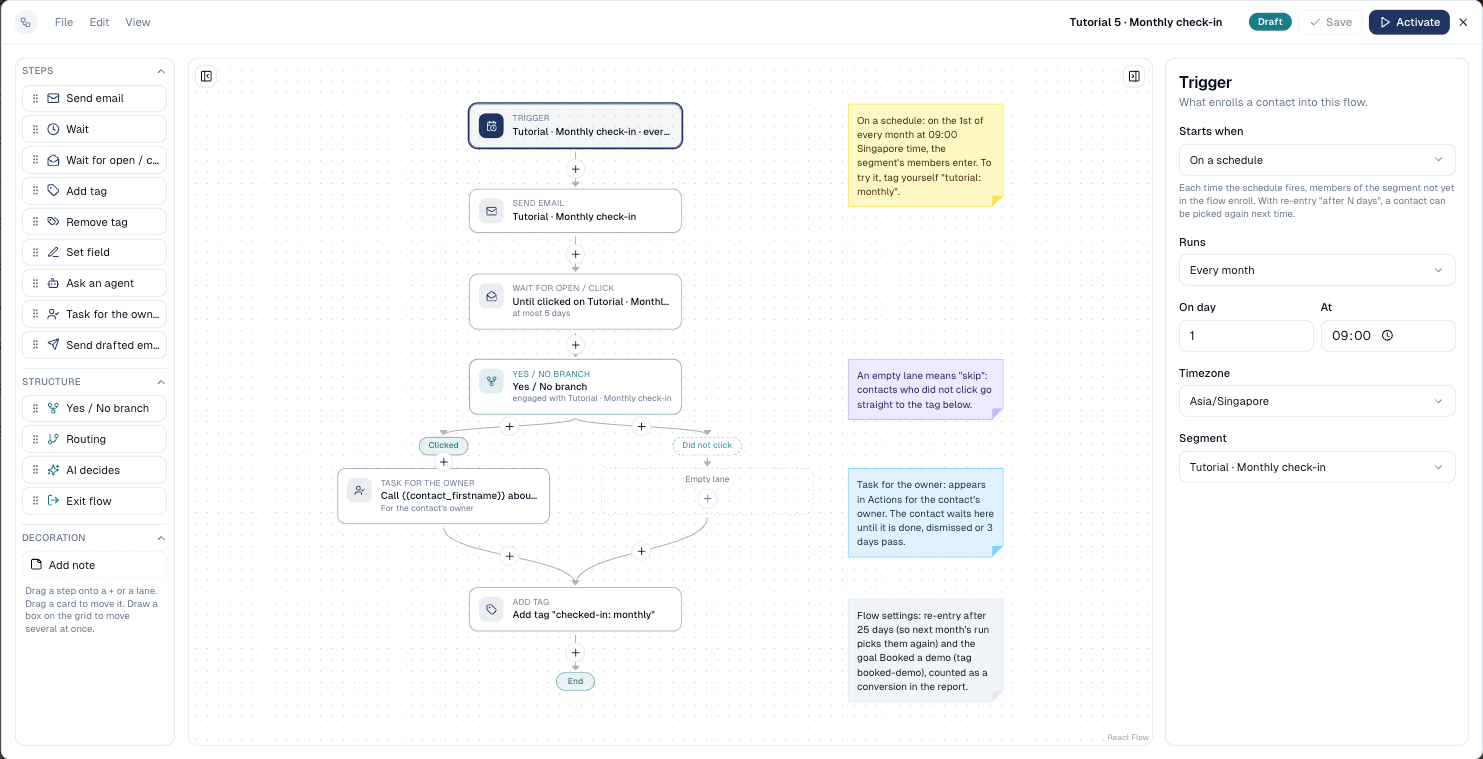
5 · Monthly check-in
On the 1st of every month at 09:00 Singapore time, the segment gets a check-in email. Contacts who click get a call task for their owner; the others skip it (empty lane). Goal: Booked a demo.
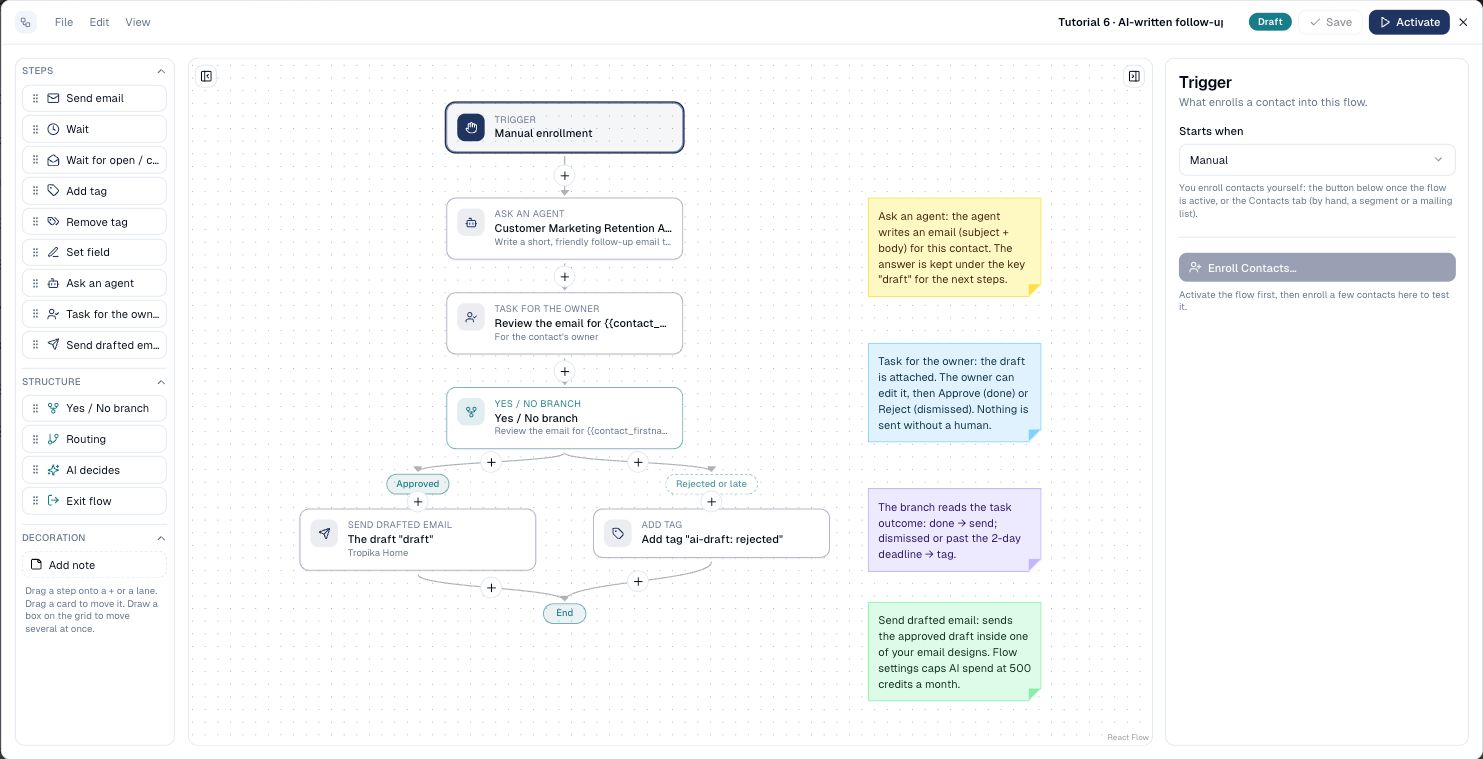
6 · AI-written follow-up
An agent drafts a personal email; the owner reviews it in Actions; approved drafts are sent in your design, rejected or late ones are tagged. AI spend is capped at 500 credits a month.
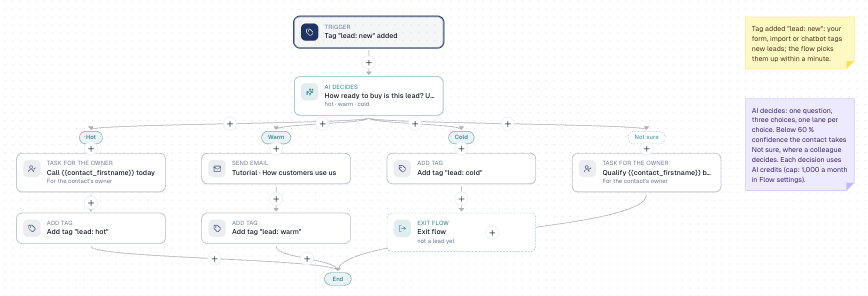
7 · AI lead qualification
The tag lead: new starts it. The AI rates the lead hot, warm or cold: hot
leads get a call task, warm ones a nurture email, cold ones leave. When the AI
is less than 60 % sure, a colleague qualifies the lead. Goal: Opportunity.
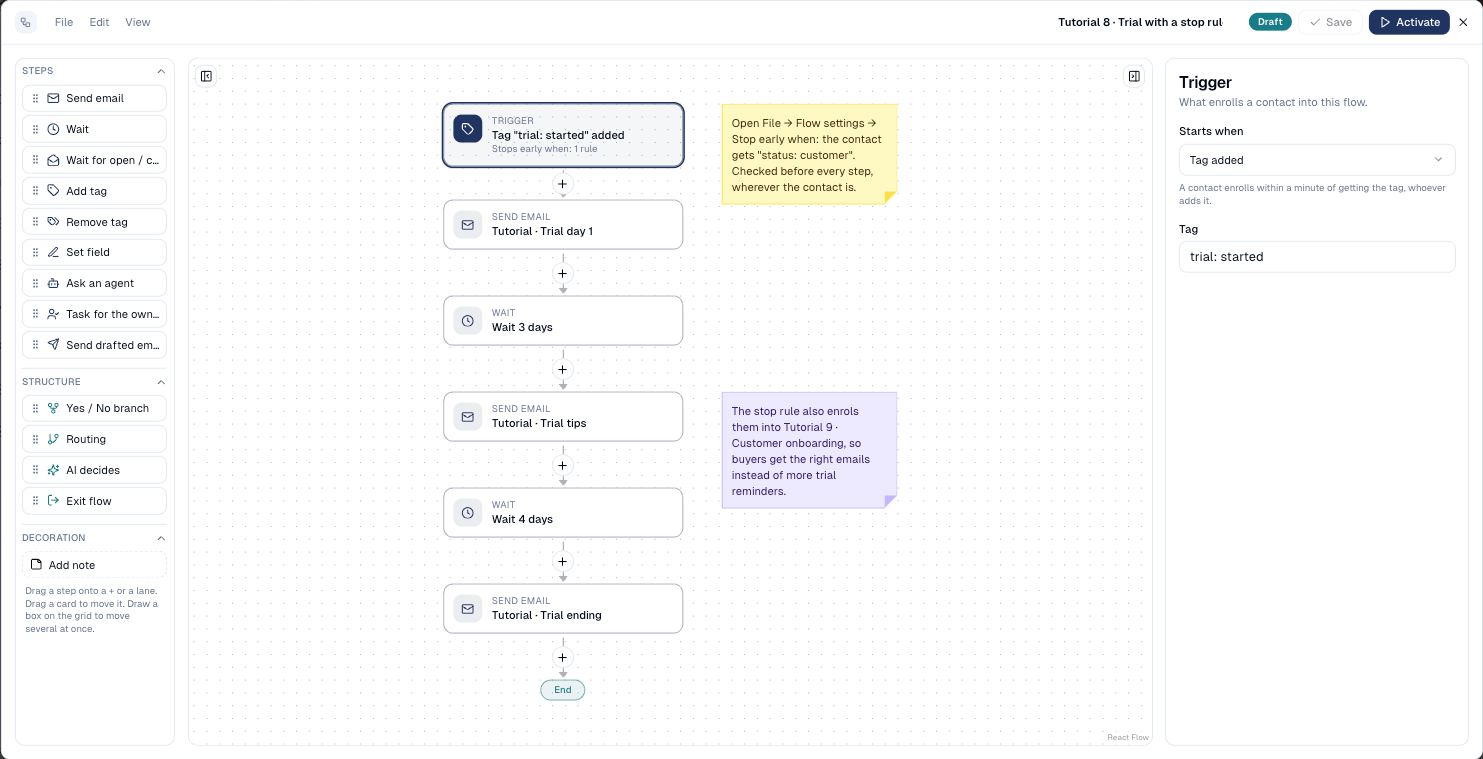
8 · Trial with a stop rule
Three trial emails over a week, started by the tag trial: started. A contact
who gets status: customer stops at once and enters Tutorial 9.
9 · Customer onboarding
A customer welcome, a week's wait, a tag. Contacts arrive from Tutorial 8's stop rule (or by hand).
Good to know
- Safe by design. The two segments only take contacts you tag yourself, and tag-triggered samples start only when the tag is added after activation.
- Edit freely. Your changes to a sample are yours; adding the samples again never overwrites them.
- Mock copy. The sample emails say they are samples: replace the copy before using a flow with real contacts.
Still stuck? Contact support.