Ticket types and waitlist
Offer several ticket types or time slots, each with its own number of seats, and decide what happens when the event is full.
What it's for
Many events are not one block of seats: a workshop has paid seats and free observer places, a store opening runs in three time slots. Ticket types let each guest pick one, and each fills up on its own. When seats run out, the waitlist keeps the next people in line instead of turning them away.
Before you start
- An event. See Run an event from start to finish.
How to set up ticket types
- In the sidebar, choose Marketing → Event Management, open the event, then the Registration tab.
- Under Settings, set the Max Capacity for the whole event.
- Under Ticket types, turn on Use ticket types / time slots, then choose Add Ticket Type for each one: its name, its number of seats, and, for a time slot, its own start and end time.
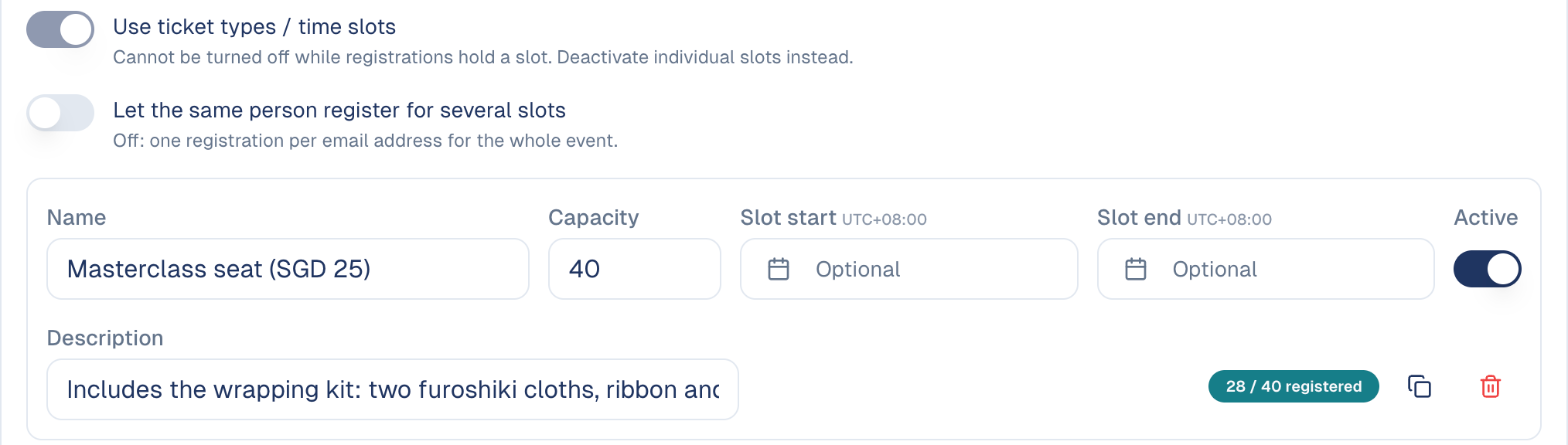
On the registration form, each guest picks one ticket type. The guest's emails and badge show their own slot and time.
How the waitlist works
- Under Settings, turn on Waitlist.
- Choose how a freed seat is given:
- Automatic: the next person in line gets it and is emailed straight away.
- Manual: you choose. On Attendance, use ↑ Promote on a waiting guest. It only works when a seat is free.
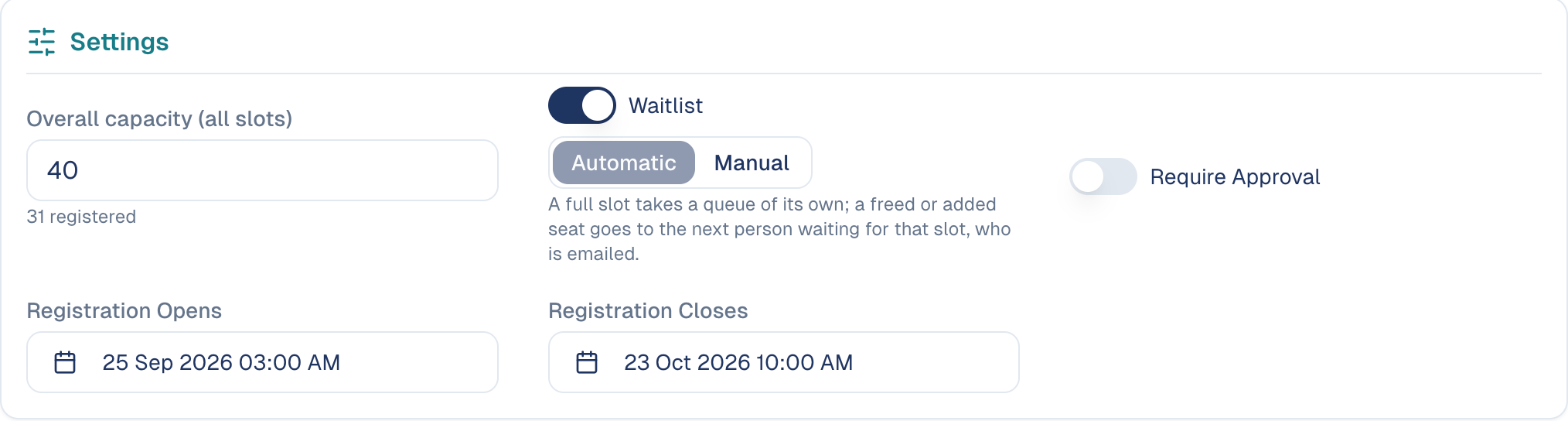
One waitlist per ticket type
With ticket types, each type has its own waitlist: a seat freed in one slot goes to someone waiting for that slot.
Guests on the waitlist receive the On the waitlist email; when they get a seat, the Spot opened email. See Registration emails.
Good to know
The overall capacity still applies
If the ticket types add up to more seats than the event's capacity, the event fills before every type does. The screen warns you when that happens.
- Raising the capacity seats people. In Automatic mode, raising the capacity or a ticket type's seats moves the first people in line onto the list, and emails them.
- Cancel with ⊘ to free a seat. Cancelling a registration with ⊘ offers the seat to the waitlist; changing a status from the status menu does not.
Still stuck? Contact support.