Results and analytics
See who is in a flow, where each contact is, the path they took, and how many reached each card, opened, clicked and converted.
What it's for
A flow runs for weeks. These screens answer the questions that come up along the way: did my test contact get the email? Why did this lead not get the offer? Which lane do most contacts take? How many booked a demo?
How to open a flow's results
In Marketing → Automations, open the flow's menu and choose Contacts & report (or select its name). The page has two tabs: Contacts and Report.
The Contacts tab
Everyone who entered the flow, one row each: their status, the step they are on, when they entered and, for those who left, why.
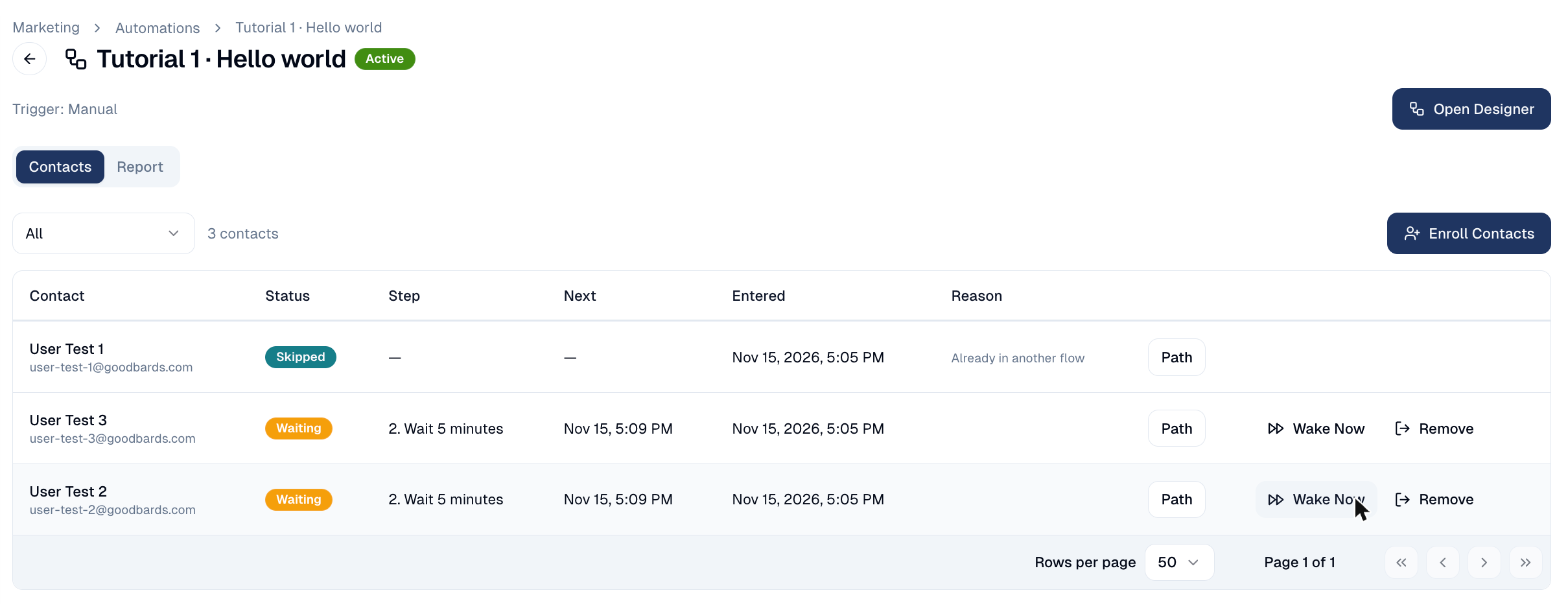
- Filter by In flow, Completed, Exited, Skipped or Failed.
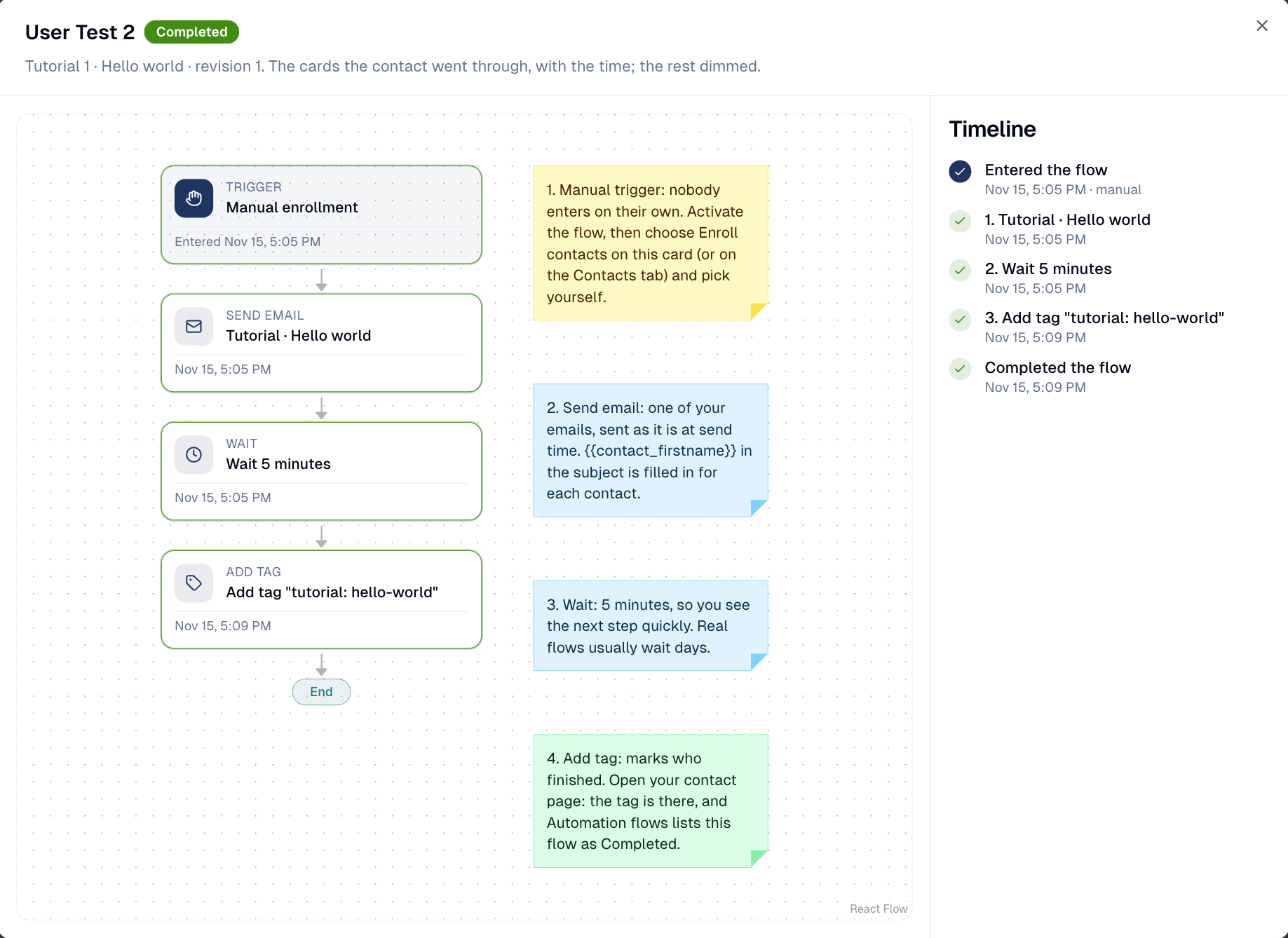
- Path shows the contact's journey (see below).
- Wake now ends the contact's current wait early, to test the next steps without waiting days.
- Remove takes the contact out of the flow.
| Status | Meaning |
|---|---|
| In flow | On a step or waiting. |
| Completed | Reached the end. |
| Exited | Left early: an Exit flow step, a stop rule, the goal, an unsubscribe. The reason is shown. |
| Skipped | The trigger fired but they could not enter (already in another flow, or already went through this one). |
| Failed | A step failed three times, for example no email server. |
A contact's path
Path draws the flow with the cards this contact went through and the time of each, and what each step did: the email sent, the lane taken, what the agent wrote, what the AI chose and how sure it was, the task outcome.
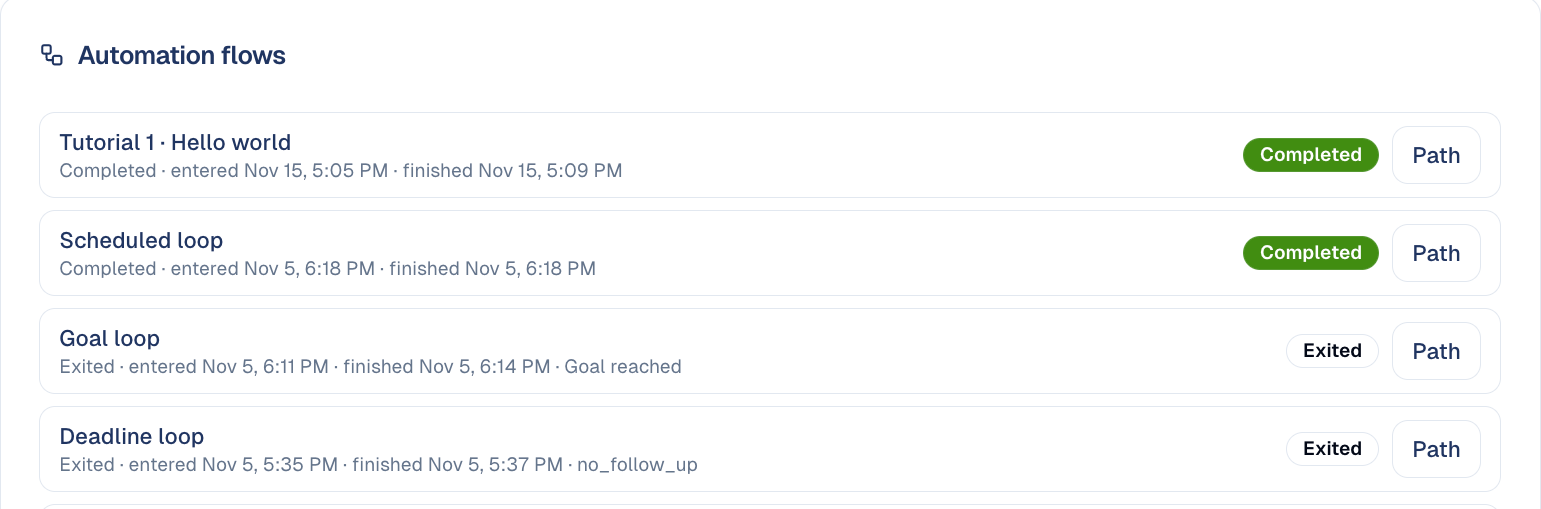
A contact's own page lists every flow they have been in under Automation flows, with a Path button for each.
The Report tab
The report draws the flow with its figures on the canvas: how many contacts reached each card, the sent, opened and clicked counts of each email, and how the lanes of each branch split.
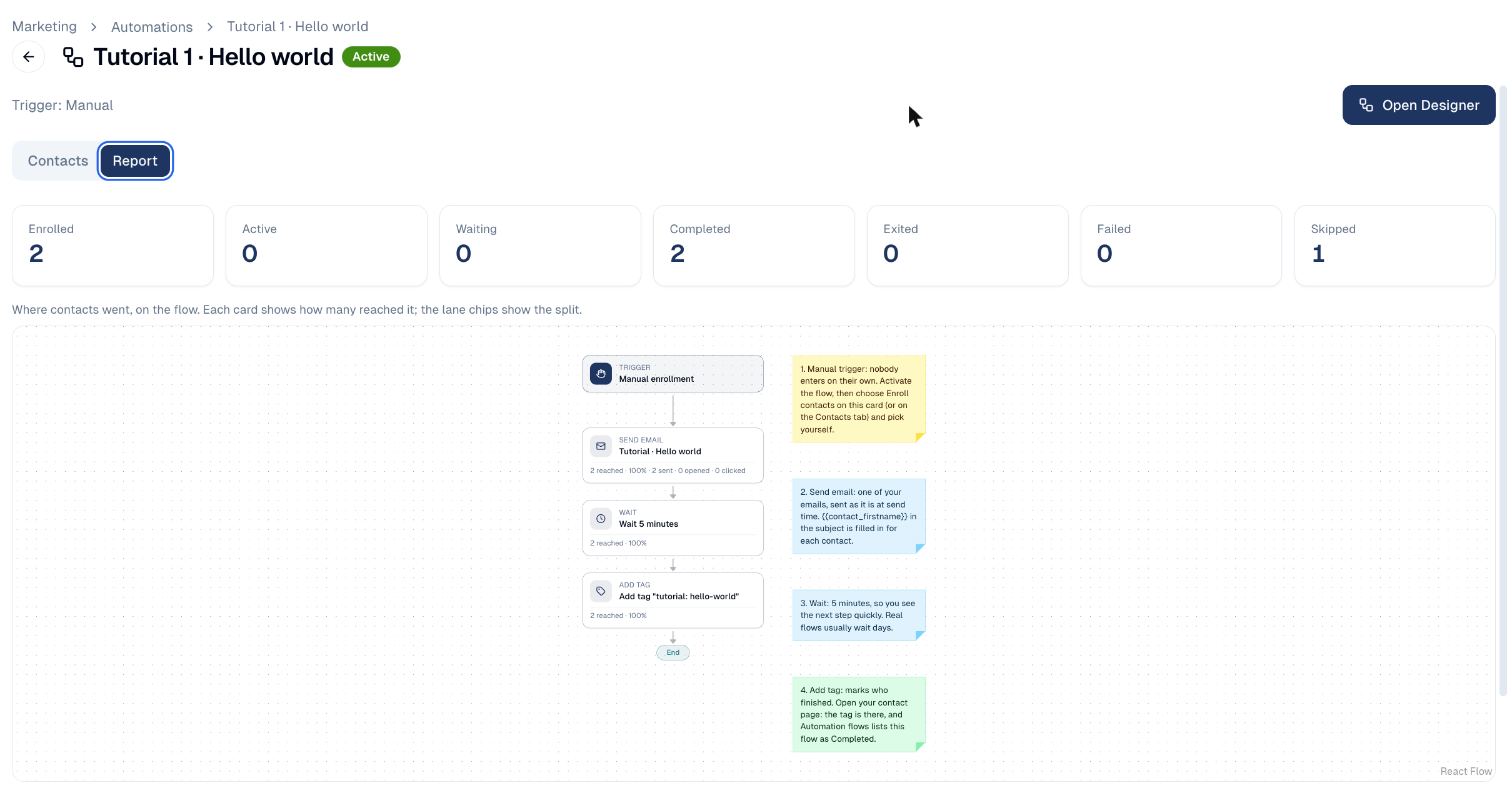
Above the canvas, tiles sum up the flow: Enrolled, Active, Waiting, Completed, Exited, Failed and Skipped. A flow with a goal adds Goal reached and the Conversion rate; a flow with AI steps adds the AI credits spent this month against the budget.

Good to know
- Opens are approximate. Some mail apps open every email to scan it, and others block images. Clicks are the stronger signal; use clicked in branches when it matters.
- Figures follow the version. The report counts every contact on the card of the same name across versions of the flow.
- In a campaign, the flow's figures also reach the campaign's analytics. See Flows in a campaign.
Still stuck? Contact support.