Actions
Your to-do list: what is worth doing next, ranked, with the evidence behind each item.
What it's for
Reports tell you what happened; Actions tells you what to do about it. Each daily check (your website, social channels, emails and events) turns what it finds into an action, ranked by impact and effort. Your team adds its own asks to the same list, so everything worth doing is in one place, and every action is measured once it is done.
How to work through your actions
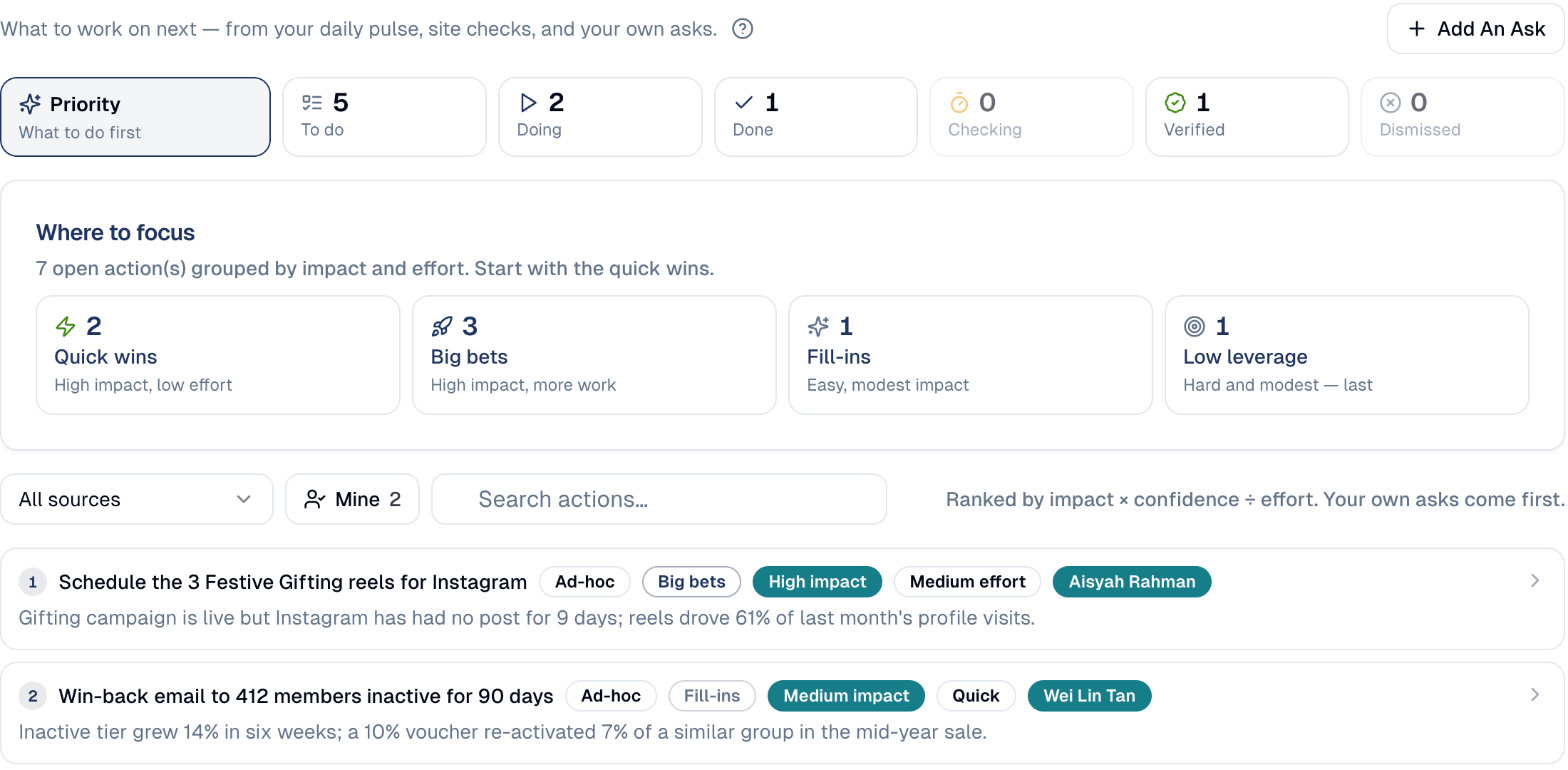
- In the sidebar, choose Actions. It opens on Priority: what to do first.
- Where to focus groups the open actions by impact and effort. Start with the Quick wins (high impact, low effort), then the Big bets.
- Below, the list is ranked by impact, confidence and effort. Narrow it with All sources, Mine (assigned to you) or the search box.
-
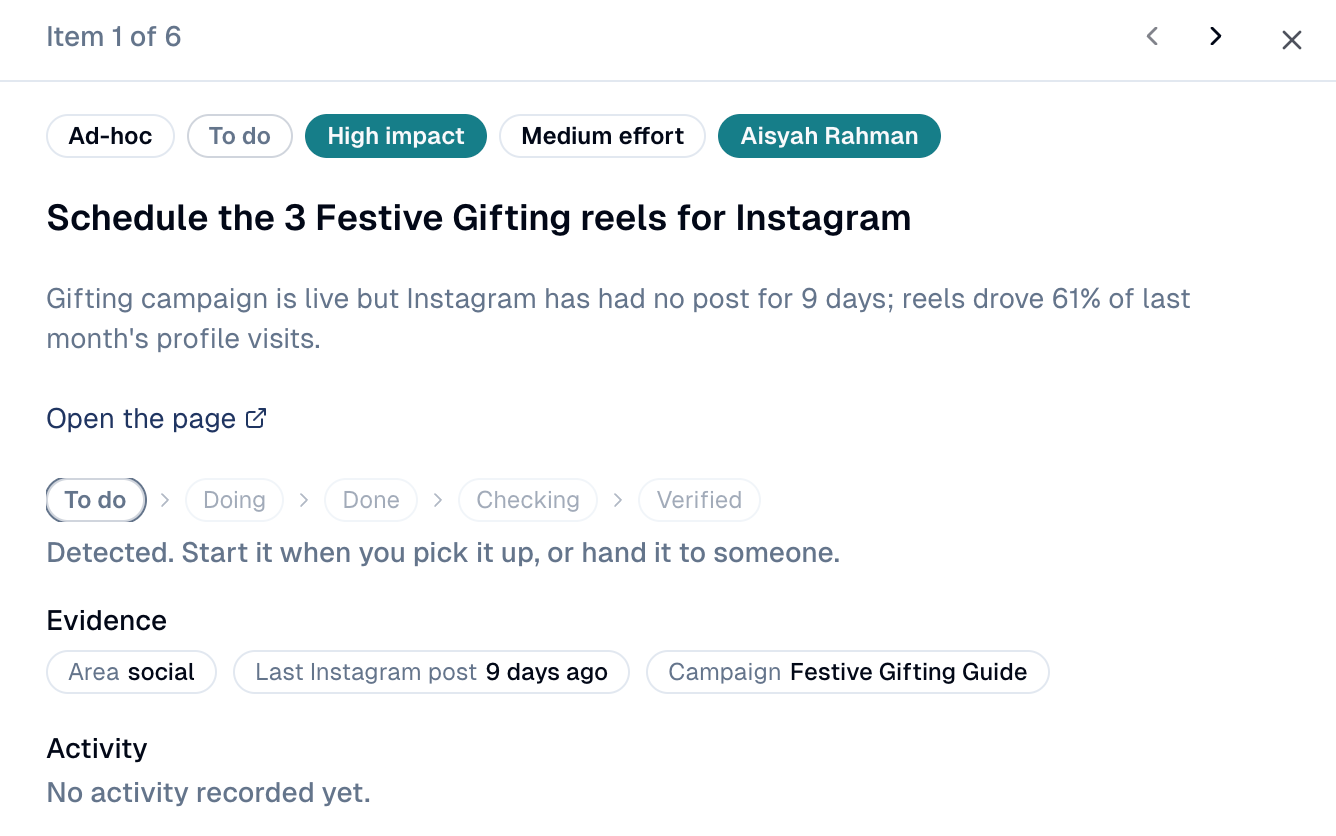
Choose an action to open it: what was found, the evidence, and where it stands.
-
Choose Take Over to start it, assign it to a colleague, Mark As Done when finished, or Dismiss it if it does not apply. Use the arrows at the top to move to the next action.
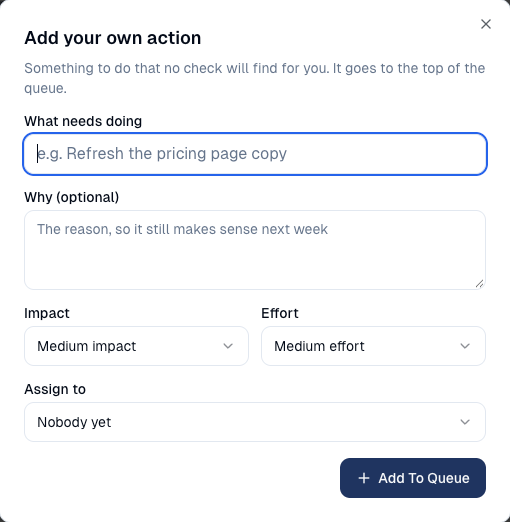
To add your own, choose Add An Ask. Say what needs doing and why, set the impact and effort, assign it if you like, then choose Add To Queue. It goes to the top of the list.
How an action moves
| Stage | Meaning |
|---|---|
| To do | Found, not started yet. |
| Doing | Someone is on it. |
| Done | Finished. GoodBards then measures the effect. |
| Checking | The effect is being measured. |
| Verified | The change worked. |
| Dismissed | Not relevant to you; set aside. |
GoodBards checks whether it worked
Once you mark an action Done, GoodBards measures its effect on its own. It moves to Checking, then to Verified when the change paid off.
Good to know
- Your own asks come first in the ranking, ahead of the automatic ones.
- An empty list is good news. The checks have run and found nothing needing attention. New actions appear as they run.
Actions depend on your connections
With nothing connected, there is little for the checks to read, and the list stays empty. See Connections.
Still stuck? Contact support.