AI Settings
Choose which AI models your team uses, and what the AI is allowed to do.
What it's for
GoodBards can use different AI providers and models for different jobs. Most teams never need to change this: the defaults are sensible. It matters when you have a preference about which provider handles your content, or want a higher-quality model for one kind of work.
These are company-wide defaults
Changing a model here changes it for every colleague, not just you.
How to change a default model
- Open your account menu (your picture, top right), then choose AI Settings.
- On the Models tab, find the type of generation you want to change.
- Pick a Provider, then a Large Language Model (LLM) from that provider.
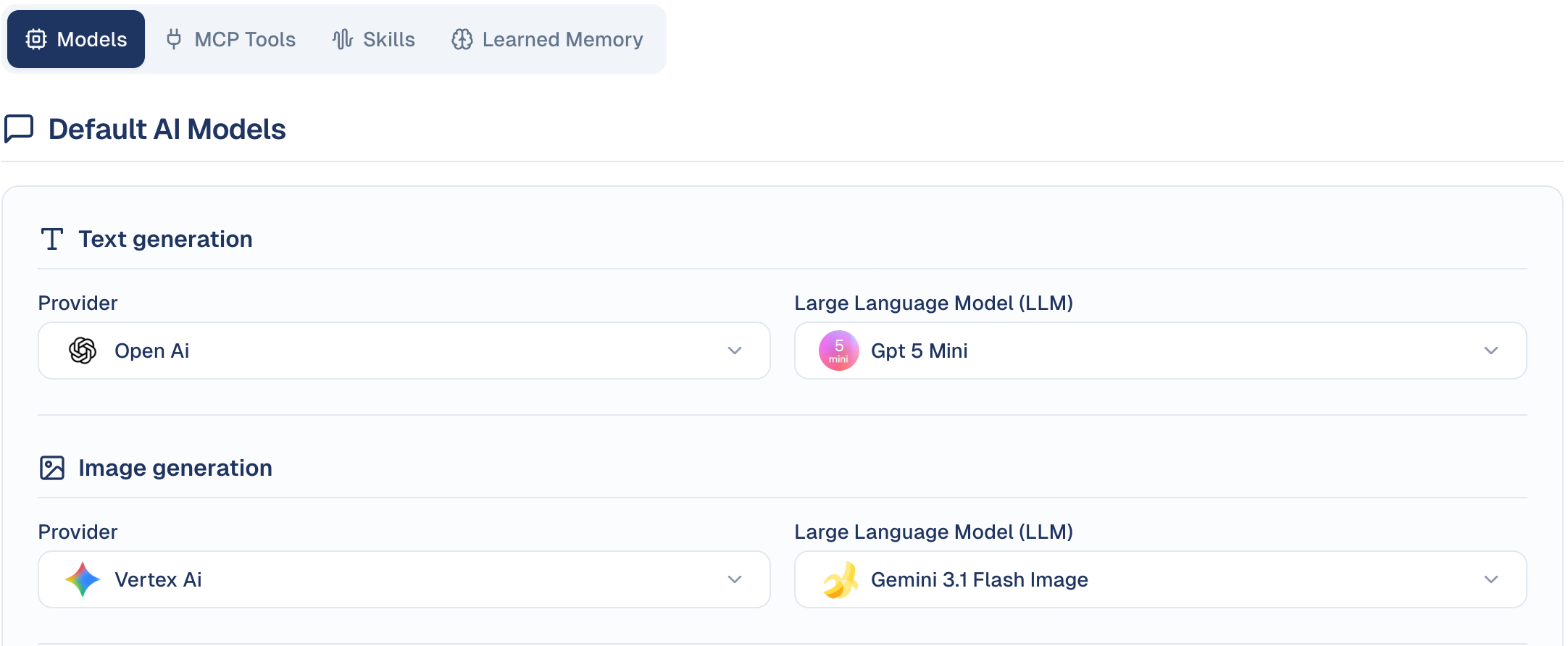
The four generation types
| Type | Used for |
|---|---|
| Text generation | Writing: email copy, social posts, agent replies. |
| Image generation | Images created from a description. |
| Video Generation | Short video clips. |
| Audio Generation | Text to speech. |
Each is set independently, so you can use one provider for writing and another for images.
Not every type needs to be set
A generation type showing Select Provider has no model configured. Those features will not work until you choose one.
The other tabs
| Tab | What it holds |
|---|---|
| Models | Default model per generation type, as above. |
| MCP Tools | External tools your agents may use. |
| Skills | Capabilities available to your agents. |
| Learned Memory | What the AI has remembered about your business over time. See How the AI knows your brand. |
MCP Tools: give your agents outside tools
MCP (Model Context Protocol) servers let your AI agents use other services: read your Mailchimp or Klaviyo campaigns, post in Slack, manage a Wix or WordPress.com site, or reach thousands of apps through Zapier.
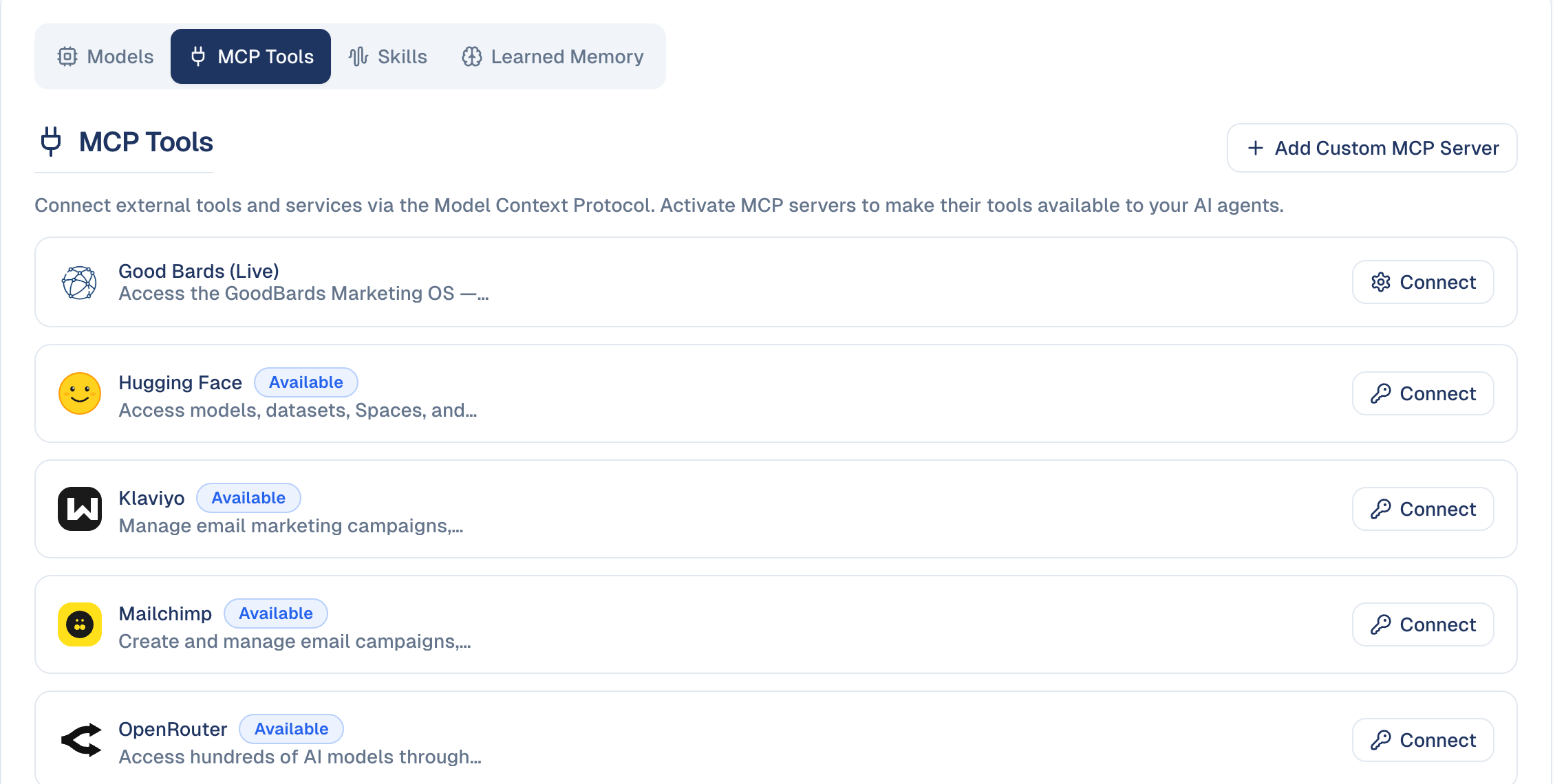
- On the MCP Tools tab, choose Connect on a service and sign in to it, or paste the key or URL it asks for (Zapier asks for your personal Zapier MCP URL).
- Once connected, its tools are available to your agents. Choose which agent uses them in the agent's settings.
Add Custom MCP Server connects any other MCP server by its address.
Skills: ready-made expertise
Skills are packaged know-how an agent can use, for example AI Search Optimization (GEO), Content Strategy Planner, Marketing Ideas, Marketing Plan Builder or Public Relations & Earned Media, each tuned for Southeast Asian markets. The tab lists the skills available to your company; you give a skill to an agent in the agent's configuration.
Good to know
- Models differ in cost as well as quality. A more capable model consumes credits faster. See Usage & Billing.
- Leave it alone if unsure. The defaults are chosen to work well; this screen is for teams with a specific reason to change them.
Test after changing
Generate a sample piece of content and check the tone still matches your brand before your team relies on the new model.
Still stuck? Contact support.