AI and human steps
Let an AI agent write or judge, and let a colleague approve, call or decide, without leaving the flow.
What it's for
Some follow-ups need a personal touch: an email written for this one contact, a call from their account manager, a judgement on how ready they are to buy. Four steps bring that into a flow:
| Step | What it does |
|---|---|
| Ask an agent | One of your AI agents answers about the contact: free text, or a drafted email. |
| Task for the owner | Puts a task in Actions for the contact's owner or a colleague. The contact waits until it is done, dismissed or late. |
| Send drafted email | Sends the email an agent drafted (and maybe a colleague edited) inside one of your email designs. |
| AI decides | A branch whose lane is picked by the AI. |
Nothing AI-written is sent without a human, unless you build it that way
The usual pattern is Ask an agent → Task for the owner → Send drafted email: the agent drafts, a colleague approves or edits in Actions, then the flow sends.
Before you start
- An agent. Any of your agents under Agentic AI → Agents. See Agentic AI.
- An email design for Send drafted email. See Email designs.
- Contact owners for Task for the owner: a contact without an owner lands in Actions unassigned.
How to build an AI-written follow-up
This is Tutorial 6 · AI-written follow-up.
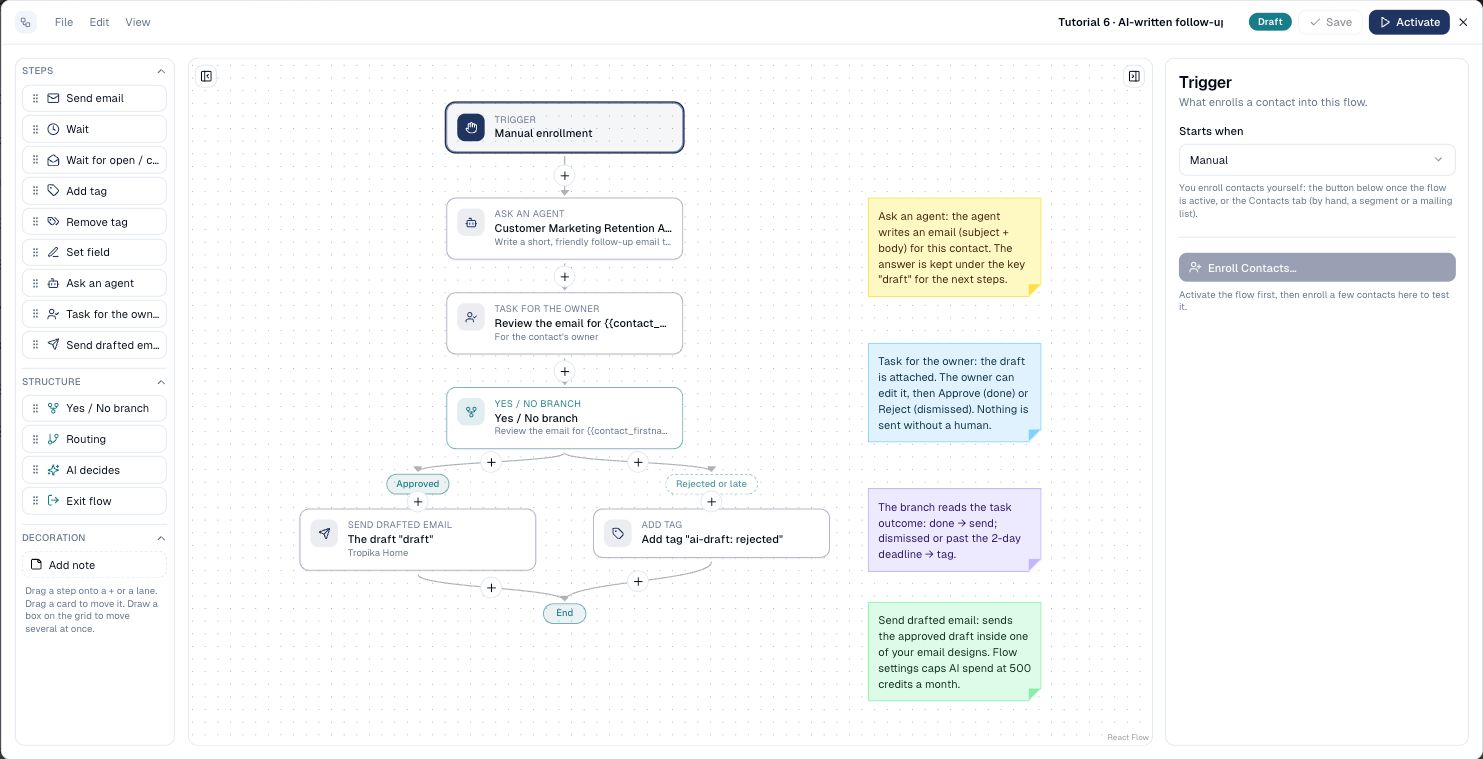
-
Add Ask an agent. Pick the Agent, write the Instructions, set The agent answers with to An email (subject and body) and keep the answer under a short name, for example
draft.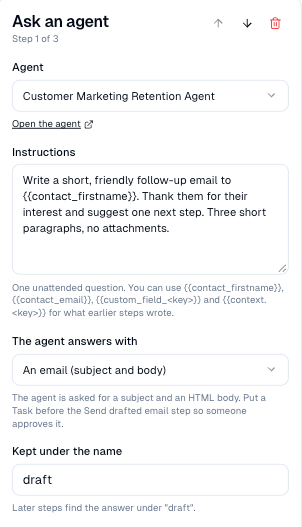
-
Add Task for the owner. Give it a Title and Instructions, choose who gets it and a Deadline. The draft is attached to the task.
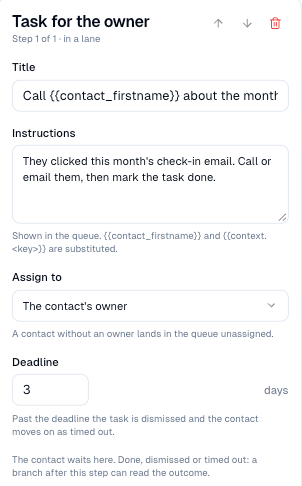
-
Add a Yes / No branch on Outcome of a task, Done: approved drafts go one way, rejected or late ones the other.
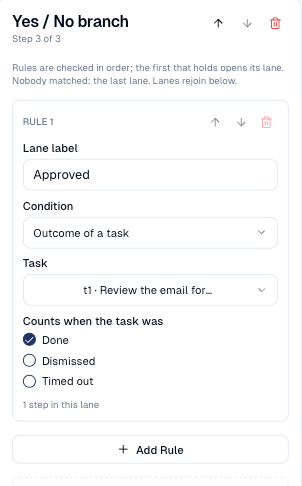
-
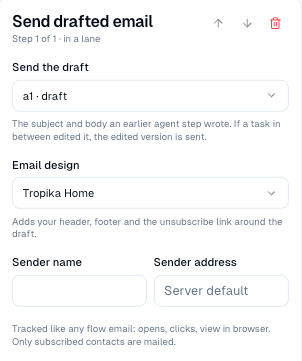
In the Approved lane, add Send drafted email: pick the draft and the Email design. Sender name and address are optional.
What the colleague sees
The task appears in Actions for the contact's owner, with the flow's name, the draft and what the flow knows about the contact. They can edit the subject and body, then Approve and send or Reject.
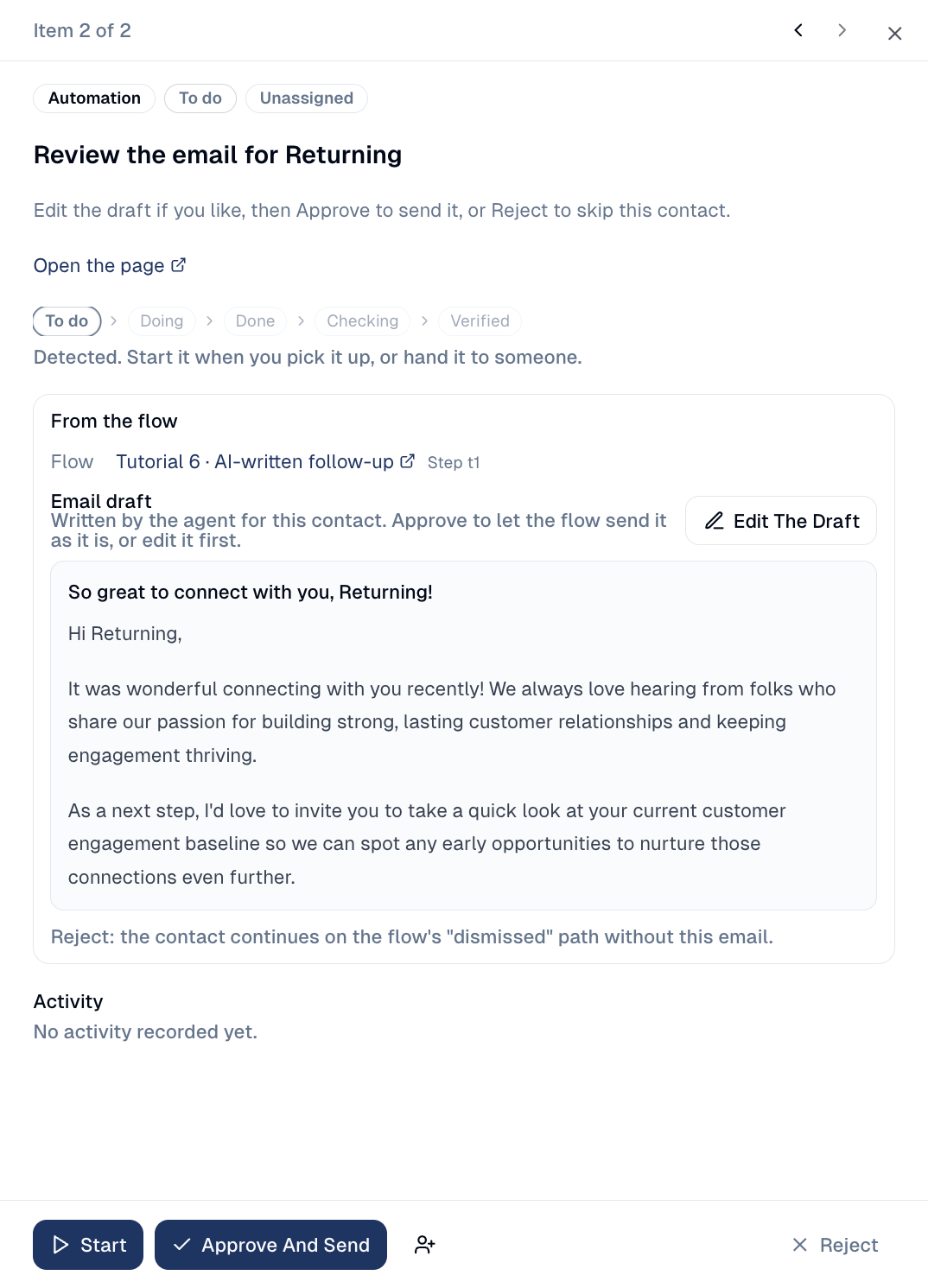
The flow picks the outcome up within a minute: Done when approved, Dismissed when rejected, Timed out when the deadline passes first.
AI decides
A branch whose lane is chosen by the AI: one question, a few choices, one lane per choice, and a last lane for when the AI is not sure enough.
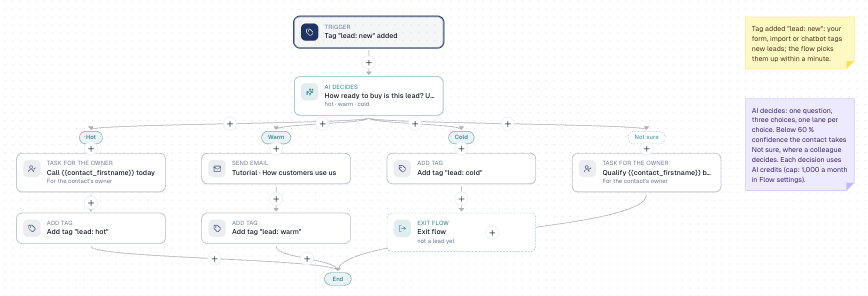
- Add AI decides from the Structure group.
- Type the Question, for example How ready to buy is this lead?
- Add one choice per lane: a short key (
hot), the lane's label and a one-line description the AI reads. - Set the Confidence floor: below it, the contact takes the last lane, where a colleague can decide.
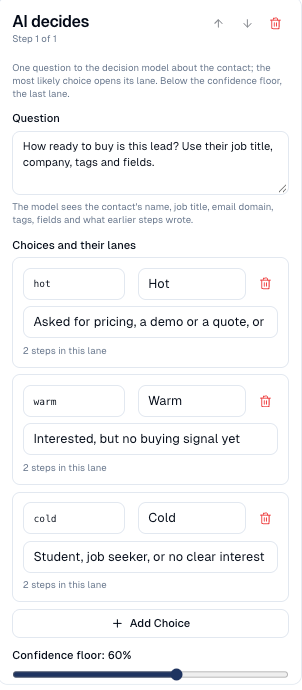
The AI sees the contact's name, job title, email domain, tags, fields and what earlier steps wrote. Sample: Tutorial 7.
Good to know
- AI budget. Ask an agent and AI decides use AI credits. Cap them per flow and per month with AI budget per month in Flow settings; over the cap those steps fail until next month.
- Tasks wait, AI does not. An agent answers within the minute; a task holds the contact until someone acts or the deadline passes.
- The path keeps it all. Each contact's path shows what the agent wrote, what the AI chose and with what confidence, and the task outcome.
Still stuck? Contact support.