Run a campaign on social media
Plan a series of posts around one goal, write them in your brand voice, schedule them across your networks, and see what worked.
What it's for
One post rarely moves anything; a series does. Running your posts as tactics of a campaign keeps the whole series, per network, on one calendar, and puts the results next to your emails, events and ads in the campaign report.
Before you start
- Your social accounts connected: LinkedIn, Facebook, Instagram or X. See Connections.
- Your Brand Kit and, if you have one, a Brand Voice, so the AI writes like you. See How the AI knows your brand.
1. Set up the campaign
- In the sidebar, choose Marketing → Campaigns, then Create New Campaign.
- Fill in the objective, dates, audience, regions and description.
- Under Tactics, choose Plan With AI to get a suggested mix of tactics for your objective, or Add Tactic to add one per network yourself, for example Instagram: gift guide reels and LinkedIn: corporate gifting.
See Campaigns.
2. Write the posts
For each network:
- Choose Write Content With AI on the campaign, or write a post in Social Media → Social Post with New Post.
- Check the text, add an image, and use AI Hashtags and Improve With AI. The preview shows the post as it will appear on the network.
- To turn an article into a series of posts in one go, open the article in Content Hub → Content Repository and choose Create social posts.
See Social Post.
3. Schedule them
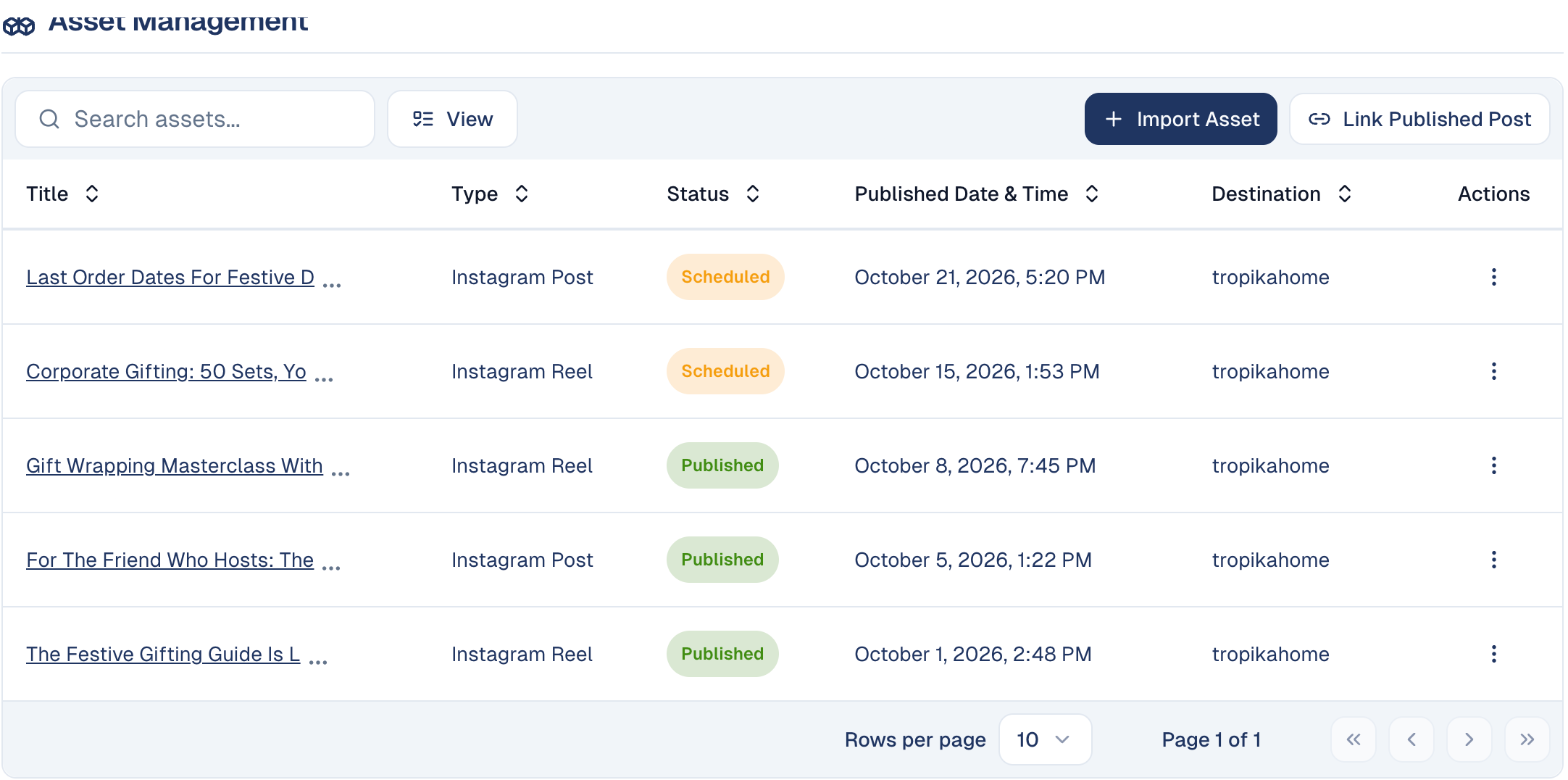
- Open the network's tactic. Under Asset Management, choose Import Asset to add your posts, or Link Published Post for a post you already published on the network yourself.
-
Give each post its date and time. The list shows each one as Scheduled or Published, with its destination account.
-
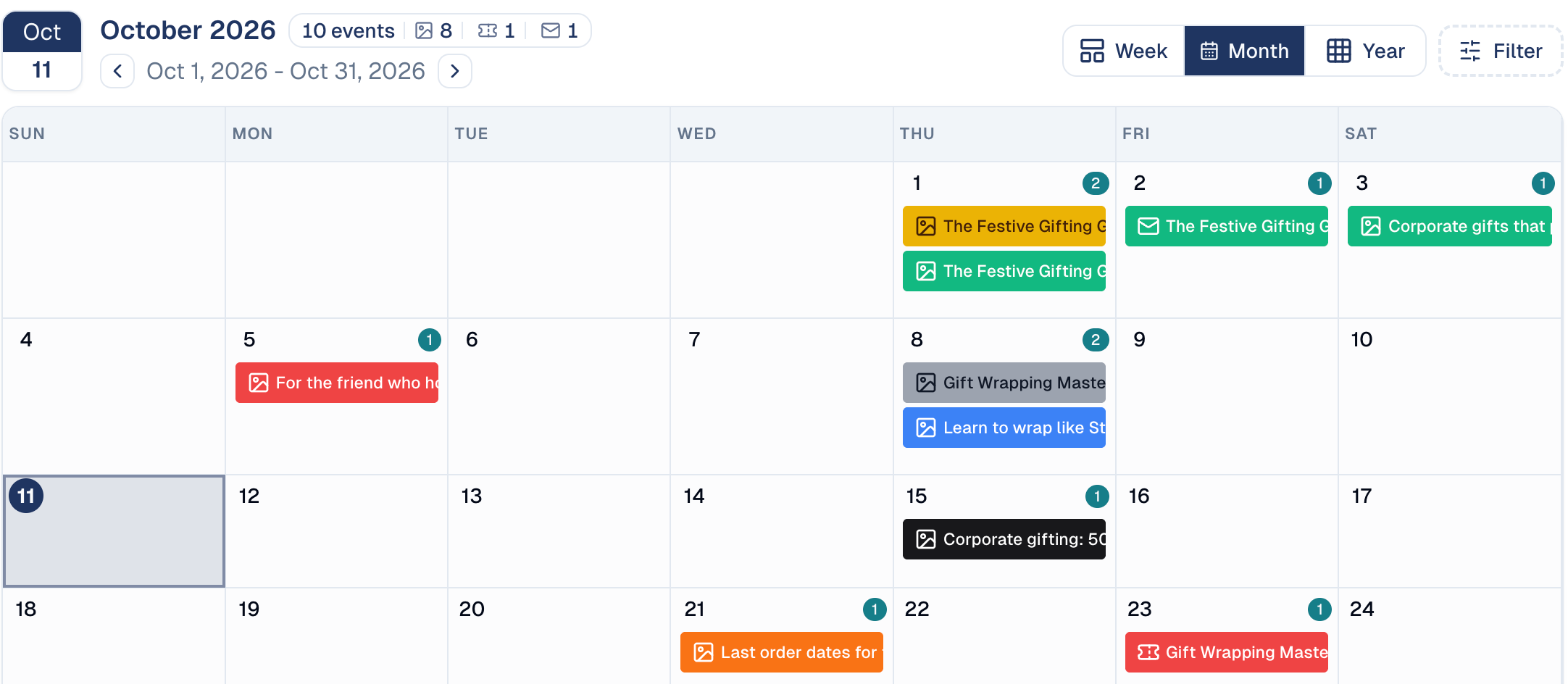
Check the whole series on the campaign's Calendar tab: every post, email and event of the campaign, by week, month or year.
4. See what worked
- Per network: Social Media → Analysis shows reach, engagement, likes, comments, shares and clicks, and the sentiment of the reactions. See Analysis.
- For the whole campaign: the campaign's Analytics tab adds up every tactic. See The campaign report.
Good to know
Post dates must fall within the campaign's dates
Change the campaign's dates under Campaign Details if you need to extend it.
- Each network has its own format and limit. Write one post per network; the editor shows each network's character limit and preview.
- Results are not live. Network figures are collected several times a day, so a post's first results appear a few hours after it is published.
Still stuck? Contact support.