Page Fixes
The pages worth fixing first, ranked by the clicks the fix could bring, each with what to change.
What it's for
Most sites have a few pages that already rank but lose the click, or that are close to the first page. Fixing those is the quickest search win there is. Page Fixes finds them in your Search Console data and puts the biggest ones first.
Before you start
- Your plan. Page Fixes is included in the Pro and Full plans.
- Google Search Console connected under Connectors. See Connections.
How to use it
- In the sidebar, choose Organic Visibility → Page Fixes.
-
Pick a filter at the top:
Filter The pages it shows Quick Wins Pages just below the top results, where a small push moves them up. Declining Pages losing traffic. Low CTR Pages people see but rarely click. -
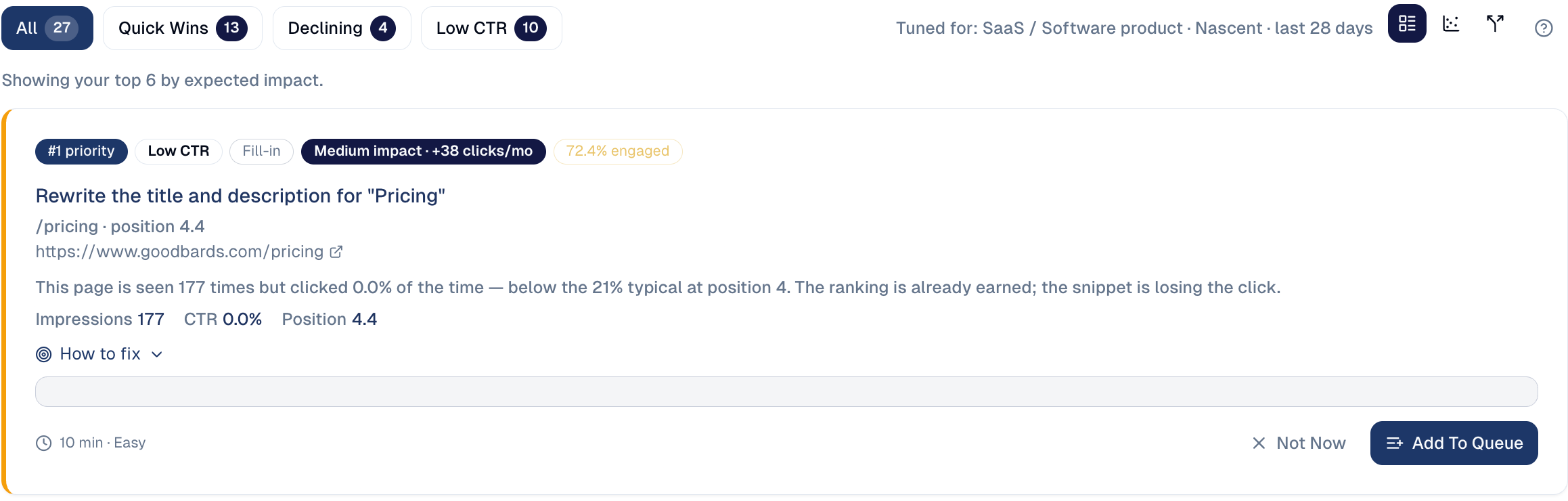
Read the first card: the page, why it is listed, its impressions, click rate and position, and the expected impact.
-
Open How to fix for the steps, then choose Add To Queue to put the work in Actions, or Not Now to set it aside.
Start with Low CTR
A better title and description take minutes and need no new content. The page is already seen; the fix makes people click it.
Three ways to look
The three icons at the top right switch the view:
- List: the cards above, ranked by expected impact.
-
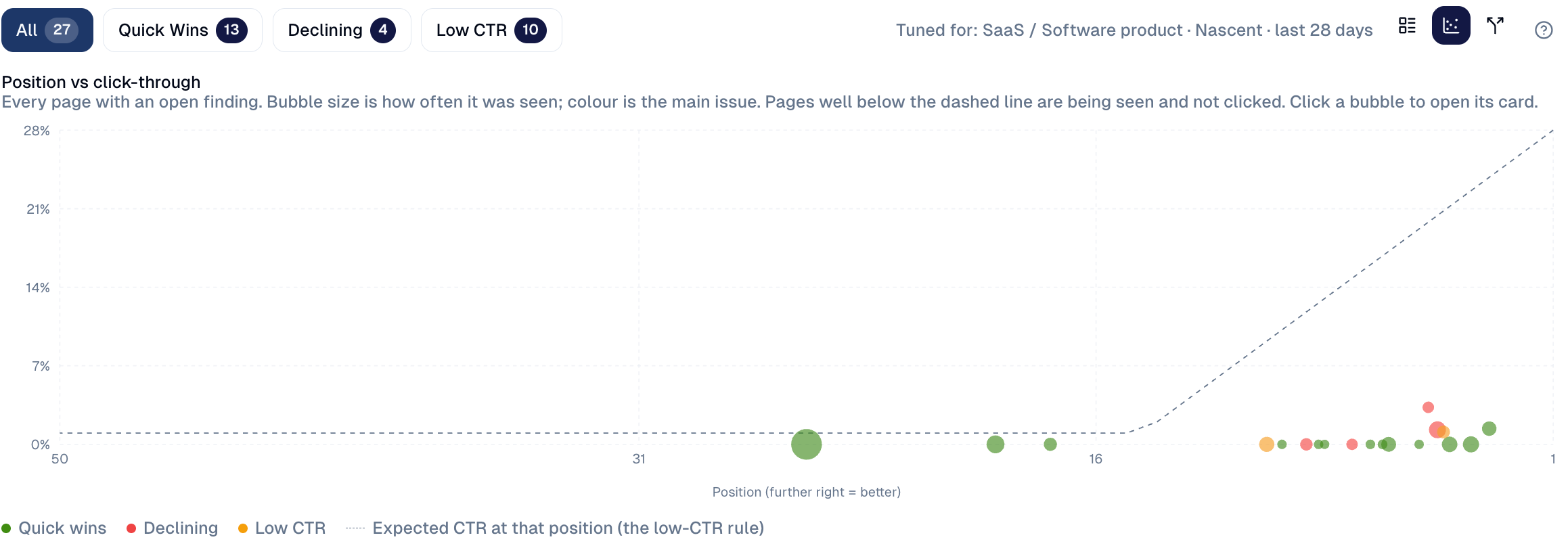
Chart: every page with an open finding, by position (further right is better) and click rate. Bubble size is how often the page was seen, colour is its main issue. Pages well below the dashed line are seen but not clicked. Choose a bubble to open its card.
-
Competing pages: searches where several of your own pages compete for the same query, so neither ranks as well as one would. Searches on your brand name are marked Your brand: competing there is normal.

Good to know
- The ranking is tuned to your business. The line at the top right, such as SaaS / Software product, shows the site type used to judge what is normal.
- Check the result after a few weeks. Search Console needs time to show the effect; Performance & Report → Impact shows it.
Still stuck? Contact support.