Connections
Link GoodBards to the outside services your marketing depends on: social accounts, messaging, analytics, ads, storage and more.
What it's for
GoodBards can only publish to a social channel, or report on your website traffic, if you have given it permission to reach that account. A connector is that link.
No data? Check here first
Most "why can't I see any data?" problems come back to a missing connector, so this is worth setting up early.
Before you start
- You must be an administrator or the owner of your company account. Other roles see Connect greyed out.
How to connect a service
- Open your account menu (your picture, top right), then choose Connections.
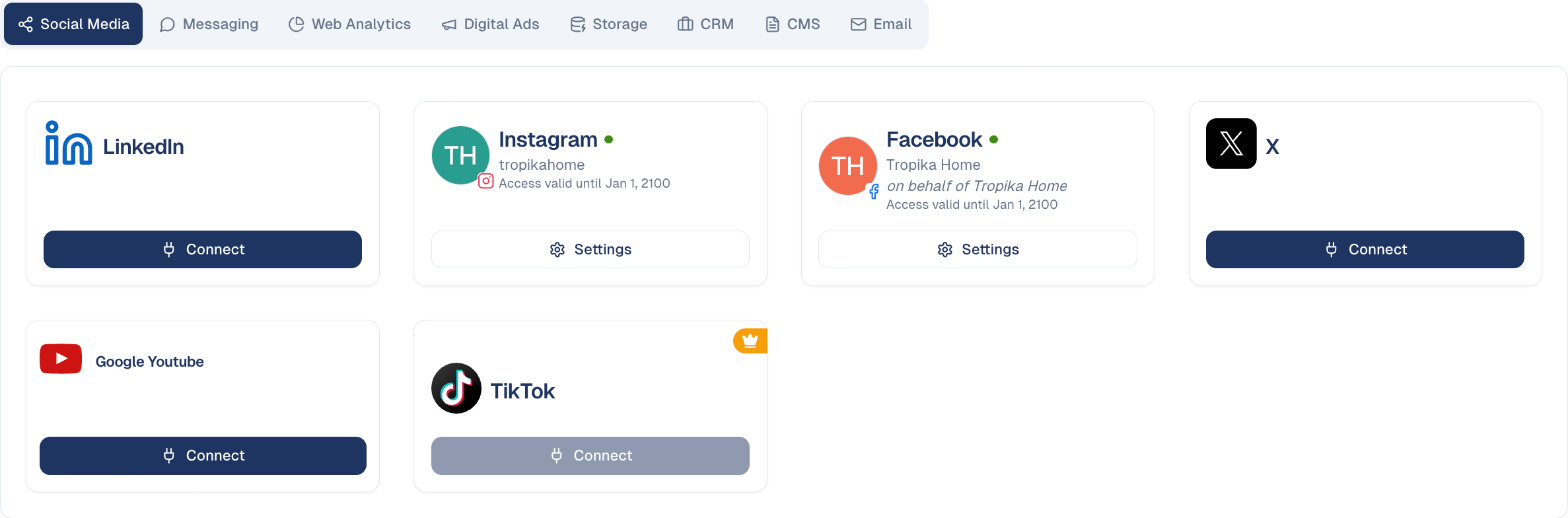
- Pick the category across the top, for example Social Media or Web Analytics.
- Find the service and choose Connect.
- Sign in to that service and grant the permissions it asks for. You are taken back to GoodBards when it is done.
Use Search connectors… to find one by name rather than hunting the tabs.
Categories
Each connector has its own page: what it lets GoodBards do, what you need before connecting, and what GoodBards reads or publishes. See All connectors.
| Category | What it connects |
|---|---|
| Social Media | LinkedIn, Instagram, Facebook, X, Google Youtube, TikTok. |
| Messaging | Telegram and WhatsApp. |
| Web Analytics | Google Analytics, Google Search Console, Google Trends, Chartbeat, Google BigQuery. |
| Digital Ads | Google Ads and Meta Ads. |
| Storage | Google Drive and Google Documents. |
| CRM | Pipedrive. |
| CMS | WordPress, self-hosted or on WordPress.com. |
| The server that sends your email campaigns. |
How to manage an existing connection
A connected service shows the account it is linked to, plus:
- Settings: the options for that connector, such as which page, property or account to use. Until you pick one, the button says what is missing, for example Choose Property. The Disconnect button is inside.
- Disconnect, directly on the card, for connectors with nothing to set.
Connect the right account
The card shows which account is linked. On a shared channel, make sure it is the company account and not someone's personal profile: the person who connects it is the person whose access is used.
Good to know
- A crown means your plan does not include it. The Connect button is greyed out; speak to your account contact to enable it.
- Connect before you build. Setting up a campaign for a channel you have not connected means going back and redoing the setup.
- Connections can expire. If a service is failing, check here first: many providers require periodic re-authorisation.
Disconnecting is not retroactive
Posts already published stay published, and contacts already imported stay in GoodBards. You simply cannot publish or import more until you reconnect.
Still stuck? Contact support.