Email designs
The frame around your emails: the header with your logo, the footer with your address and unsubscribe link, and your colours and fonts. Make it once, and every email you write sits inside it.
What it's for
Every email needs the same header, footer and legal lines. A design holds them, so you only write the message. Change the design once, for example a new logo, and the next emails use it.
How to create a design
- In the sidebar, choose Marketing → Emails, then the Email Designs tab.
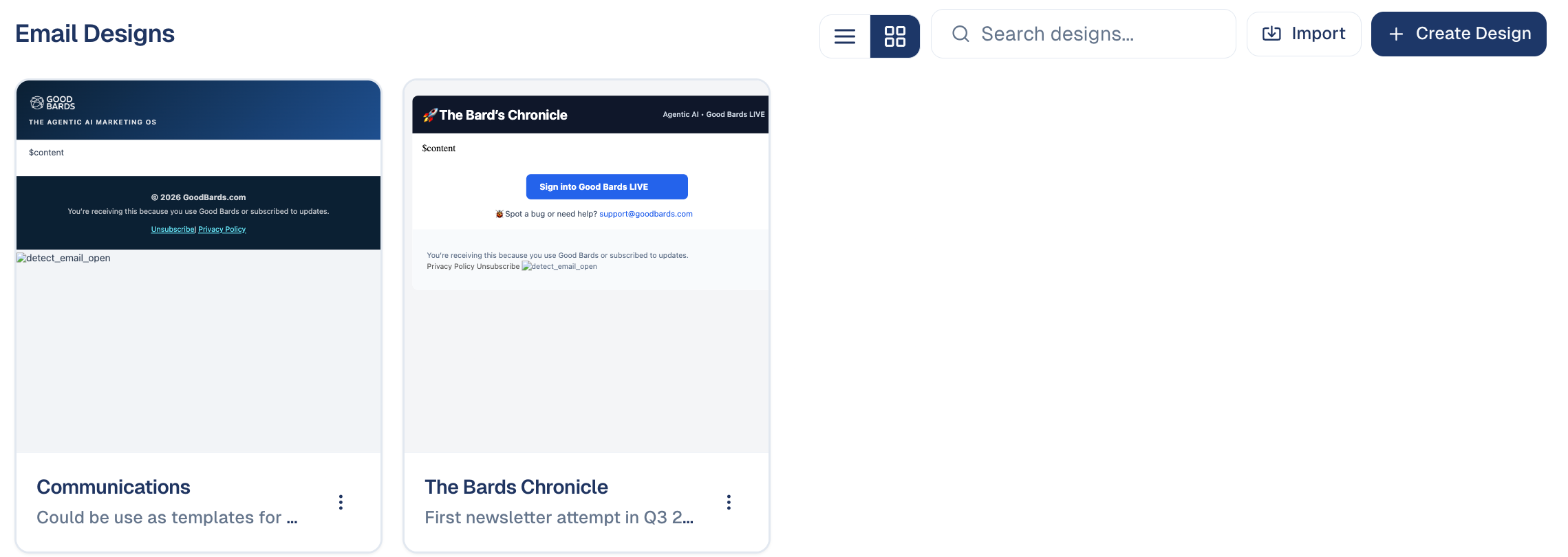
- Choose Create Design and start from a template, or Import your own HTML.
- Edit the header and footer. The middle part, shown as
$contentin the preview, is where each email's text goes. - Choose Save. The design appears in the list, ready to pick when you write an email.
Where designs are used
- Emails: pick the design when you create an email. See Emails.
- Events: pick one under the event's Definition → Email design; all its invitations, confirmations and reminders use it.
- Forms: the confirmation email of a form uses the design you choose for it.
Good to know
Keep the unsubscribe link
The footer's unsubscribe and privacy links are required for marketing emails under PDPA and similar laws. GoodBards fills them in for each recipient.
- Use your Brand Kit. Colours and fonts from your Brand Kit keep every email on brand.
- Editing a design does not change emails already sent.
Still stuck? Contact support.