Instagram
Publish picture posts, carousels, Reels and stories to your Instagram account and get reports on how it performs.
What it's for
The Instagram connector links GoodBards to your Instagram account. With it you can:
- Publish and schedule posts from a campaign's social tactic. See Launch a tactic and Social Post.
- Link a post you published outside GoodBards, so its results count in the campaign report.
- Analyse your account: followers, reach, post results and comments. See Social Media Analysis and Reports.
- Schedule recurring reports with the Scheduler.
- Feed the daily summary on your home page.
- Let your AI agents read or create analysis reports.
Before you start
- You must be an administrator or the owner of your GoodBards company account.
- Use an Instagram professional account (Business or Creator). You sign in with Instagram directly, not through Facebook.
How to connect
- Open your account menu (your picture, top right), then choose Connections.
-
On the Social Media tab, find Instagram and choose Connect.
-
Sign in to Instagram with the account you want to publish to, and accept the permissions it asks for: your profile, publishing, comments, messages and statistics.
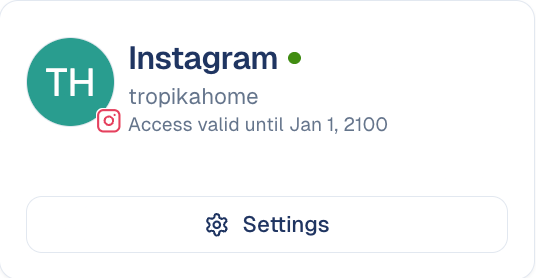
- You are taken back to GoodBards. The card shows the account name.
What GoodBards does with it
| GoodBards… | Details |
|---|---|
| Publishes | A picture post (one picture), a carousel (2 to 10 pictures) or a Reel (one video, also shown in your grid), with your caption. Any of them can go out as a 24-hour story instead. |
| Reads | Your profile, followers, posts, post statistics, daily reach and views, post comments, and the numbers of the stories published from GoodBards. |
| Does not | Mix pictures and videos in a carousel, add stickers to stories, read stories posted directly in the Instagram app, delete posts, or read your messages. |
Good to know
Every Instagram post needs a picture or a video
A text-only post fails. Add at least one picture or one video before you publish or schedule it.
- Videos are published as Reels: MP4 or MOV, up to 300 MB, 3 seconds to 15 minutes. A video story: up to 100 MB and 60 seconds. See Videos, documents, Reels and stories.
- Pictures are sent as JPEG, whatever their original format.
- 2,200 characters per caption.
- Instagram limits how many posts you can publish per day (about 50 per account).
- Access is renewed automatically a week before it expires. If Instagram refuses, the connector switches off and the card asks you to reconnect.
Media are handed to Instagram by link
Instagram fetches pictures and videos itself, so GoodBards gives it a link to each one. Pictures stay publicly reachable by that link; videos use a link that expires after an hour.
How to disconnect
- On the Instagram card, choose Settings.
- Choose Disconnect, then confirm.
GoodBards forgets the access. Posts already published stay on Instagram. To remove GoodBards' access on Instagram's side too, do it from your Instagram settings, under apps and websites.
Still stuck? Contact support.