Mailing lists
Lists people subscribe to, such as your newsletter or a members' club, with their consent kept for each list.
What it's for
A segment is a rule; a mailing list is a commitment. When someone joins a list, from a sign-up form or because you added them, they agreed to receive what that list sends. GoodBards keeps each person's status per list, so you always know who may receive what, and an unsubscribe is respected everywhere.
Before you start
- Contacts to add, or a form people can sign up with.
How to manage a mailing list
-
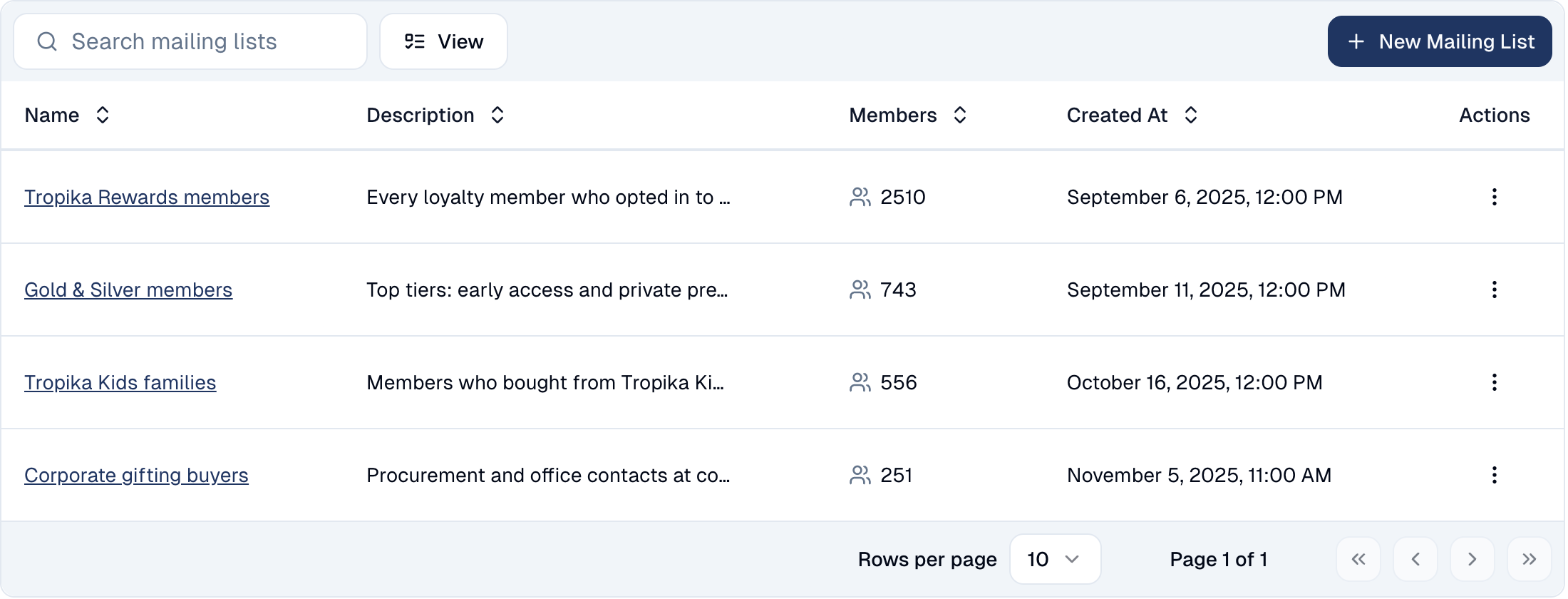
In the sidebar, choose Audience → Contacts, then the Mailing Lists tab. Each list shows its description and number of members.
-
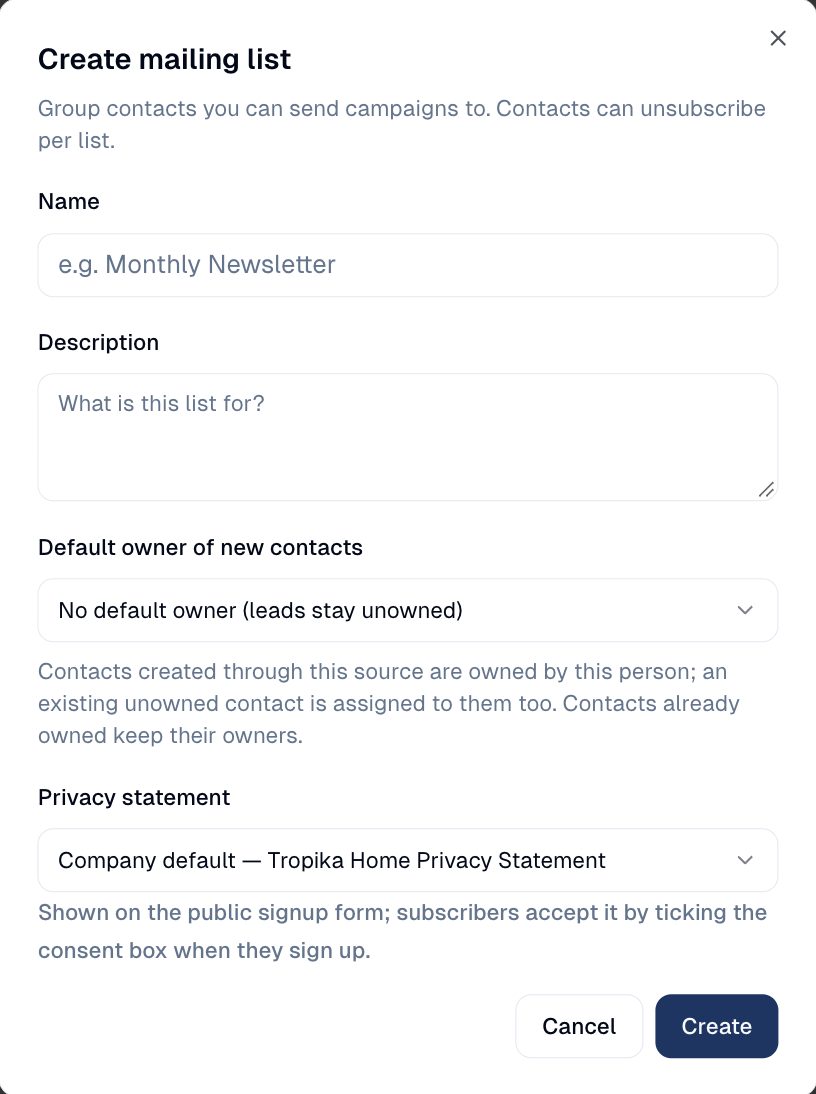
To create one, choose New Mailing List, give it a Name and a Description, pick the Privacy statement shown on its sign-up form, and choose Create. Default owner of new contacts gives everyone who signs up through this list to one colleague.
-
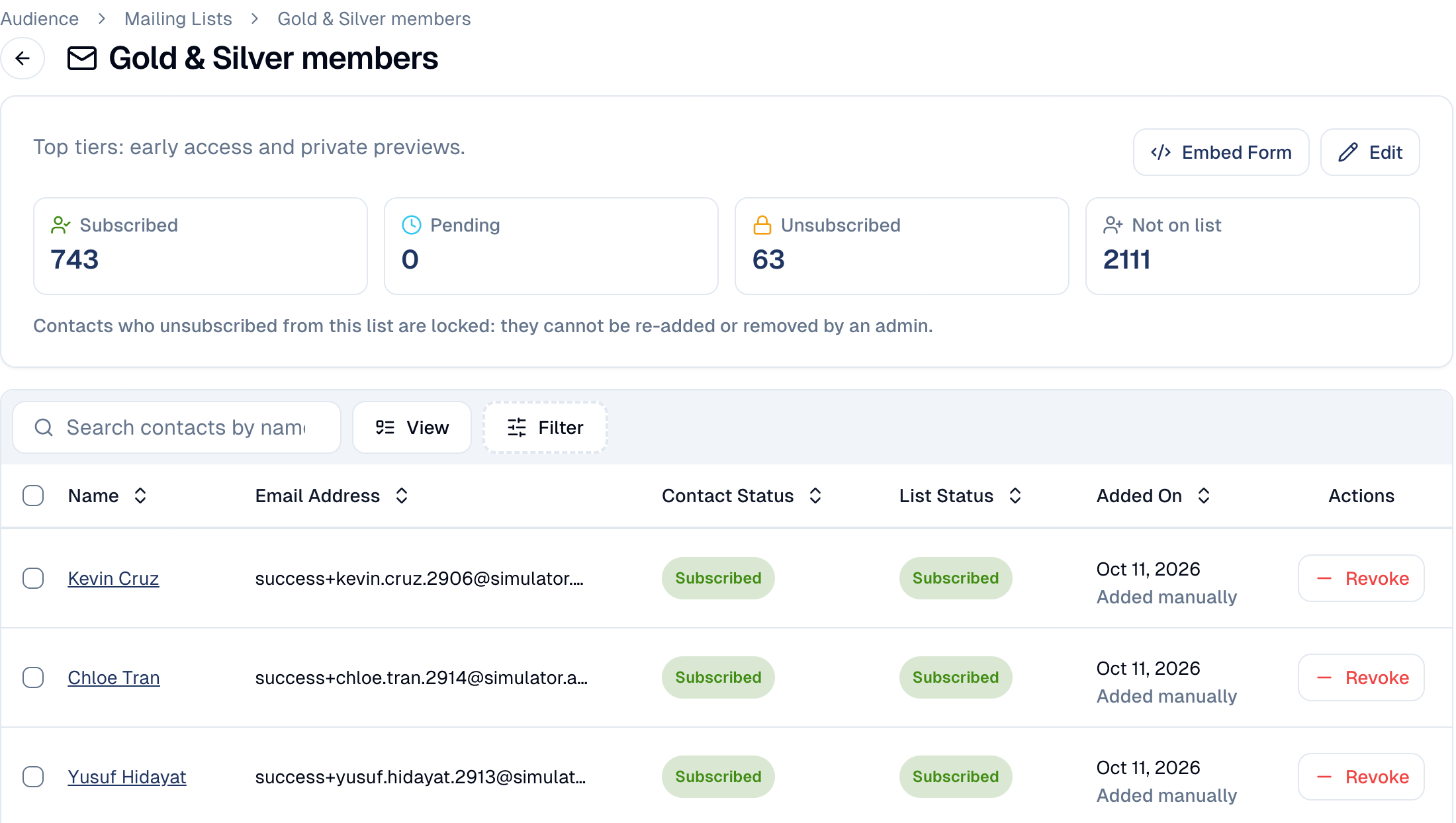
Choose a list to open it. The counters show who is Subscribed, Pending, Unsubscribed, and Not on list.
-
Below, each contact shows their contact status, their status on this list, and how they joined. Add puts a contact who is not on the list on it; Revoke takes a member off. Select several rows to add or revoke them at once.
- Embed Form gives you a sign-up form for your own website that adds people to this list.
Unsubscribed means locked
Someone who unsubscribed from a list cannot be added back, or removed, by anyone on your team. Only they can rejoin, from their preference page or a sign-up form. This is how GoodBards keeps you compliant with PDPA.
Good to know
Deleting a list removes it from your emails
Deleting a mailing list permanently removes its memberships, and removes the list from any email that used it. The contacts themselves stay.
- Lists do not update themselves. A segment re-evaluates its rule every time; a mailing list only changes when people join or leave. See Contacts.
- Email the list from a campaign. When you send an email, choose the list as the audience. See Emails.
Still stuck? Contact support.